
Marketer, analyst, ex-CMO focused on the Google ecosystem (Ads, Merchant Center, GA4, GTM). Google Partner. 150+ projects, 100+ positive reviews on Freelancehunt, 12+ countries.
- I work directly, with no account managers or subcontractors
- I measure results in sales, not in-platform conversions
- Maximum expertise in the Google ecosystem — instead of “PPC, social ads and SEO, all in one”
One of the first questions before we start: “How will I see that the ads are working? And how often will you report?” The short answer: the ad account is yours and open to you from day one, a full report comes once a month, and everything in between is visible in a dashboard if the project has one. Below is what that looks like in practice.
Contents
The account is yours, not mine
I work in your Google Ads, Google Analytics, Tag Manager and Merchant Center accounts. You give me access, not the other way round. So you can check spend, clicks and conversions at any time, without my permission and without my screenshots. If we stop working together, the full history and settings stay with you.
How to grant access and which roles to choose, I showed step by step in the article how to give access to Google Ads, GA4, GTM, Merchant Center and Search Console.
But the numbers in the account aren’t yet a business result. Google Ads attributes conversions to the click date and doesn’t know about cancelled orders or sales without a Google Click ID. So to judge results I rely on CRM data when it’s available.
What’s in the monthly report
A full report once a month, compared with the previous month using the same methodology. It covers orders, revenue, ROAS, cost per sale and average order value, preferably from CRM data. Separately: cancellations, discrepancies between the account and the CRM, what was done during the month, the plan for the next one and what you can improve on your side.
An example from a real report for a mattress store: 43 orders net of cancellations, ROAS 8.15. And on a separate line, 9 cancellations worth UAH 127,979 for reasons that have nothing to do with the ads: bought elsewhere, couldn’t agree on delivery. That’s money only the client can influence.
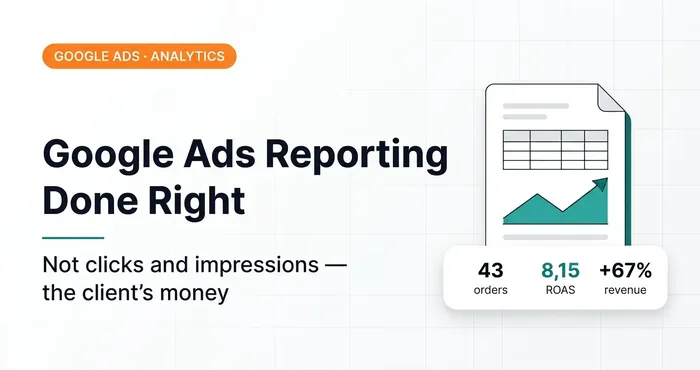 Analytics · Google AdsWhat Google Ads Reporting from an Expert Should Look LikeWhat a monthly Google Ads report should look like: not clicks and impressions, but CRM orders, revenue, ROAS, CPS and reasons. A real client report.
You won’t see clicks, impressions and CTR as the headline numbers in such a report. Those are working metrics for me. Why CTR isn’t a KPI, I covered in the article does CTR affect business metrics.
Reporting formats range from simple spreadsheets to CRM and Looker Studio:
Google Ads Reporting: 5 Working Solutions, from Simple to Advanced

Dashboard: results every day, no waiting for a report
Between reports, results are visible in a dashboard. The data is pulled in automatically, and you open it whenever it suits you.
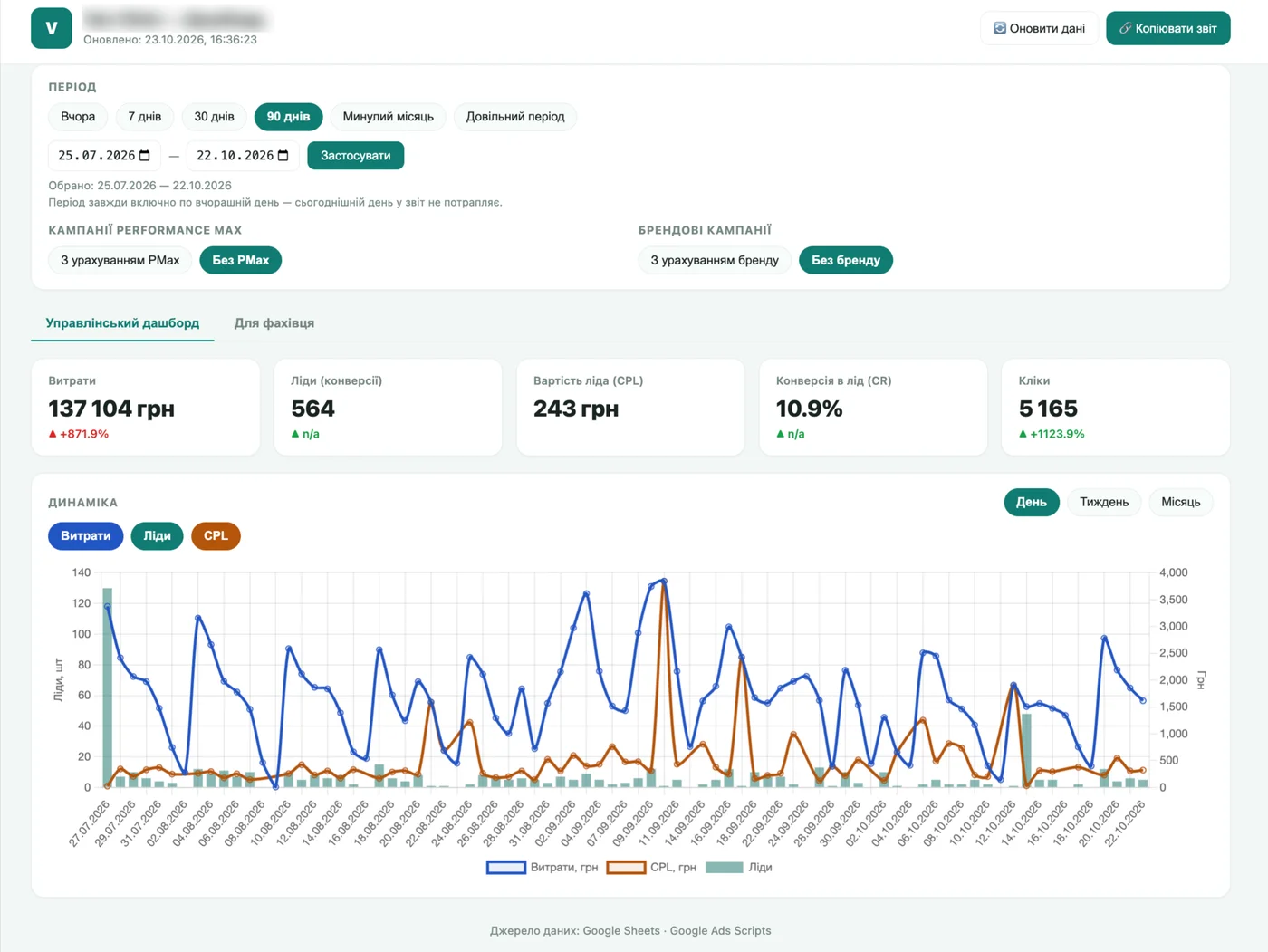
In a lead generation project for a private clinic, the dashboard has two tabs. The management tab shows spend, leads, cost per lead, conversion rate and a daily chart. The specialist tab shows each medical specialty separately. Plus two toggles: with and without Performance Max, with and without brand. With Performance Max the lead conversion rate there is 5.4%, without it 10.9%, so without such a toggle a single overall number would be misleading.
In a B2B project with a CRM, the dashboard also forecasts the result to the end of the month and for the next month, to plan the budget.
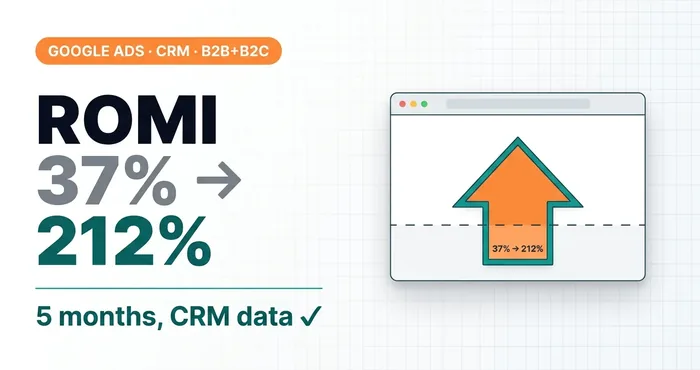 Google Ads case study · CRM integration · B2B + B2CFrom ROMI 37% to 212% in 5 months: how CRM data changed everythingAn electronics online store, B2C/B2B: CRM integration, call tracking, messenger attribution. ROMI from 37% to 212%.
I build each dashboard for a specific business and its KPIs, with no one-size-fits-all template. A simpler option is a Looker Studio dashboard built on your data.
Google Ads Conversions ≠ Profit. End-to-End Analytics Shows the Real Business Picture

Why you shouldn’t judge ads day by day
The dashboard shows data every day, but you shouldn’t draw conclusions from a single day. In a dental equipment store, daily ROAS over seven months jumped from 0.16 to 83. Yesterday a “failure”, today a “record”, and over the month everything is fine. What that looks like in numbers, I broke down in the article on Google Ads analytics beyond the ad account.
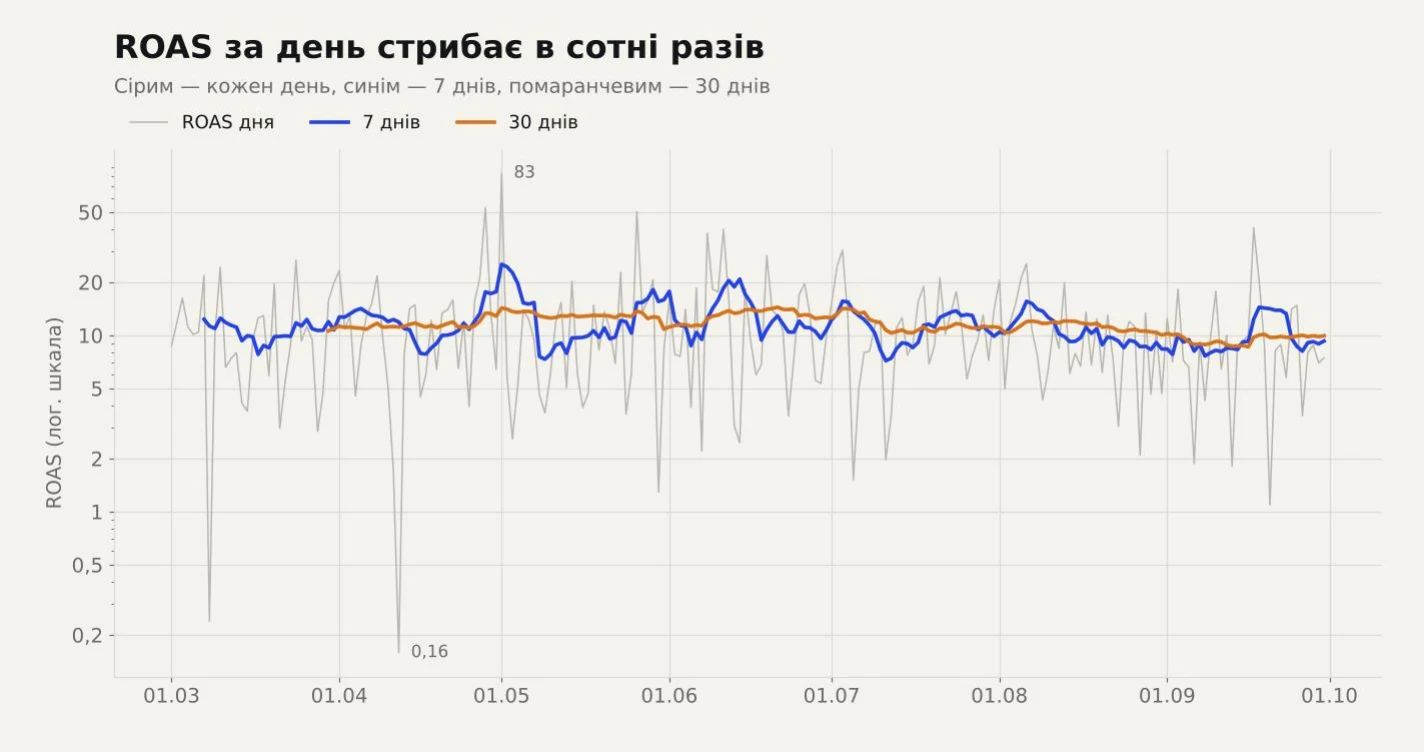
This matters especially at the start. In the first weeks campaigns are learning, and expecting profit within a week is fantasy, not advertising. More on this in the article “Make me a profit in 7 days with Google Ads”.
What if you need reports more often
Sometimes a client says: “the agency sent reports every week, and you don’t.” Did you ever ask? If you need them more often, we’ll agree on it, no problem. But agencies often love reports because reporting replaces results as the main criterion for judging the work. I wrote about this in the article agency or freelancer.
I’ve seen it from the inside. I once worked with a small agency that adored reports. Once a week I had to write everything up in a level of detail that neither the client nor anyone else needed. Plus report every day on what work I’d done in each ad account. Plus train project managers who understood nothing about advertising. In the end I spent more time on reports than on optimizing the ads themselves. I lasted about a month and a half and said: no, I’m not a writer. Time spent on reports for the sake of reports is taken away from working on your ads.
What to agree on before starting
Agree on three things with your contractor: whose account the ads will run in, which data the results are measured on (the ad account or the CRM) and when you’ll get the first report. If any of these questions has no clear answer, better sort it out before you pay.
03 — AuditGoogle Ads account auditI find where the budget leaks: structure, bidding, keywords, conversion tracking, website.
Where to find me
Message me on Telegram or by email — I respond quickly. Telegram channel and YouTube are for those who want to see real cases before reaching out and understand my approach.