
Marketer, analyst, ex-CMO focused on the Google ecosystem (Ads, Merchant Center, GA4, GTM). Google Partner. 150+ projects, 100+ positive reviews on Freelancehunt, 12+ countries.
- I work directly, with no account managers or subcontractors
- I measure results in sales, not in-platform conversions
- Maximum expertise in the Google ecosystem — instead of “PPC, social ads and SEO, all in one”
This article is for my clients, both current and future. It has one job: to get your access sorted in five minutes instead of three days of “where do I click”.
Everywhere below, use the email I sent you. Here are the access levels I need:
| Service | Access level to grant |
|---|---|
| Google Ads | Read only (for an audit) or Admin (for launch or ongoing management) |
| Google Analytics 4 | Editor |
| Google Merchant Center | Admin |
| Google Tag Manager | Administrator + Publish |
| Google Search Console | Full (only if I asked for it) |
If you’d rather watch than read, here’s the same thing in a 3-minute video:

Contents
Google Ads
Open ads.google.com and pick the account you want to share.
- In the left menu, click Admin → Access and security → Users tab.
- Click the blue plus button.
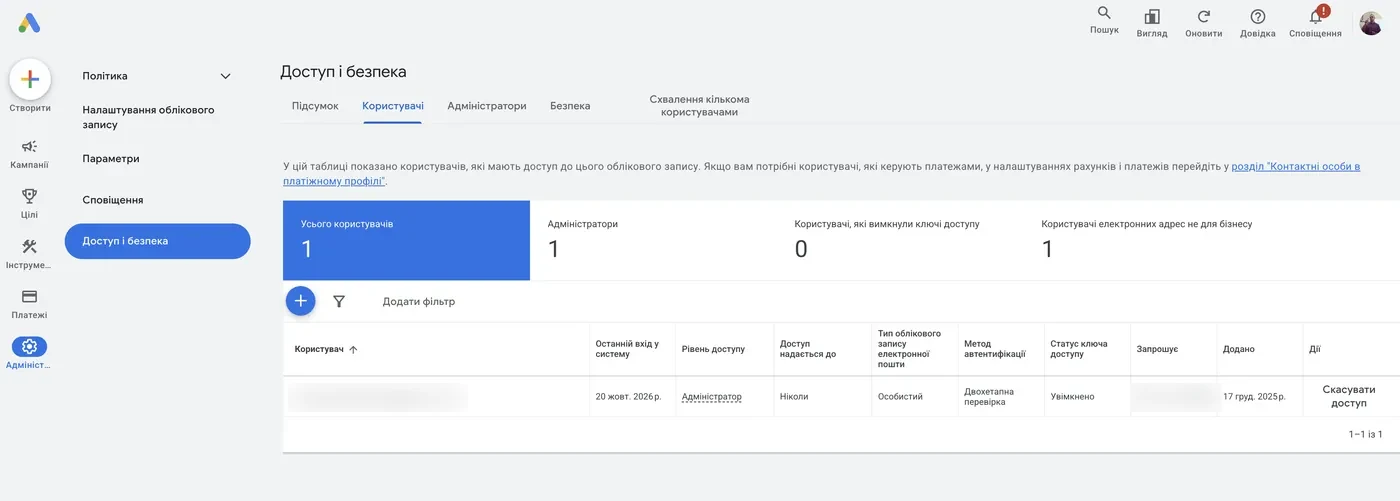
- Enter the email I sent you.
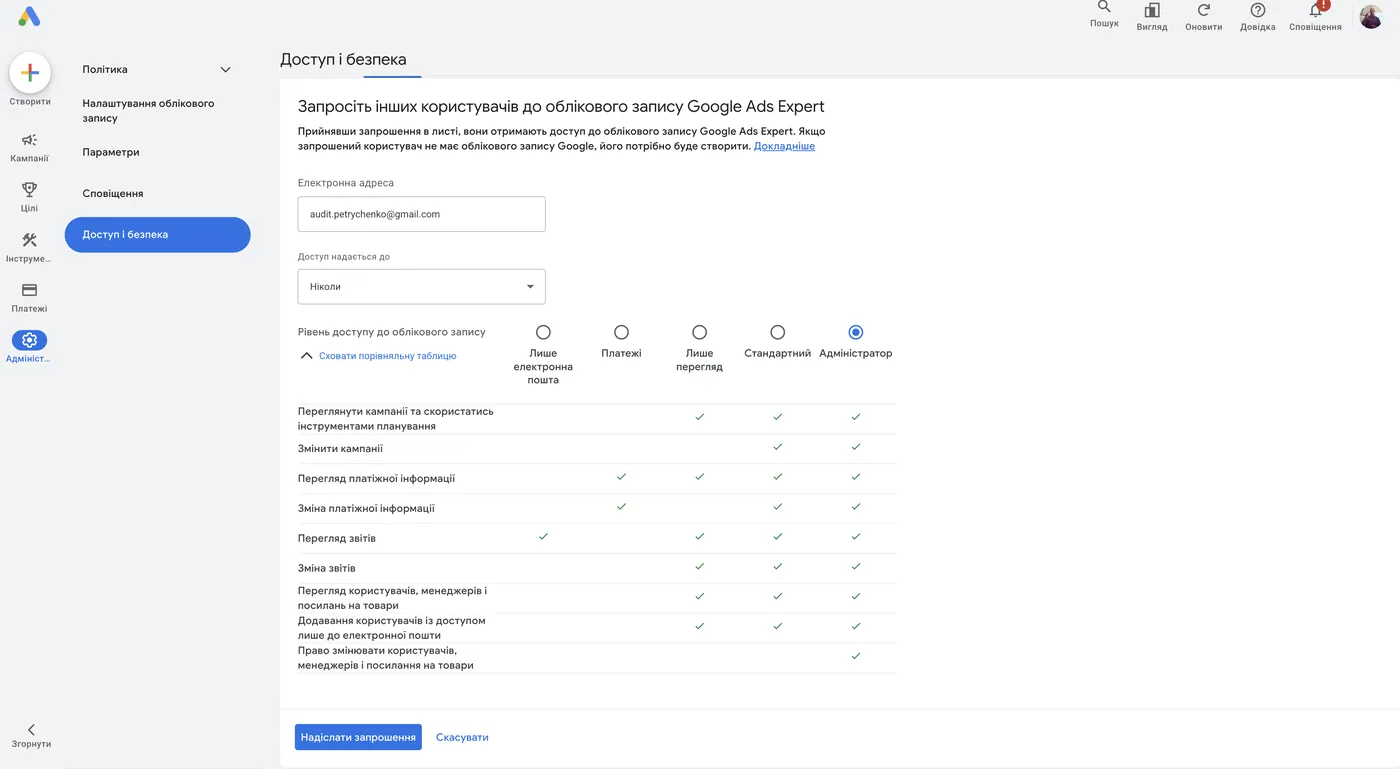
- Choose the access level:
- Audit. “Read only” is enough for me. You can also set an expiry date, and access will close on its own after it. More — Google Ads audit.
- Launch or management. This needs “Admin”. Google changes things all the time: yesterday “Standard” access covered every task, today it doesn’t. So I don’t have to chase you over every small thing, give Admin right away.
- Click Send invitation and confirm. Google will most likely ask for a passkey or a 2-step verification code.
If I sent a request from my MCC
Sometimes I don’t ask you to add me as a user. Instead, I send a link request from my manager account (MCC). Then you just need to accept it. Here’s how:

Google Analytics 4
Open analytics.google.com.
- In the bottom-left corner, click the Admin gear.
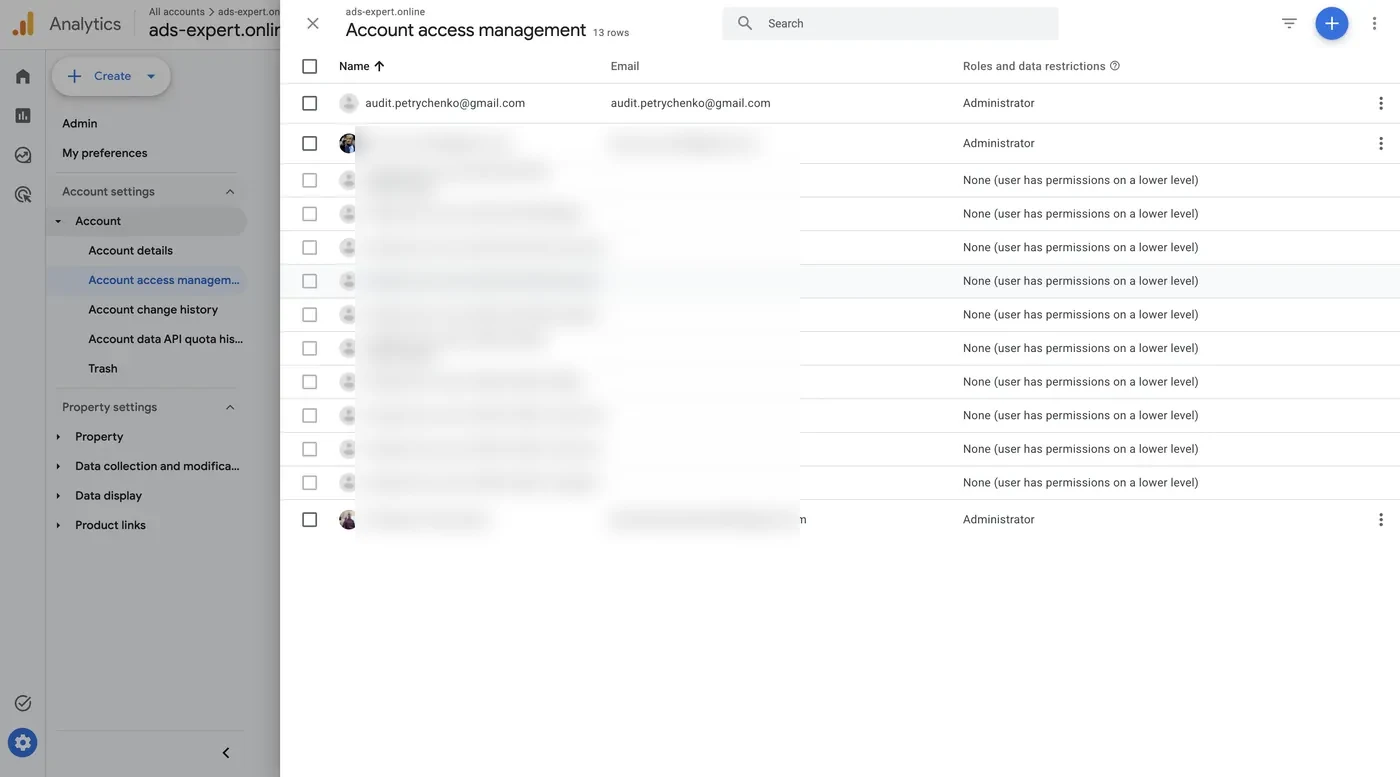
- In the Account block, choose Account access management. It’s the item with the three-people icon.
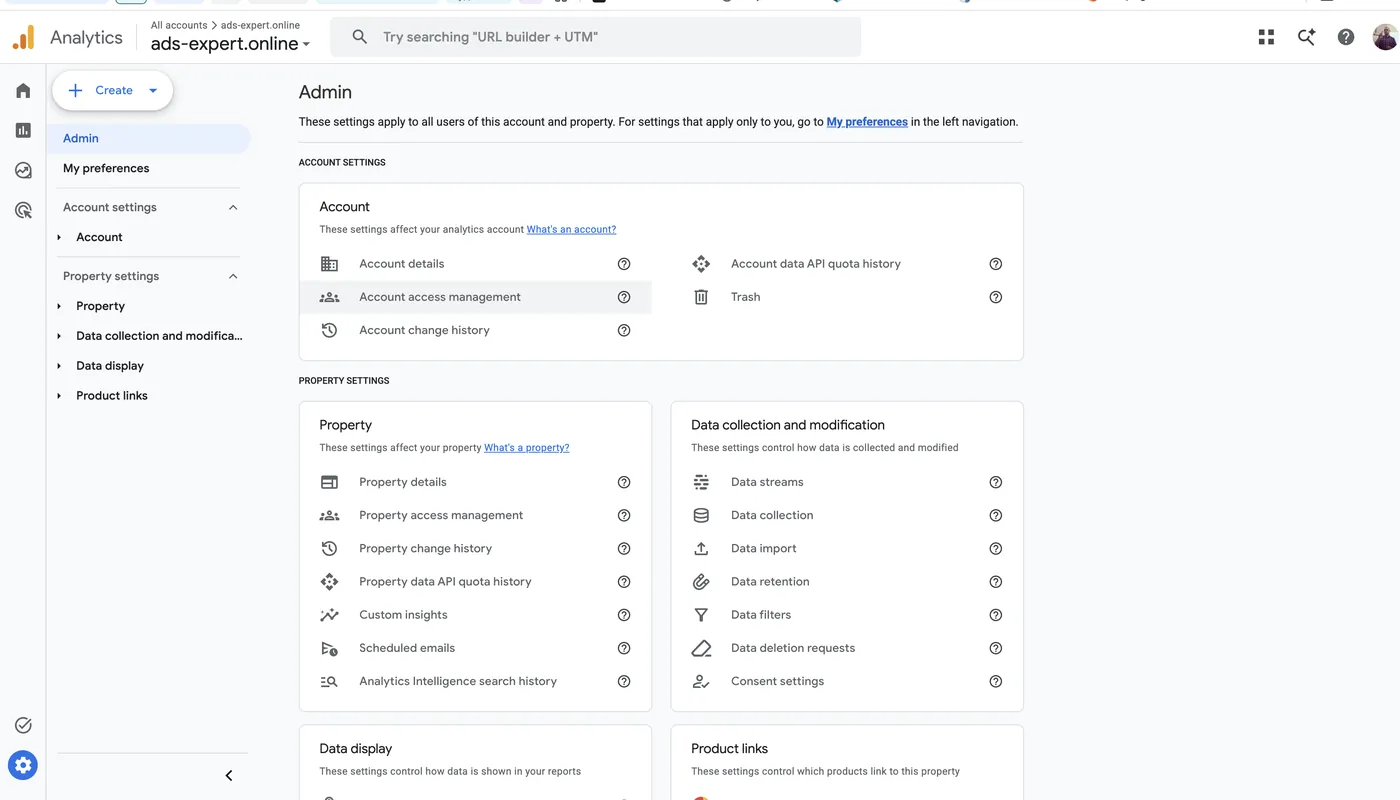
- You’ll see everyone who has access. Click the blue plus in the top-right corner, then Add users.
- Enter the email I sent you. Leave “Notify new users by email” checked.
- Choose the Editor role and click Add.
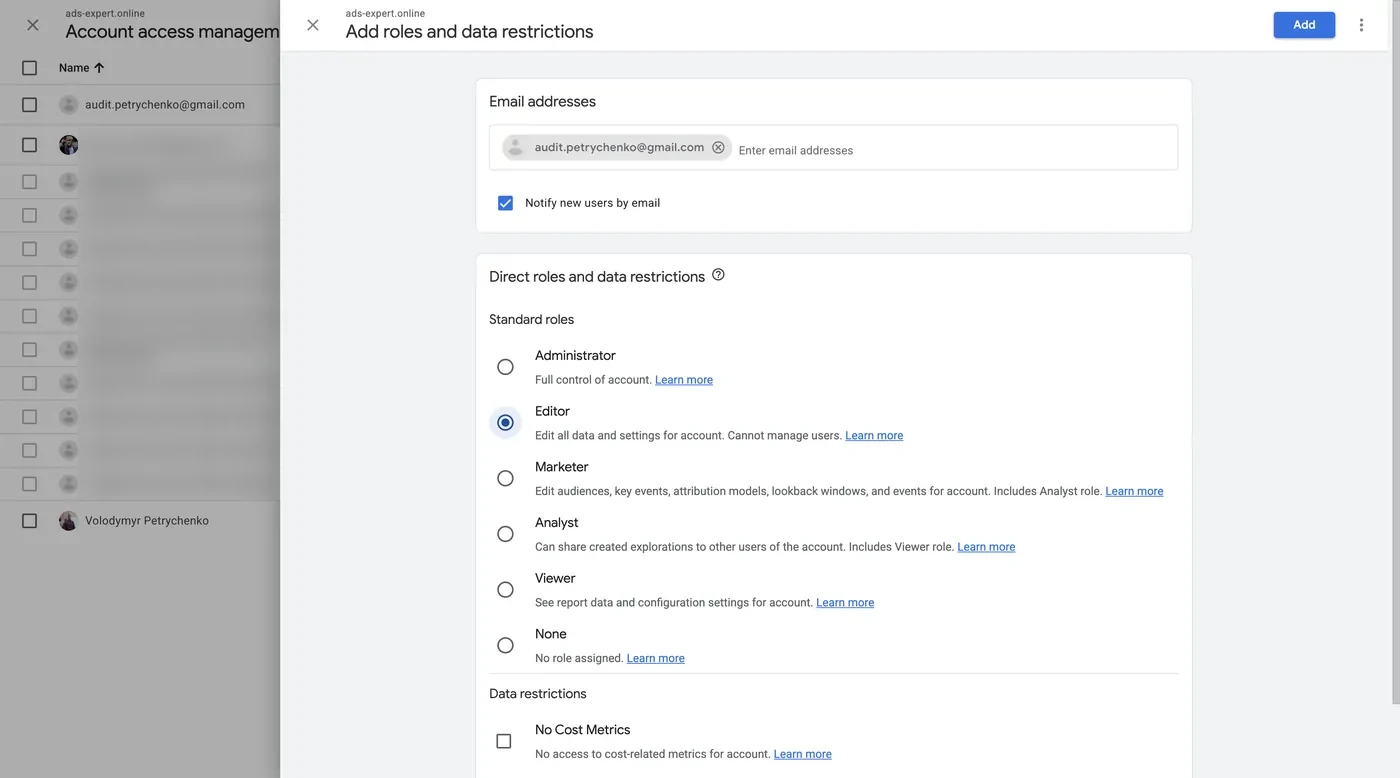
Editor covers everything I need. The difference with Administrator is that an admin can also give access to other people. Some integrations need that, but I’ll tell you in advance when they do.
Google Merchant Center
Open merchants.google.com.
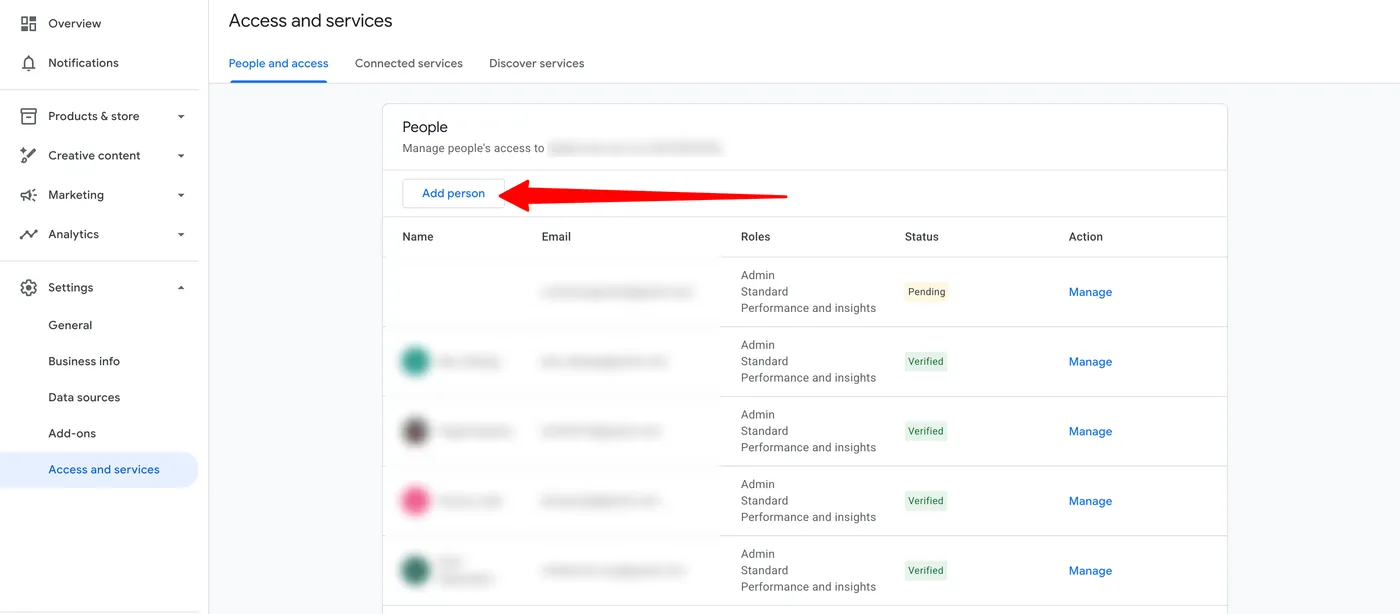
- Scroll down the left menu to Settings → Access and services.
- On the People and access tab, find the People block. That one, not the email notification settings: I don’t need notifications, I need access to the account.
- Click Add person.
- Enter the email I sent you and tick Admin straight away. The other boxes will be checked automatically.
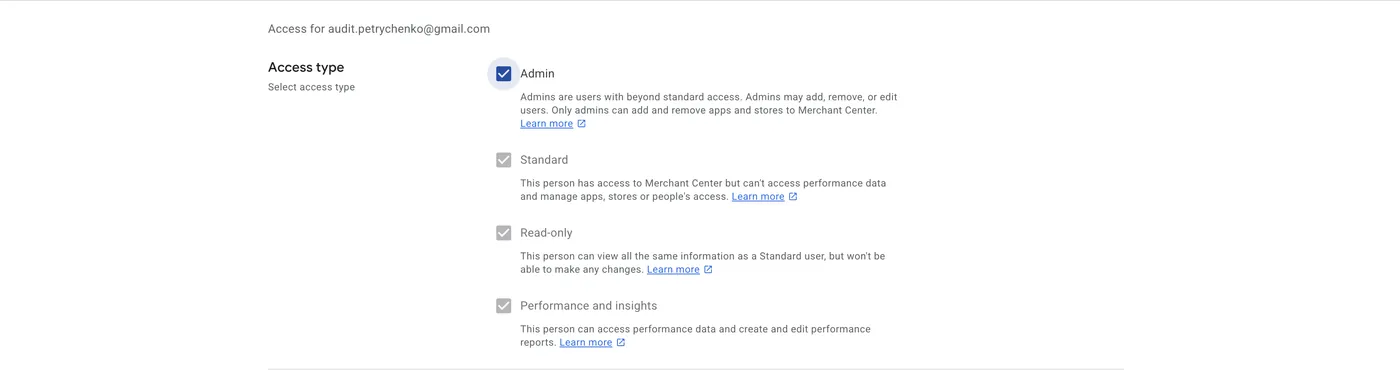
Admin rights don’t mean ownership of the account. Still, only give them to people you trust. I’ll explain why below. More — Google Merchant Center unblocking.
Google Tag Manager
Open tagmanager.google.com, pick the account and go to the Admin tab.
There are two User Management blocks here: one for the account and one for the container. Simply put, a container is one website, and an account is a set of containers. If you have three websites in one account, give access to the account so you don’t have to add me to each container separately.
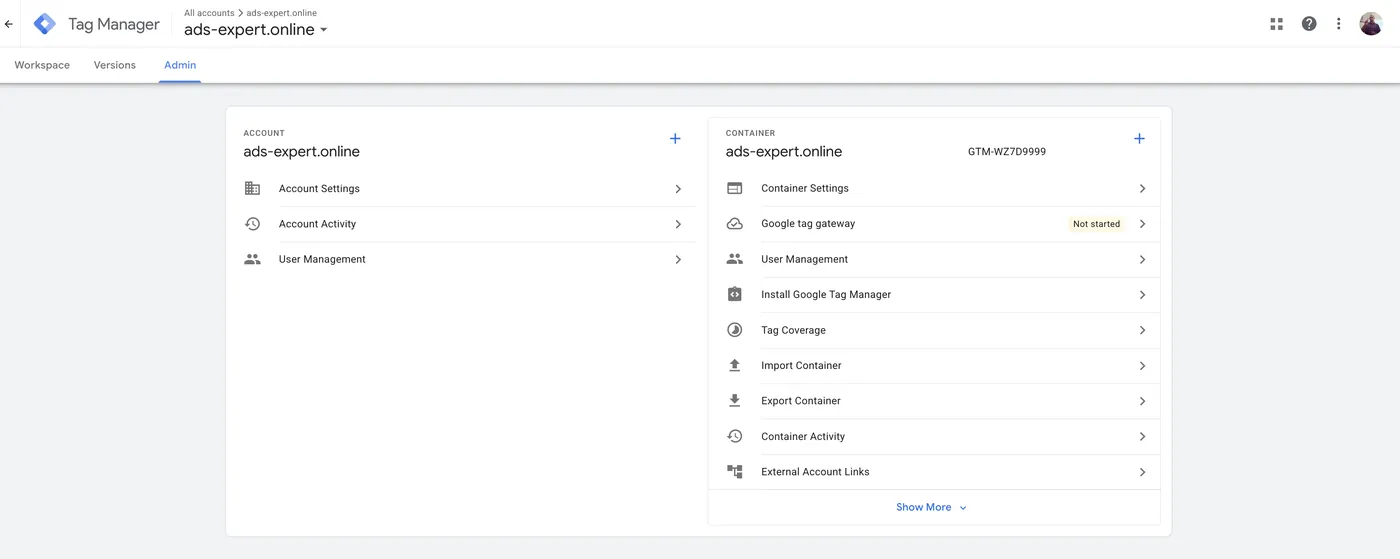
- Open User Management at the level you need.
- Click the plus, then Add users.
- Enter the email I sent you.
- Under Account permissions, tick Administrator.
- Under Container permissions, choose Publish. You can click Set all to apply it to every container at once.
- Click Invite.
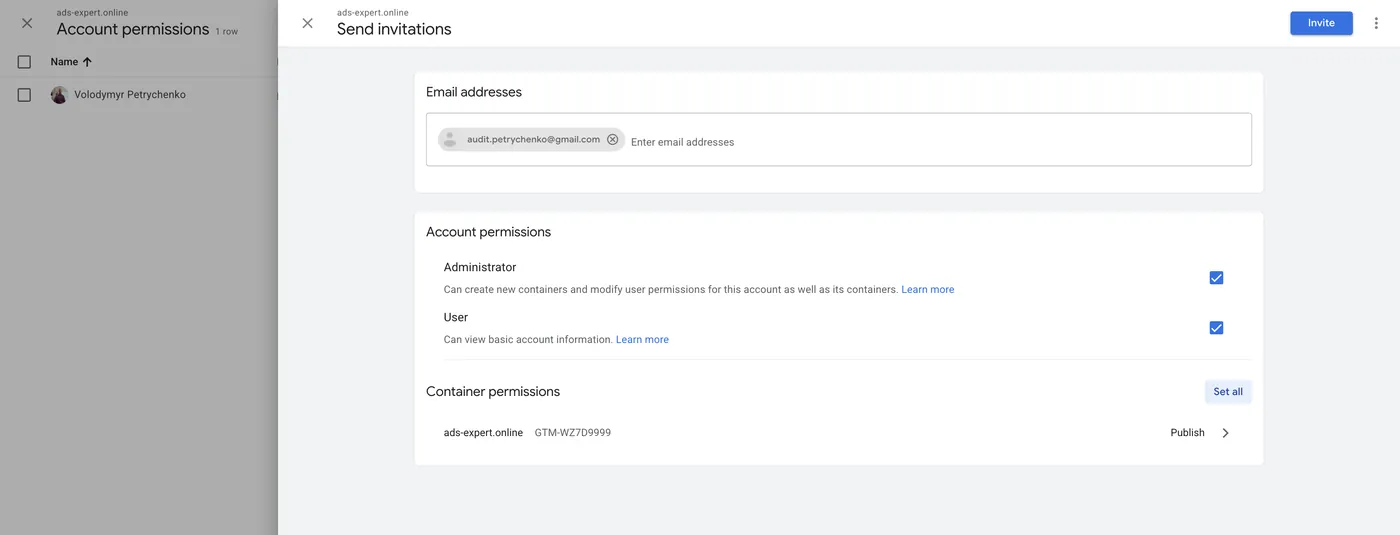
Administrator + Publish is the highest access level in Tag Manager.
Your accounts belong to you, not your contractor
I regularly hear from clients that their previous contractor won’t hand access back. To me that’s absurd. Your accounts belong to you, not to a freelancer or an agency. If a contract says otherwise, don’t sign it. In all my years of work I’ve never refused to hand back access: I do it as soon as I’m asked.
Recently I took over a project where the client was unhappy with the previous freelancer. Once the client started moving access over to me, that freelancer deleted everything in Google Tag Manager. He wasn’t exactly bright, though, so I restored all of it. And even if I hadn’t, I’d have set it up from scratch, which is one extra hour of work. He didn’t manage to hurt anyone, but he wrecked his reputation for a long time.
Google Search Console
Search Console is more of an SEO tool than a PPC one, so I don’t always ask for it. But if the project has done proper organic promotion, there’s a lot of useful data in there. So if I asked, here’s how to do it.
Open search.google.com/search-console.
- At the bottom of the left menu, click Settings → Users and permissions.
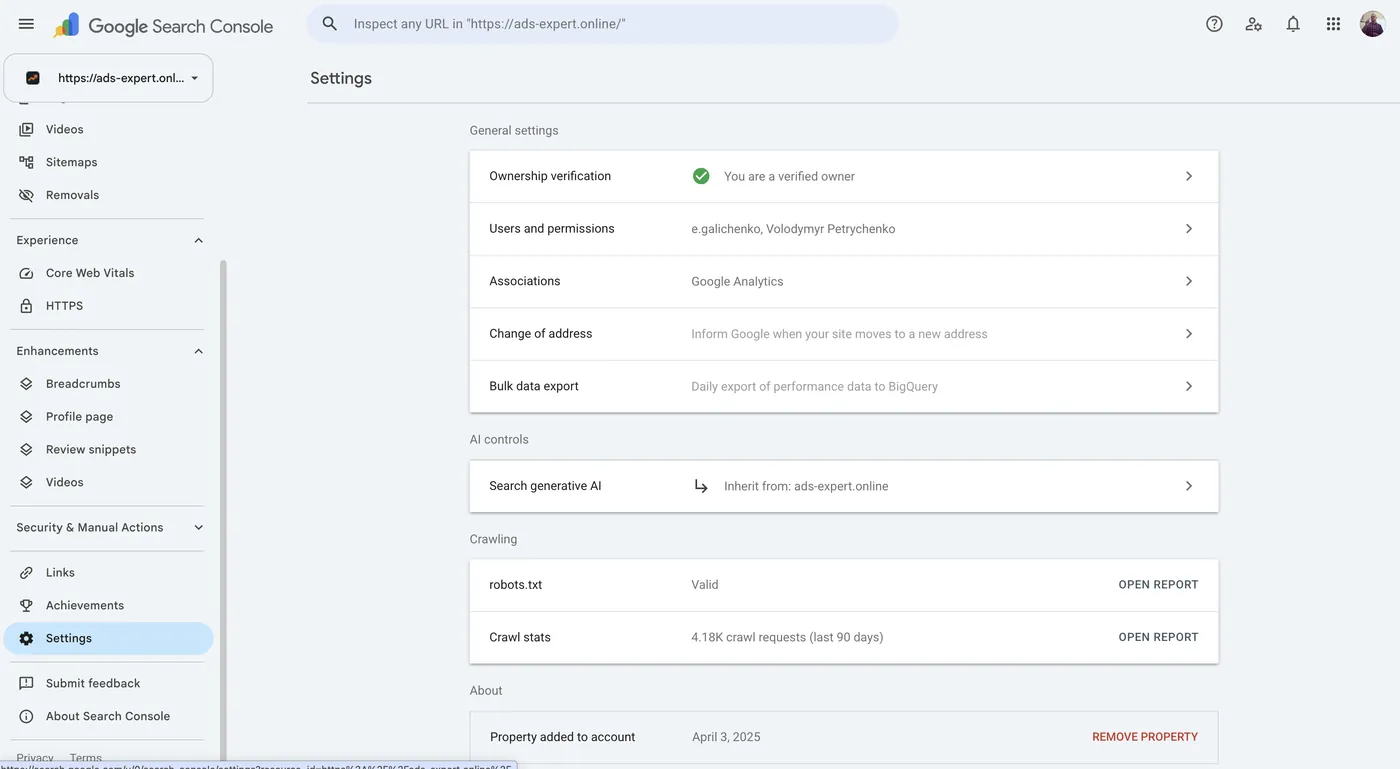
- Click Add user.
- Enter the email I sent you, choose the Full permission and click Add.
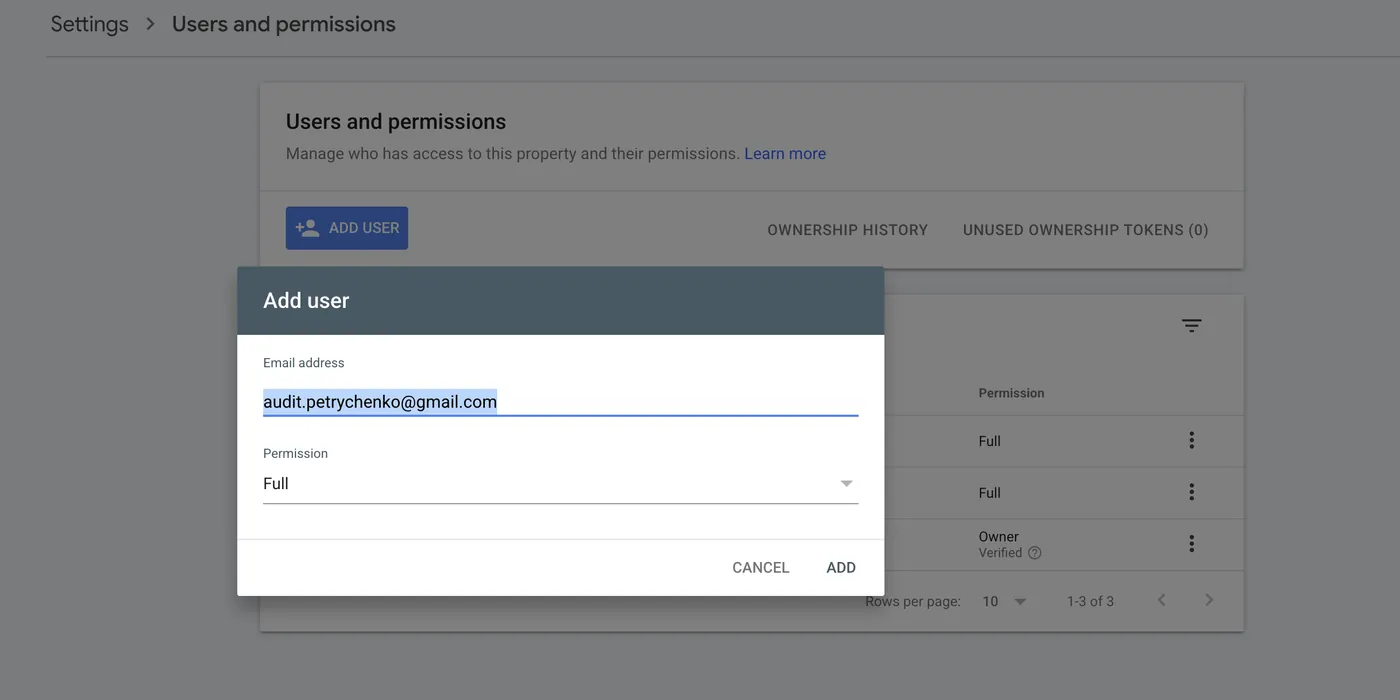
I don’t need Owner status.
Google Business Profile
If the business is local, I’ll also need access to its Maps listing. Here’s how to grant it:

What if Google changes the menus
This guide is current as of October 20, 2026. Google reshuffles menu items from time to time, so something may end up in a different place than on the screenshots. The logic always stays the same: Settings / Admin → Users / Access → plus.
Where to find me
Message me on Telegram or by email — I respond quickly. Telegram channel and YouTube are for those who want to see real cases before reaching out and understand my approach.