
Marketer, analyst, ex-CMO focused on the Google ecosystem (Ads, Merchant Center, GA4, GTM). Google Partner. 150+ projects, 100+ positive reviews on Freelancehunt, 12+ countries.
- I work directly, with no account managers or subcontractors
- I measure results in sales, not in-platform conversions
- Maximum expertise in the Google ecosystem — instead of “PPC, social ads and SEO, all in one”
In this case study I’ll show what a turnkey Google Ads launch looks like for an online store. Launching the Shopping ads themselves took about 3 days, and the whole process took 6. And that was only because the client was busy and we couldn’t create the ad account right away.
Contents
Merchant Center Passed Review in 3 Days. Zero Suspensions

Who the client is and why a new site
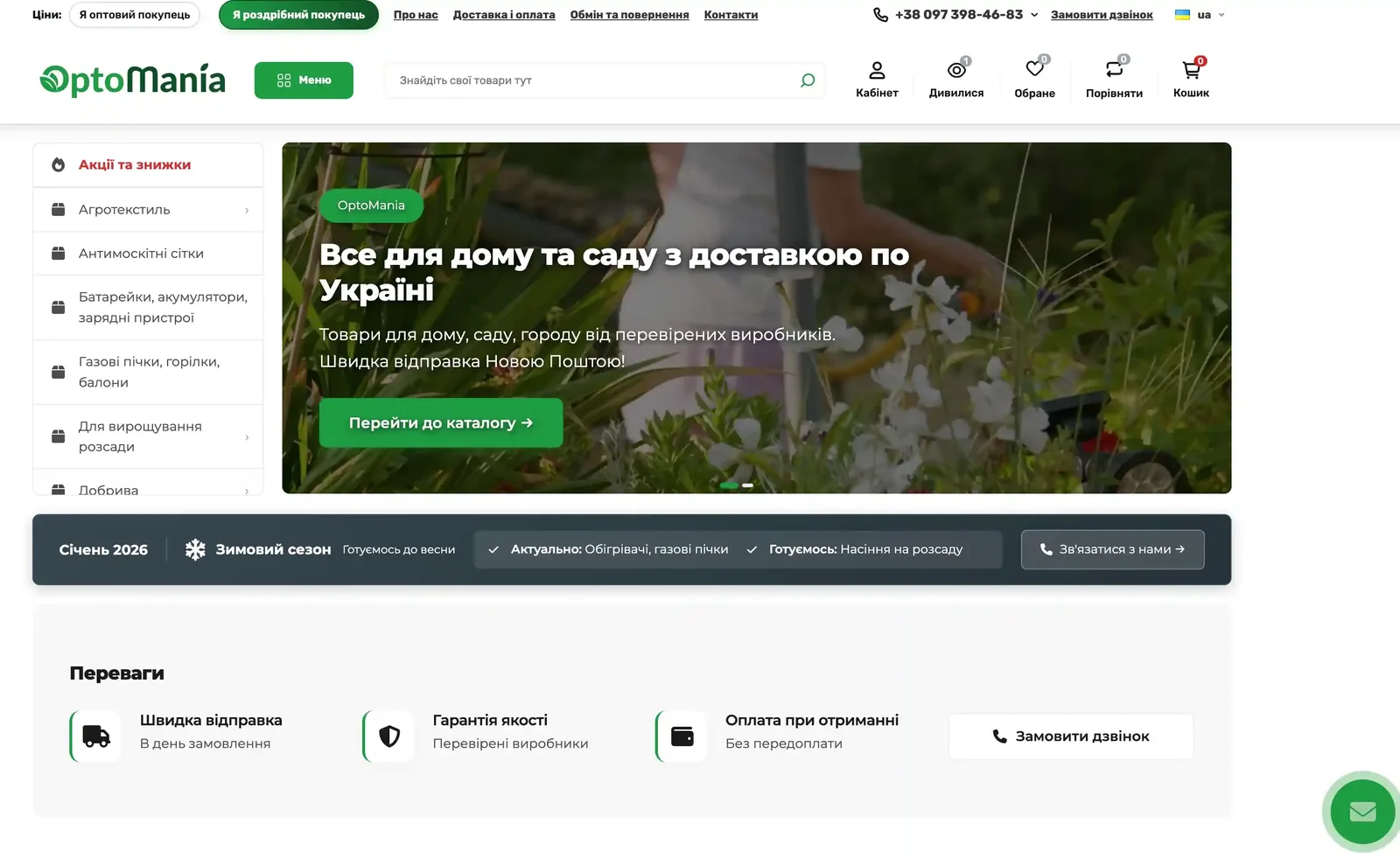
The client is an online store selling home, garden and vegetable-patch goods with delivery across Ukraine. We’ve been working together since the start of the year, but before this it was on his other site on Prom.ua, a Ukrainian marketplace platform. There we set up everything needed, including product ratings in Google Shopping for a Prom store.
But Prom, as everyone knows, comes with a constant stream of headaches. So the client decided to move to his own site on OpenCart. We started preparing the new site 8 months ago, and that’s when we laid the foundation that made such a fast launch possible.
What the turnkey launch included
1. Technical pages while the site was still in development
While the site was being built, I handed over recommendations for the technical pages: shipping and payment, returns and exchanges, contacts, about the company. These are the most common reason Merchant Center gets suspended, so those risks were already covered at launch. I covered the typical causes of such suspensions in the article on the “Website needs improvement” suspension.
Result: the launch went smoothly, with no suspensions and no appeals.
2. Ecommerce events and GA4
Also 8 months ago, I set up the ecommerce events, created a Google Analytics 4 account, tested all events and made the necessary settings, including for connecting dynamic call tracking.
3. A custom feed for Merchant Center
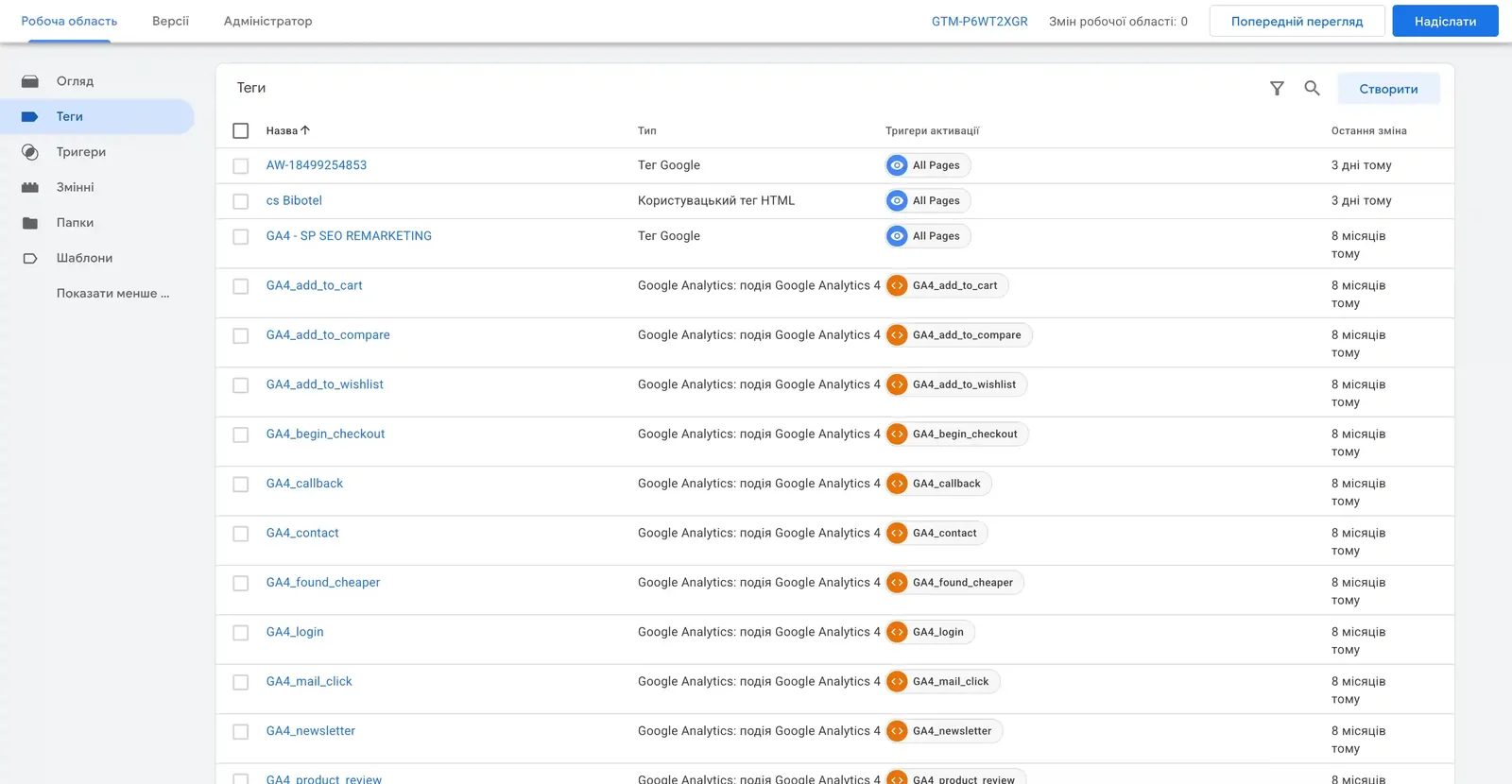
Before creating Merchant Center, I wrote a script that generates the product feed and updates it daily on a schedule. No developer and no extra plugins: the script sits on the hosting and runs via cron.
4. Merchant Center: review in 3 days
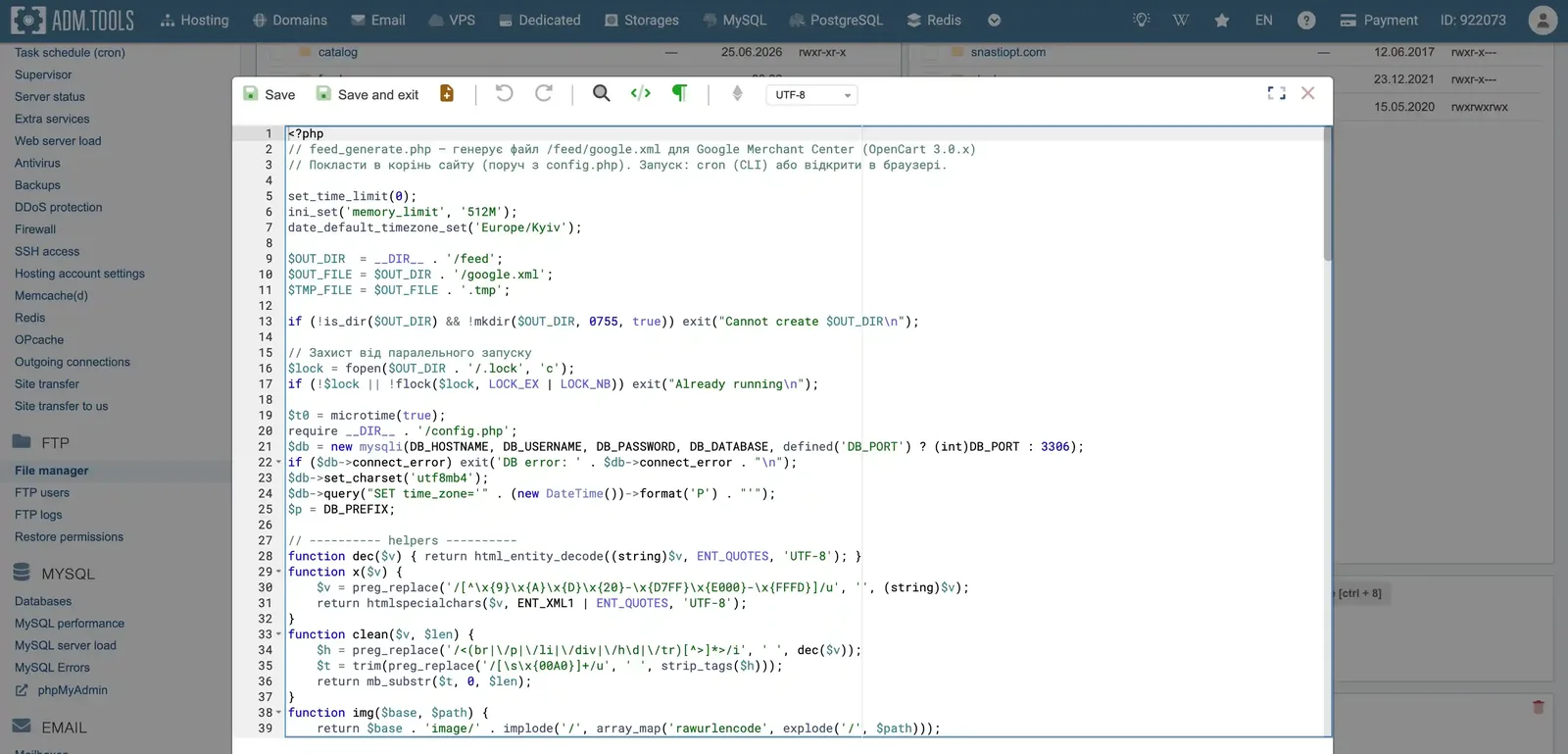
We created Merchant Center on October 1, and by October 4 the products had passed review and were approved for ads. The chart shows about 5,000 products moving to “Approved” status almost immediately.
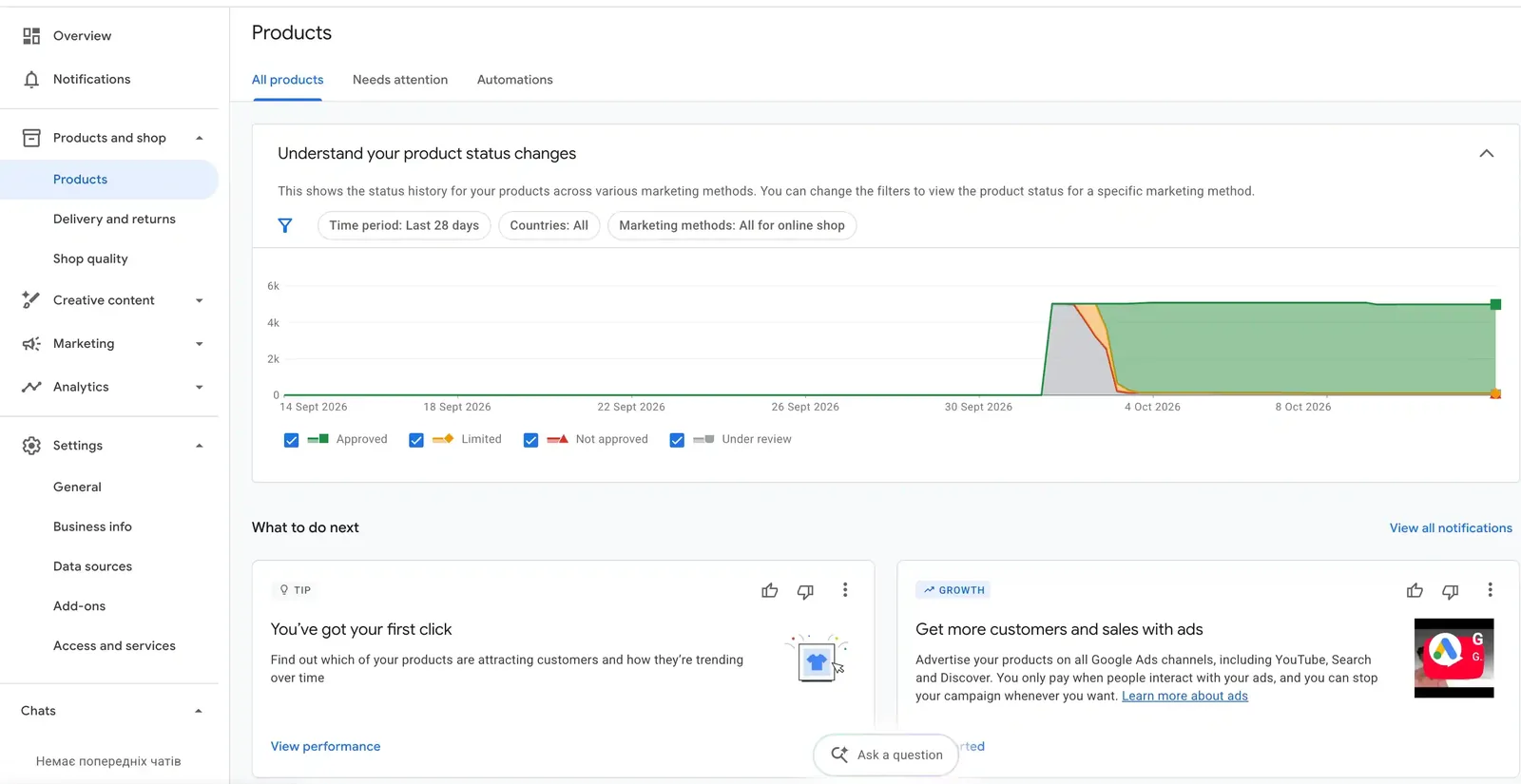
Key takeaway: fast Merchant Center review isn’t luck, it’s the result of preparing the site long before launch.
5. Ad account, verification and credit
I created the ad account remotely via AnyDesk on the client’s computer, and we went through advertiser verification right away.
Next we chose the ad credit. It’s off-season now, so we’re working with a limited budget, and we picked an almost minimal credit, but one that’s realistic to hit: 16,900 UAH ($376) in credit for spending 23,500 UAH ($522) by December 7.
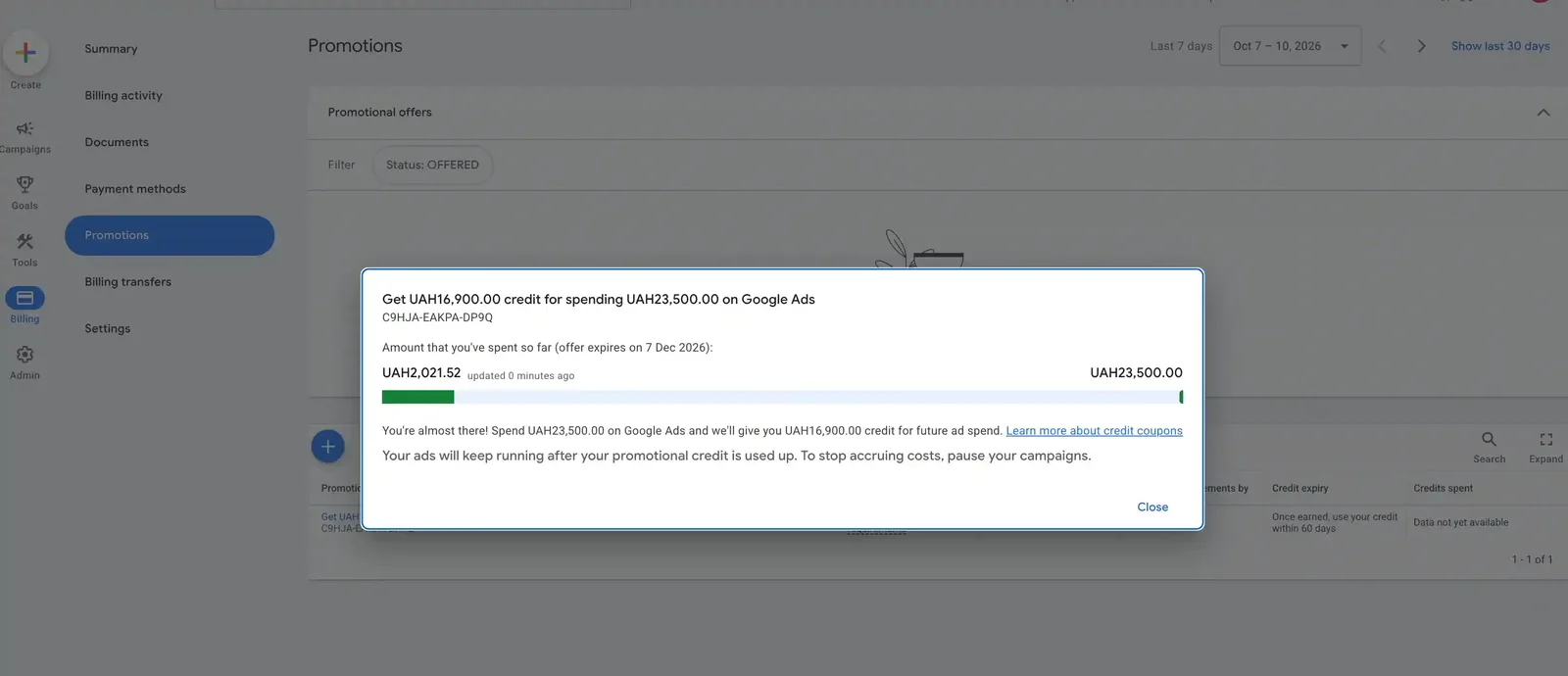
Why not the maximum? I’ve already written about a case where an agency picked a credit for the client that far exceeded his real spend. In the end, the client never got the credit. The credit tier should match the budget, not the appetite.
6. Launching the campaign
We identified priority categories to promote and launched the campaign. For now there’s just one, and that’s fine: the number of campaigns doesn’t determine ad quality. One properly set up campaign can outperform five.
First results
First 4 days of ads (October 7–10):
| Metric | Value |
|---|---|
| Spend | 1,326 UAH ($29) |
| Conversions | 5 |
| Conversion rate | 1,31% |
| Conv. value / cost | 4,56 |
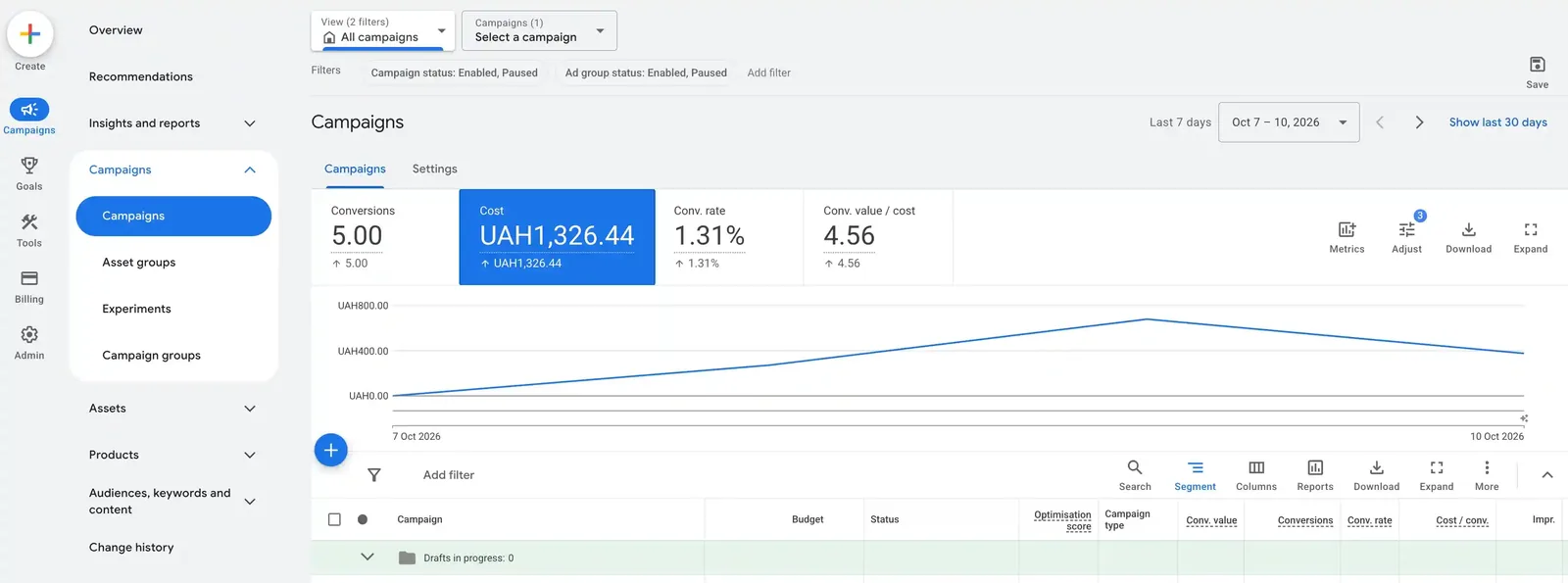
For a launch in the off-season with no accumulated history, that’s a good signal. But these are only the first days: it’s too early to draw conclusions from 5 conversions, the main part is still ahead.
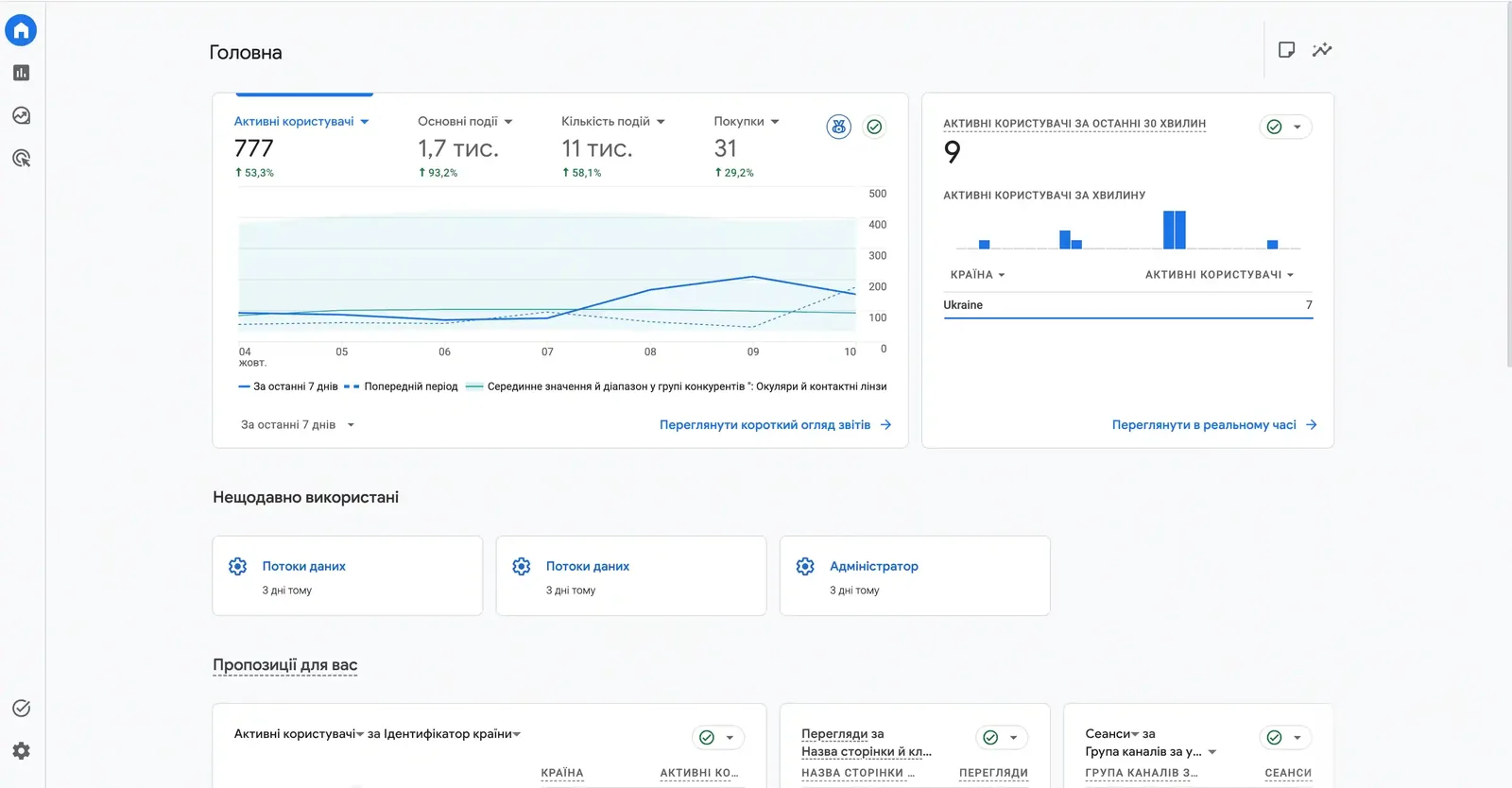
What’s next
The launch is only the first stage. Next steps:
- Offline conversions. We’re waiting for Binotel to be connected so calls are passed to the CRM. Then I’ll set up sending real sales from KeepinCRM to Google Ads. I haven’t done an integration with this CRM before, so I’ll write separately about how it goes. You can see how it works in the offline conversions case study.
- End-to-end analytics. After the CRM integration: the full picture from click to paid order. More on this in the article on end-to-end analytics.
- Product ratings. As on the old site, we’ll connect star ratings in Google Shopping.
Conclusion
A turnkey launch isn’t “setting up a campaign.” It’s technical pages, ecommerce events, analytics, the feed, Merchant Center, the ad account, the credit and the ads, all assembled into one system. When the foundation is laid in advance, the launch itself takes days, and Merchant Center passes review with no suspensions.
And one more metric: this isn’t the first time the client has chosen me. For me, that’s the best confirmation the work was done right.
If you need a turnkey Google Ads launch for your online store, with no suspensions and proper analytics from day one, get in touch: the contacts are on this page. Service details are on the Google Ads management page.
Why 6 days is the exception rather than the rule, and how long a Google Shopping or Search launch really takes, see the article on Google Ads launch timelines.
What happens next when a store runs on standard Shopping for a long time — in the instant camera case: 1669% ROAS over 450 days.
Where to find me
Message me on Telegram or by email — I respond quickly. Telegram channel and YouTube are for those who want to see real cases before reaching out and understand my approach.