
Marketer, analyst, ex-CMO focused on the Google ecosystem (Ads, Merchant Center, GA4, GTM). Google Partner. 150+ projects, 100+ positive reviews on Freelancehunt, 12+ countries.
- I work directly, with no account managers or subcontractors
- I measure results in sales, not in-platform conversions
- Maximum expertise in the Google ecosystem — instead of “PPC, social ads and SEO, all in one”
“Conversion” is a word contractors say at every meeting and write in every report, while business owners mostly just nod. Sometimes an owner sees, say, 150 conversions in the account and is very happy about it. But in reality, those 150 contain 12 sales or inquiries. It’s not that Google shows the wrong data — it’s about what exactly was set up as a conversion in the account.
Contents
- A conversion is the action you consider a result
- Why Google needs to know about conversions at all
- Conversion, conversion rate and micro-conversion
- What to count as a conversion and what not
- Common mistakes I see in accounts
- How much a conversion should cost
- How to check that everything is fine
- Conclusion
- FAQ
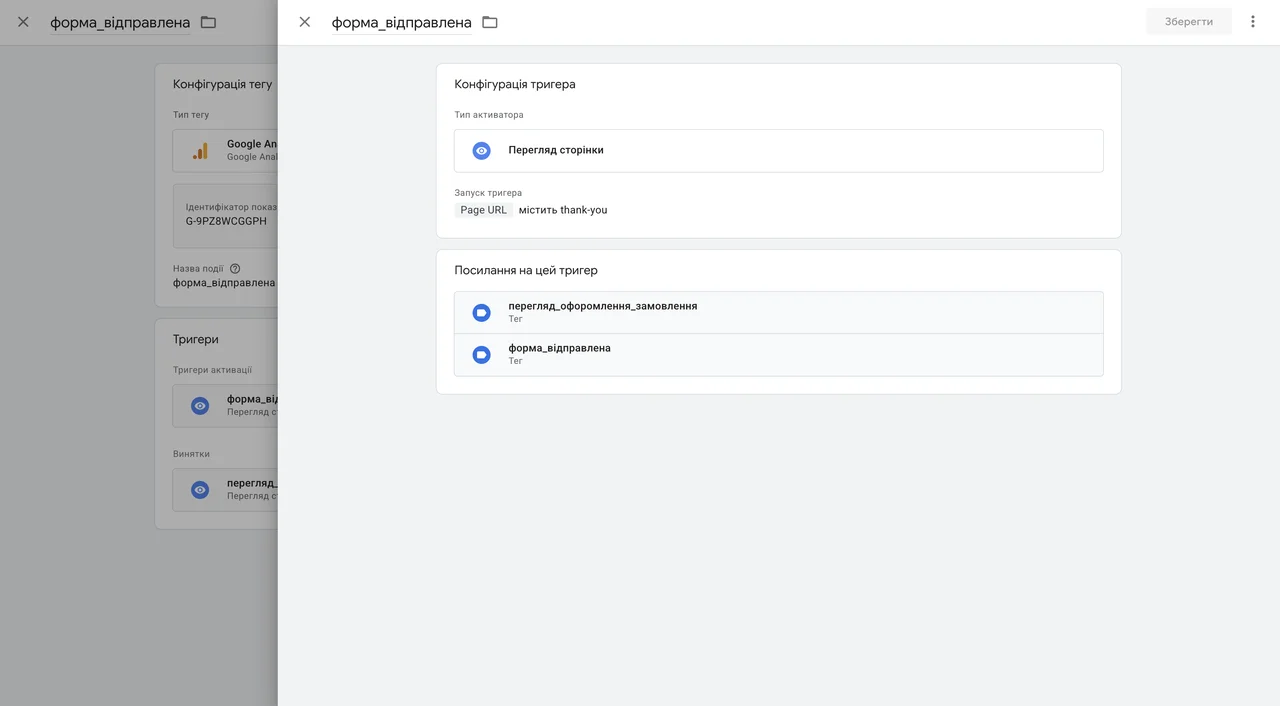
Never Use the form_submit Event!

A conversion is the action you consider a result
A person came from an ad and did what you paid for the click to achieve. For an online store, that’s a purchase. For a private clinic, a booked appointment. For a car service, a phone call. For B2B, a quote request.
And here’s a very important point to understand: Google doesn’t know on its own what counts as a result for you. It treats as a conversion exactly what you or your contractor told it to. Set up purchases — it counts purchases. Set up views of the “Contacts” page — it happily counts “Contacts” views. And reports back that everything is just peachy.
Why Google needs to know about conversions at all
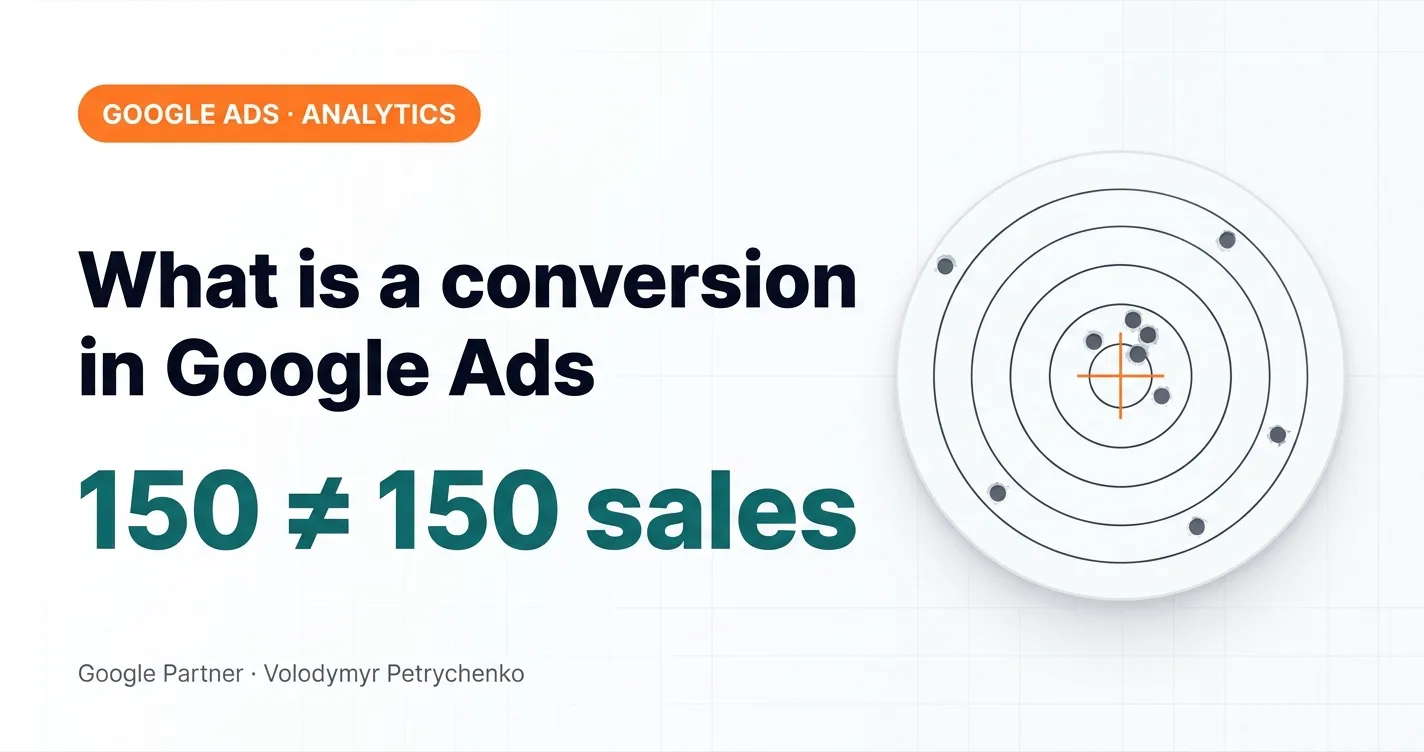
Without conversions, advertising is like shooting at a range blindfolded. You keep firing, the ammo runs out, and you have no idea whether you hit anything. Without conversions, Google fires just as blindly and can’t adjust its aim.
With conversions set up, it sees the hits: these people bought, these left a lead — find me more like them. Modern automated bid strategies work exactly this way. Whatever you call a hit is what they’ll aim for.
Conversion, conversion rate and micro-conversion
A bit of terminology, because half the confusion comes from here.
- Conversion — the target action itself that you need: a lead, a purchase, a call.
- Conversion rate — the share of users who took that action. It’s also often just called “conversion”.
- Micro-conversion — a second- or third-level action that comes before the main one. If the main conversion is a purchase, it’s preceded by entering payment details, before that by starting checkout, and even earlier by adding a product to the cart.
Example: a thousand clicks, 20 leads. Conversions — 20. Conversion rate — 2%. So when someone tells you “conversion dropped”, ask what they mean: are there fewer leads, or the same number with more clicks?
What to count as a conversion and what not
Count what brings you closer to money:
- a purchase;
- a form lead;
- a phone call;
- a messenger message.
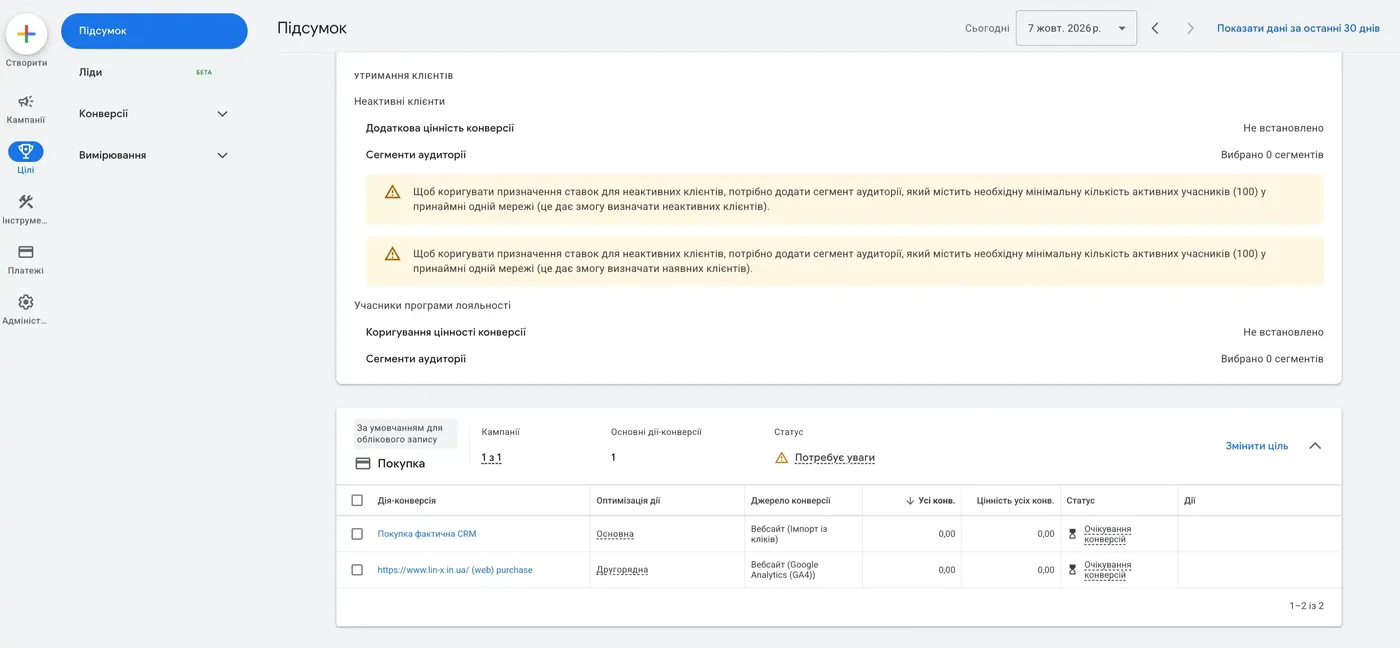
There are also offline conversions — a level above any website event: real sales from your CRM are sent back to Google Ads. I won’t go deep into them here: I already have separate articles and a separate service — CRM integration with Google Ads. Here’s how it looks in the account from the 1-day launch case study: the primary goal is the actual purchase from the CRM, while the website purchase is only secondary.
Don’t count these as a primary conversion:
- A page view. It’s just the fact that someone opened the page.
- Scrolling. I’ve seen this too — a 50% scroll set as the target action. As a micro-metric it makes sense: the person may be a bit more interested than others. But scrolling doesn’t bring you any closer to money.
- A click on any button. That’s not a conversion, it’s a micro-metric.
- Adding a product to the cart. Generally not, but there are exceptions. For example, at the start of a project when there’s no purchase data yet. Or when there are simply too few key events: if a store has 20 purchases a month, that’s not enough for the algorithm, and you have to add something — for example, starting checkout. But remember: the lower the conversion level, the worse the signal quality. Be careful here.
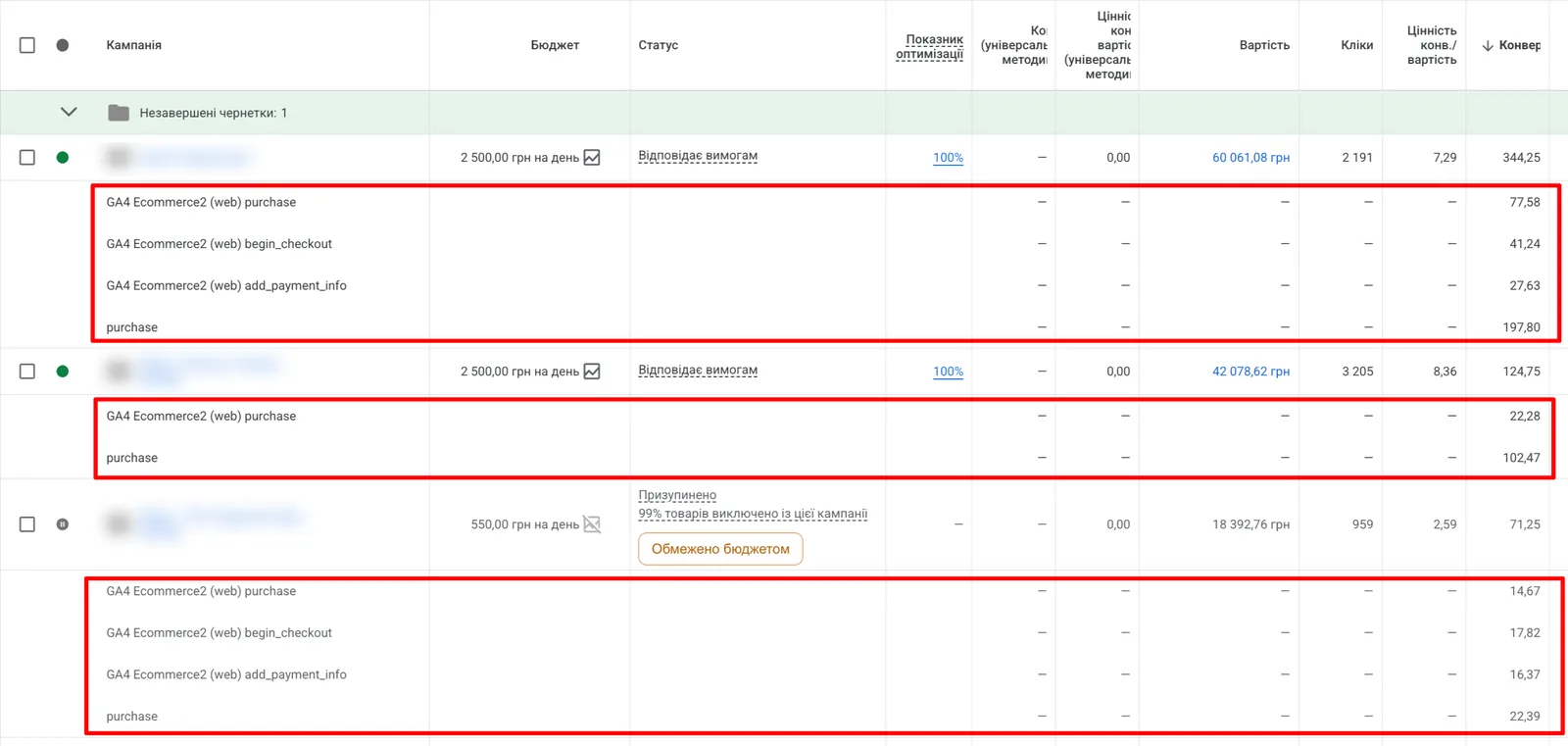
Here’s what happens when a micro-conversion sits among the primary goals: in the Kraków pizzeria audit, the payment-details event counted as a primary conversion and inflated value in reports.
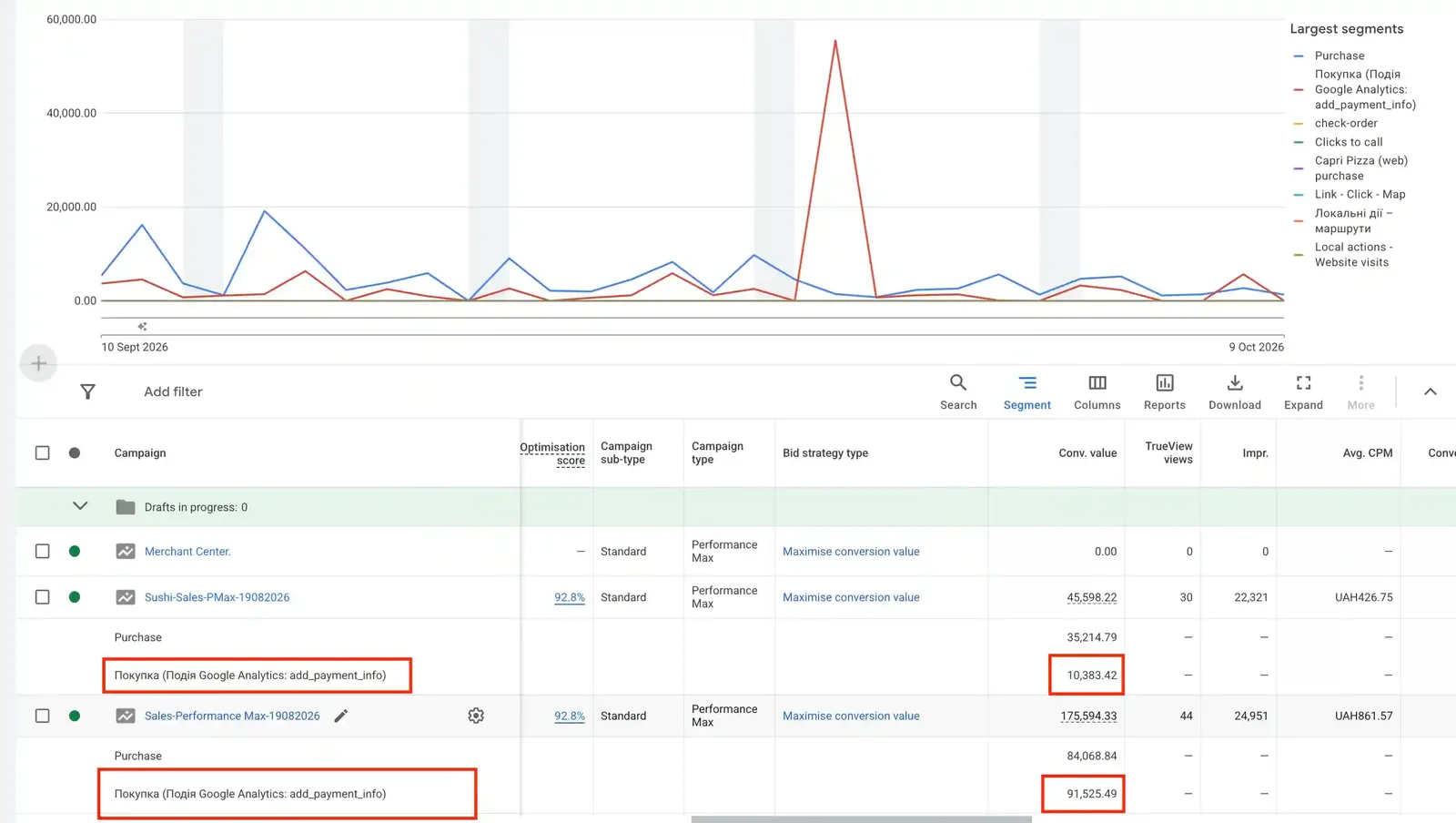
Why it matters. If your conversions include clicks on the phone number, “Contacts” page views or map clicks, the report always looks great, while Google learns to bring people who click, not people who buy. That’s where those 150 conversions and 12 sales come from.
And even more important: the worse the signals you send, the faster learning degrades. Sometimes arithmetically, sometimes geometrically, the system starts bringing more and more low-quality actions. That’s why you should always send quality signals to Google Ads.
Common mistakes I see in accounts
You may have seen on the site and on my YouTube channel how many audits I do. All of them start with checking tracking. All of them. Because if conversions are set up wrong, nothing else matters — you’re training the system on bad data. Which ads, which keywords, which geography — it no longer matters. Tracking is, roughly speaking, the god of Google advertising.
And there’s a pool of the same mistakes over and over.
Conversions aren’t set up at all
The ads run, the budget is spent, and nobody knows what they bring. Sometimes it’s judged “by feel” that something seems to work. But if advertising can’t be measured, it can’t be managed.
One lead is counted twice, three times, sometimes ten times
The event fires on loading the “Thank you” page, a person refreshed it three times — and three conversions landed in the account. The numbers in the report grow, while there are actually far fewer leads. More on this in the breakdown of $750 Google Tag Manager tracking — that’s exactly the mistake there.
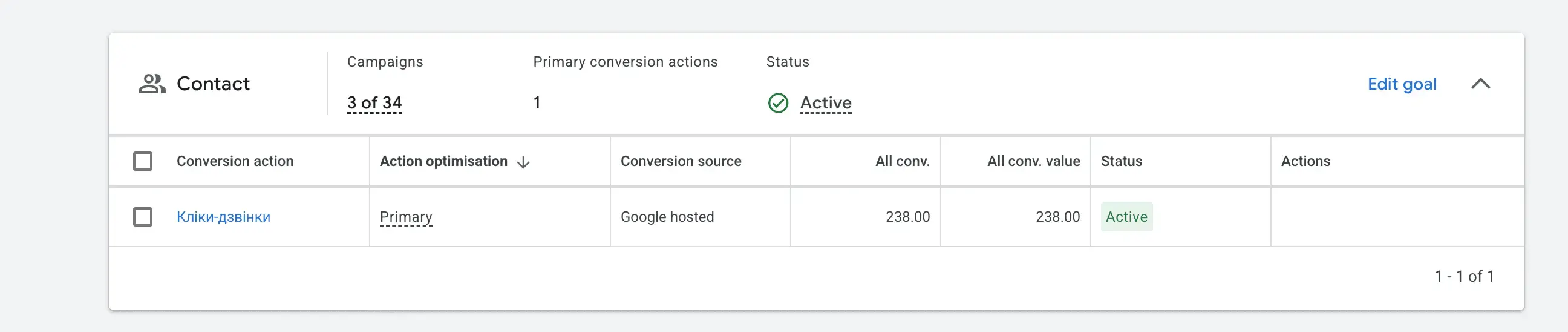
A click on the phone number counts as a conversion
Clicking doesn’t mean calling. Let alone buying. In the goal hierarchy, a purchase is at the top, a call below it, and a click on the number lower still. It’s very misleading. Combined with uncleaned duplicates, it simply breaks the algorithm: the report shows 100 clicks on the number, while there was really one call. That’s what happened in the steel stockyard network case study: the “Click-to-call” goal showed hundreds of conversions.
Calls and messengers aren’t counted at all
At first meetings I always ask: “Do you get calls?” — “Yes.” — “How many?” — “About 20%.” So that 20% never reaches the ad account, and the system learns from only 80%. “Do you get orders via messengers?” — “Yes.” — “How do you pass them on?” — “We don’t.” Another data loss. Even though technically all of this has long been trackable and can be sent back to Google Ads — I explained how in the article how to send messenger orders to Google Ads.
Micro-conversions mixed with sales
Like in the audit of a $500 contractor: add to cart and purchase in the same campaign, so the system learns from everything at once.
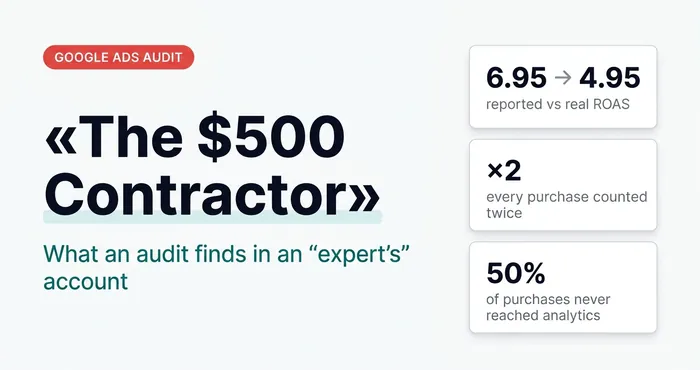 Google AdsThe Dunning–Kruger Effect in Google Ads: Why Audit a $500 Contractor Even When Everything WorksDuplicate purchases, micro-conversions in bidding and restarts instead of diagnosis: what an audit finds in the accounts of $500-a-month “experts”.
How much a conversion should cost
The strangest question I get asked. It should cost as little as possible so your business’s financial model works out as well as possible. But there is no “average correct” cost per conversion. For one business, UAH 2,000 ($44) per lead is fine; for another, even UAH 100 ($2.20) is a loss. You can calculate your own case in the ROI calculator.
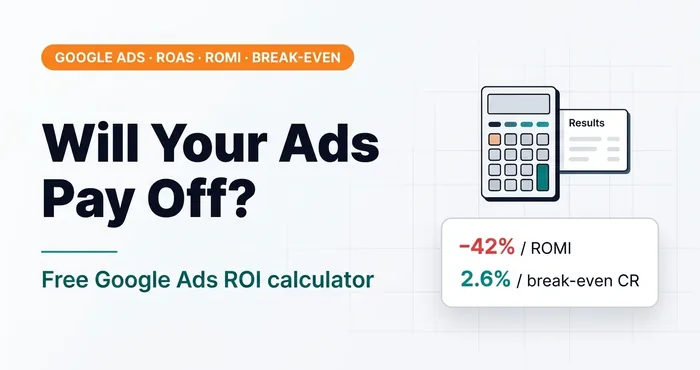 Google Ads · AnalyticsGoogle Ads ROI Calculator: Calculate Before Launch, Not AfterFree online Google Ads ROI calculator: ROAS, ROMI on margin, break-even conversion rate, cost per lead. Model scenarios before you launch ads.
How to check that everything is fine
A few questions an owner can ask themselves or their contractor:
- What exactly counts as a conversion in the account? Ask for the list.
- Does the number of conversions in the report look like the real number of leads and sales?
- Are calls and messengers counted?
- Are there page views or clicks among the conversions?
- How much does one lead or sale cost?
If the answer to at least two questions is “I don’t know”, you have a conversion problem — and therefore an advertising problem.
Conclusion
Google Ads doesn’t sell by itself. It looks for people who will do what you told it to. Call a messenger click a result — you’ll get messenger clicks. Train it on real sales, on people who actually paid you — and it will bring people who pay.
That’s why conversion setup isn’t a technical detail. It’s the first and most important thing any proper Google Ads advertising starts with. Not sure your conversions are counted correctly? I can check.
04 — AnalyticsConversion tracking with GTM and GA4Accurate tracking: Google Tag Manager, GA4, Enhanced Conversions, Google Tag Gateway.How many conversions you need for ads to pay off — the free Google Ads ROI calculator.
Where to find me
Message me on Telegram or by email — I respond quickly. Telegram channel and YouTube are for those who want to see real cases before reaching out and understand my approach.