
Marketer, analyst, ex-CMO focused on the Google ecosystem (Ads, Merchant Center, GA4, GTM). Google Partner. 150+ projects, 100+ positive reviews on Freelancehunt, 12+ countries.
- I work directly, with no account managers or subcontractors
- I measure results in sales, not in-platform conversions
- Maximum expertise in the Google ecosystem
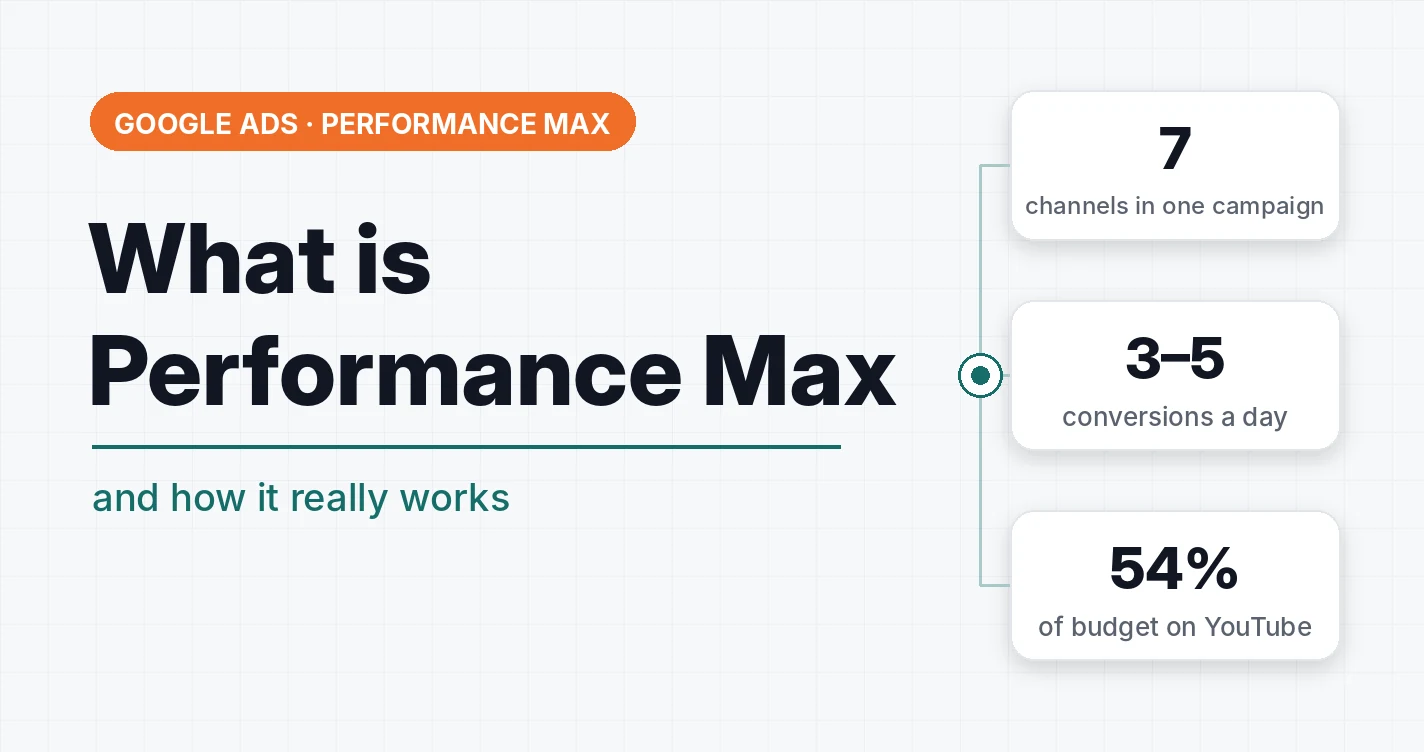
Performance Max (PMax) is a Google Ads campaign type where Google itself decides where, to whom and which ad to show. You give it a goal, a budget, texts, images, videos and a product feed, and it spreads them across all of its placements at once.
It has become the most popular campaign type in recent years. At the same time, most of the mistakes I see in audits come from exactly there. Below I go through what this tool is, what it consists of, who it suits and what to watch so it doesn’t burn the budget.
Contents
- Performance Max in plain words
- What a campaign consists of
- Who Performance Max suits and who it doesn’t
- How many conversions Performance Max needs
- Why everything comes down to tracking
- Where the money goes: channels and YouTube
- What I turn off in Performance Max right away
- Search terms and negative keywords in Performance Max
- Performance Max and standard Shopping
- Does PMax cannibalize search campaigns
- Tests and scaling
- Check three things before launching Performance Max
- FAQ
Performance Max in plain words
In a classic search campaign you choose the keywords yourself, write ads for them and see which queries you pay for. Performance Max has no keywords at all. There is one campaign that shows everywhere Google sells ads:
| Placement | What the person sees |
|---|---|
| Google Search | a text ad above the search results |
| Shopping | a product ad with a photo, price and store name |
| YouTube | video ads before videos, in the feed and in Shorts |
| Display Network | banners on websites and in apps |
| Gmail | ads in the mail tabs |
| Discover | ads in the recommendation feed on Android and in the Google app |
| Google Maps | ads in search results on maps |
Where exactly the budget goes is decided by the algorithm. And Google always goes where it is easier for it to “draw” a conversion. That is the main thing to understand about PMax before launch.
Google rolled out Performance Max to everyone in November 2021, and in 2022 moved smart Shopping and local campaigns into it. For the first years it was a pure black box: you launched a campaign and had no idea what was happening with it. Now Google is slowly lifting the curtain: search terms, a channel report and exclusions have appeared. But you can still control very little.
What a campaign consists of
Goal and conversions
Performance Max always runs on smart bidding strategies: maximize conversions or maximize conversion value, optionally with a target CPA or a target ROAS. There are no manual bids here.
So the campaign learns from whatever you named a conversion. If purchases are counted twice, if phone-call clicks or messenger redirects sit in the learning, if half of the orders are cancelled afterwards, Google doesn’t know about it. It optimizes for what you give it.
Asset groups
An asset group is a set of ad materials: headlines, descriptions, images, logos, videos and a landing page. Google assembles ads from them for each placement: a text ad for search, a banner for Display, a video for YouTube.
One campaign can have several groups, for example for different product or service categories.
Product feed
For an online store, Merchant Center with a feed is connected to the campaign. Then PMax also shows product ads. The feed is everything Performance Max knows about your product: name, price, category, attributes. A broken feed means a broken PMax. A suspended Merchant Center means no product ads at all.
 Merchant CenterGoogle Shopping and Product Feeds in Plain WordsWhat Google Shopping and a product feed are, where Google gets product titles, prices and images, how I improve feeds and what they can’t fix. Store examples.
Audience signals and search themes
This is where the confusion is most common. Signals are lists of your customers, site visitors, interests and search queries that you add to an asset group. Many people consider it targeting. In reality, you can’t target individual keywords in Performance Max. You just show Google a portrait of the target audience that it starts searching from, and then it goes wherever it wants.
In the tutoring aggregator case, the campaign was supposedly set up for maths but generated leads for everything except maths. Google looks at the content of the landing pages, searches for target actions and scales them, regardless of whether they are correct.
Who Performance Max suits and who it doesn’t
| Business type | My approach |
|---|---|
| Online store in the mass and mid-market segment | Performance Max or standard Shopping at the start, provided the purchase data is clean |
| Lead generation, services | Search; Performance Max very carefully and only with lead validation |
| B2B in a narrow niche | I don’t recommend PMax: it won’t collect enough statistics |
| New product with no demand | PMax won’t help, demand has to be created separately |
For lead generation, PMax will gladly find you cheap leads that nobody ever buys from. In an audit of industrial heating equipment, PMax showed a thousand leads a month at 66 UAH (~$1.5) each in the account. Real leads: zero. In this niche that is impossible, both by volume and by price. After switching to search, the same project got 195 target enquiries over a year.
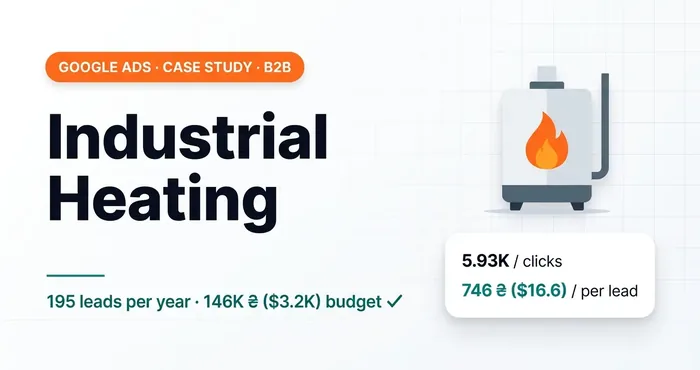 Google Ads case studyB2B Google Ads: 195 qualified leads in a year on a 146,000 UAH ($3.2K) budgetIndustrial heating case study: after an audit and a switch from Performance Max to Search — 195 leads in a year on 146,000 UAH ($3.2K).
For more on choosing between search, Shopping, PMax, YouTube and Display, see the article on which campaign type to choose.
How many conversions Performance Max needs
As of 2026, Google states that for normal operation a single PMax campaign should get 3 to 5 target actions a day. To switch to a target CPA or a target ROAS, it’s advisable to have 5 conversions a day per campaign.
What this means in practice. If you have 20 sales a month, Performance Max effectively learns by touch. It spins in an endless learning period, and the result jumps from week to week. I’ve seen exceptions where PMax worked even on small volumes, but they are exceptions.
Hence another common mistake: a micro-budget. A campaign of 200 UAH (~$4.4) a day in a niche with a click at 15 UAH (~$0.33) simply doesn’t have time to collect statistics. What you can and can’t do with a small budget I covered in the article on whether 10 dollars a day is enough.
Why everything comes down to tracking
A fresh example from practice. The project runs on offline conversions from a CRM. Many messenger enquiries started to drop, and I gave the client the task of setting up lead passing from messengers. He set it up, but without validation. “Leads” that simply opened the messenger and wrote nothing started to arrive in Google Ads.
Performance Max, which had worked steadily for three months before that, quickly picked up this signal: such “leads” are much easier to find. In two days the campaign broke completely and went wandering into the Display Network, where such “leads” are the easiest to find. Three months of work down the drain.
So for PMax there is one rule: clean signals only. A real purchase with its value, a confirmed lead from the CRM. No phone-number clicks, thank-you page visits or messenger opens in the learning.
Where the money goes: channels and YouTube
In the audit of a sneaker store, 54% of the Performance Max budget went to YouTube. At the same time the client complained that about half of the orders never turn into real sales. A niche with hot search demand, and most of the money went into video.
A separate problem is the videos PMax generates itself if you haven’t added your own. Google cuts a clip from your photos and texts and runs it on YouTube. It usually looks terrible, and affects conversions accordingly.
You can now see the split by channel in the “Channel performance” report: how many impressions, clicks, spend and conversions came from Search, Shopping, YouTube, Display, Gmail and Discover.
Performance Max is becoming more transparent: channel performance (Beta) in Google Ads

And in 2026 some accounts got a “Channels” section with an adjustment of each channel’s influence from −50% to +50%. It doesn’t let you switch a channel off completely, but you can already restrict YouTube substantially. How it works I described in the article on the new channel adjustment feature.
How I restrict PMax on a small budget in practice: in a shoe store the campaign runs only with the feed, without text and image assets, plus 19,540 excluded placements.
What I turn off in Performance Max right away
Google always recommends its AI features, because it’s its money. I never use them.
- Text customization. Google generates headlines and descriptions itself from the site and the query. You carefully write ads for specific messages, and it rewrites them. It’s especially fun with ads for Ukraine, where Google doesn’t always tell Ukrainian and Russian apart.
- Final URL expansion. Google can swap the landing page itself if it considers another one more relevant. In practice, you need to land the person where you planned.
- Automatically generated videos. See above. If you need YouTube, a separate video campaign with proper clips is better.
Search terms and negative keywords in Performance Max
For a long time you couldn’t see which queries PMax shows for. Now the search terms report is available, and it’s worth checking as regularly as in a search campaign.
A new level of control over Performance Max — analyzing and controlling search terms

Since 2025 you can add negative keywords in Performance Max at the campaign level. I tested it on a list of more than 400 keywords. Brand exclusions are worth adding separately: so that PMax doesn’t intercept your own brand traffic and doesn’t run on competitors’ brands if you don’t need that. Why brand queries are worth keeping in a separate campaign I explained in the article on the brand campaign.
Performance Max and standard Shopping
For an online store the choice is often between PMax and a standard Shopping campaign. PMax gives more automation and reach, Shopping gives more control: it shows only in product ads, queries are visible, and it’s easy to split products into groups.
An example where Performance Max was deliberately dropped: an instant camera store, 4.84 million UAH (~$107,600) in revenue and a ROAS of 1669% on standard Shopping. Since 2026 standard Shopping has the “Maximize conversion value” strategy, which used to be effectively an advantage of PMax.
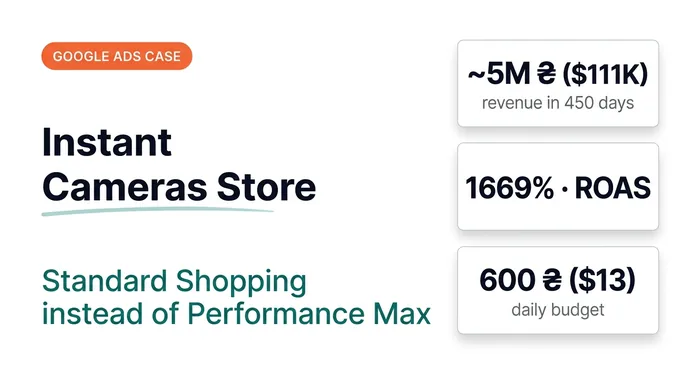 Google Ads case studyGoogle Ads Case Study: Instant Cameras — UAH 4.84M (~$108K) in Revenue and a 1669% ROAS Without Performance MaxUAH 4.84M (~$108K) in revenue over 450 days on a budget of ~UAH 600 ($13) a day. Why standard Shopping beat Performance Max for a narrow product range.
Does PMax cannibalize search campaigns
Google’s official position: if a search campaign and Performance Max run at the same time, only one of them takes part in a given auction. If a query matches a keyword of the search campaign, search has priority.
My opinion: PMax does take part of the traffic, and Google gives it higher priority because it’s its flagship product. Google wants anyone to open the account, click a few buttons and pay. So if you run both types, look at the search terms in both and compare how the search campaign’s traffic changed after PMax launched.
Tests and scaling
Two things people learn about only after launch.
There is no isolated A/B test in PMax. People often make two asset groups with different creatives and compare them in the account. But the data per group isn’t isolated: in one, banners may have run, in the other they barely ran. Comparing them is not correct.
The budget is raised gradually. Google recommends increasing the budget by 20–30% once every week or two. If you raise it by 50–100% at once, there’s a high probability the campaign will break. In a season when you need to scale fast, you have to take a conscious risk.
I covered the remaining weak spots — geotargeting, AI features, strategies, portfolio strategies — separately.
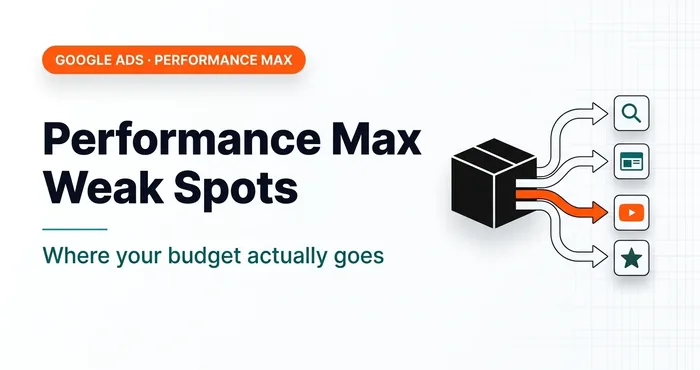 Google AdsWhere Are the Weak Spots in Your Google Ads Performance Max Campaigns?10 Performance Max weaknesses: tracking, geotargeting, AI features, scaling, traffic cannibalization.
Check three things before launching Performance Max
- Open “Goals” → “Conversions” in Google Ads and see what is set as the primary action. If it’s a phone click, a messenger redirect or “Add to cart”, PMax will learn from them.
- Count how many conversions a day you really have. If fewer than 3, consider search or standard Shopping.
- For a store, open Merchant Center and check how many products are approved and whether there are warnings.
If you want a specialist to set up Performance Max, here is the Performance Max and Shopping ads setup.
Where to find me
Message me on Telegram or by email — I respond quickly. Telegram channel and YouTube are for those who want to see real cases before reaching out and understand my approach.