
Marketer, analyst, ex-CMO focused on the Google ecosystem (Ads, Merchant Center, GA4, GTM). Google Partner. 150+ projects, 100+ positive reviews on Freelancehunt, 12+ countries.
- I work directly, with no account managers or subcontractors
- I measure results in sales, not in-platform conversions
- Maximum expertise in the Google ecosystem — instead of “PPC, social ads and SEO, all in one”
A mattress store had product titles in its feed that ended with the size: the model, some specs and only at the very end “160×200”. But people search for mattresses precisely by size, to fit a specific bed. The ads were showing, but the number the shopper needed came last, if they saw it at all.
Google didn’t take that title from the ad account. It took it from the product feed. That’s what this article is about, along with Shopping.
Contents
What the shopper sees
For an online store, Shopping ads come first. Before clicking, a person sees the image, price, product name and store name, and if product ratings are connected, the stars too. When they click, they’re already warmer than someone coming from search: the price suited them.
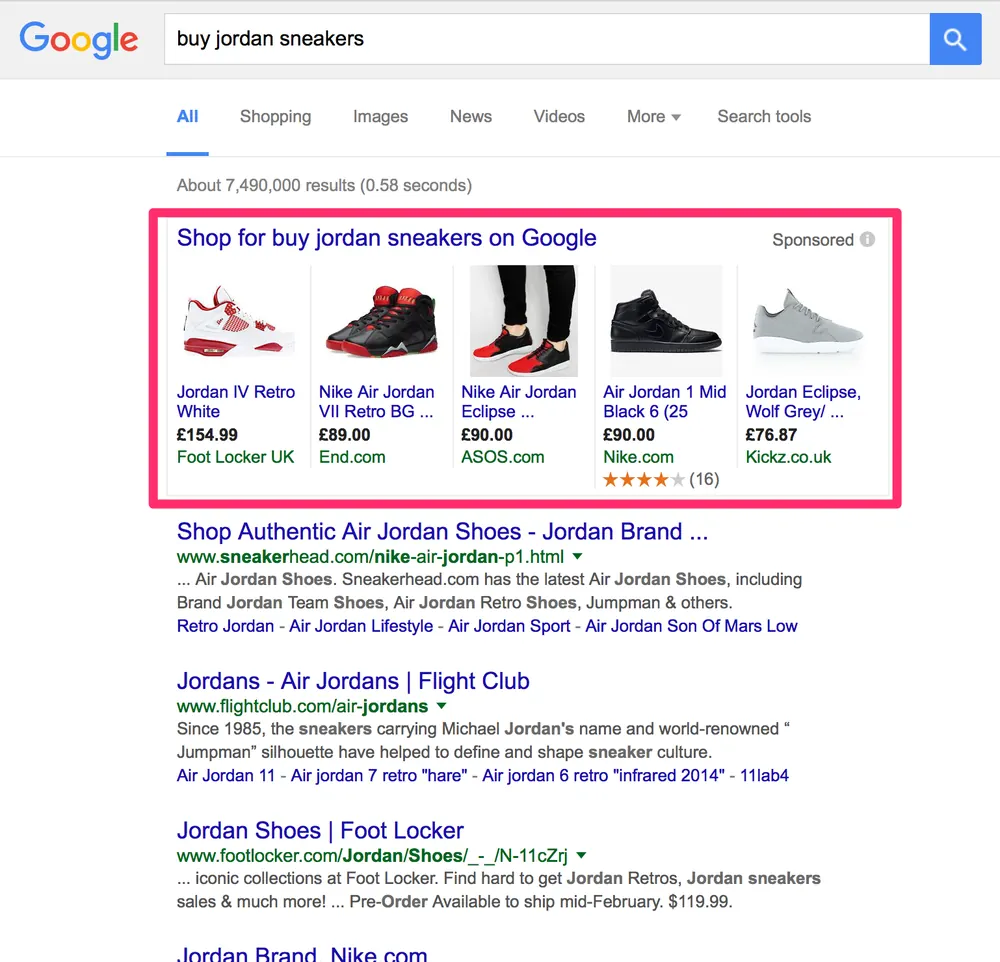
There are no keywords in Shopping. Google decides itself which queries to show a product for, based on the feed data: title, description, category, price. So the feed plays the same role here that keywords and ads play in Search.
What a product feed is
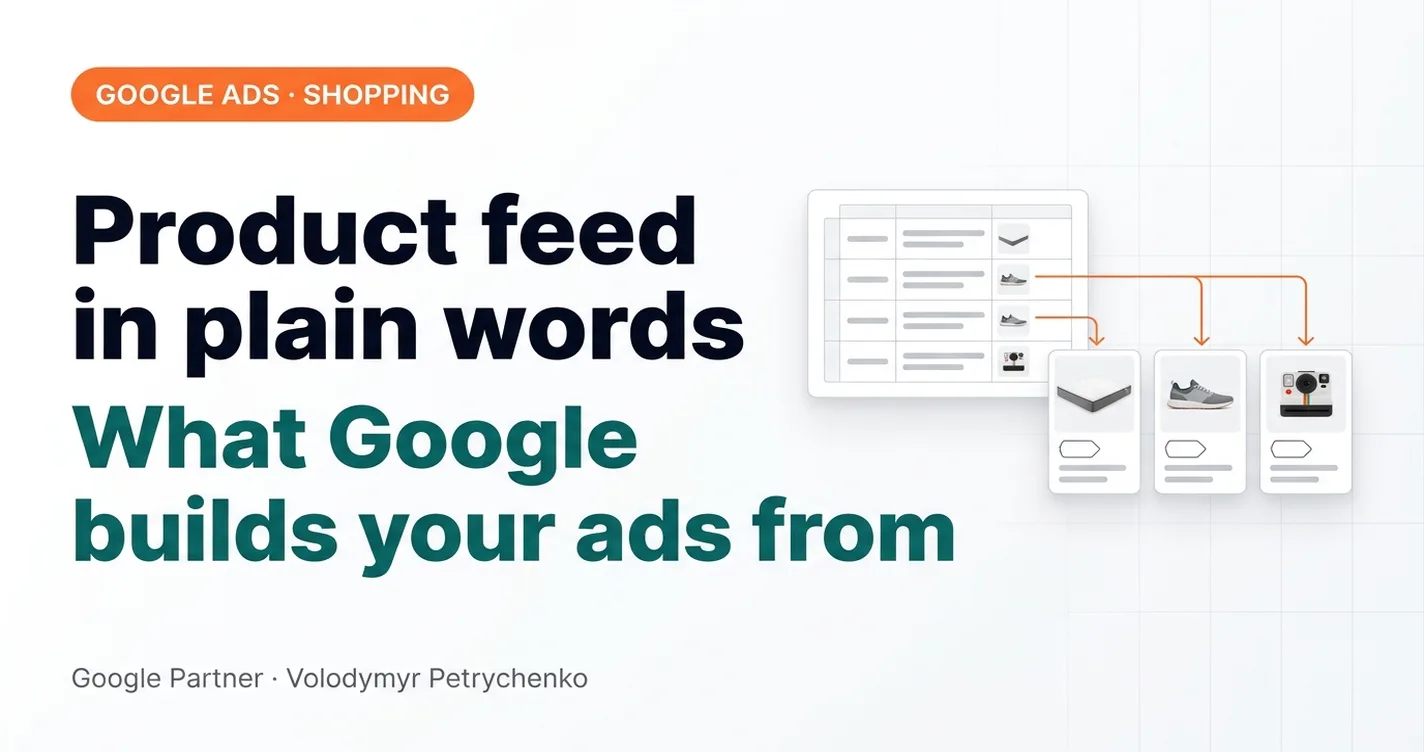
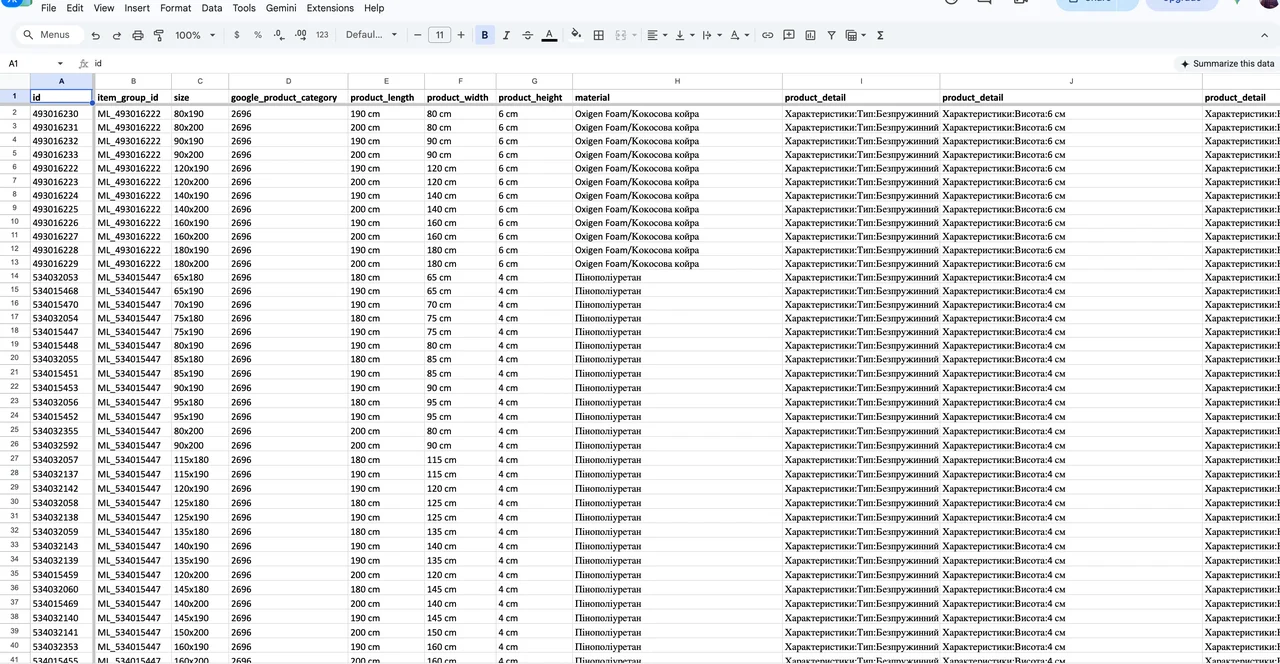
It’s a table with all your products. Each row is a product, each column is one of its characteristics, or attributes: ID, title, description, page link, image, price, availability. The title can be up to 150 characters, and it’s the main thing Google uses to understand what you sell.
The feed is uploaded to Google Merchant Center, and from there products go into Shopping and Performance Max. The platforms I work with most often — Prom, Horoshop, OpenCart — generate the feed automatically. But an automatic feed takes the data exactly as it’s filled in in the admin panel. And it’s often filled in the way that was convenient for the content manager, not the shopper.
If products have barcodes (GTIN), Google can pull product information from them too. Own-brand products usually have no barcodes, like those mattresses. Then everything Google knows about the product comes from the feed attributes.
How I improve the feed
You don’t have to touch the website or admin panel for this. There’s the supplemental feed — a separate table that’s joined to the main one and overwrites or adds attributes by product ID. And there are rules right inside Merchant Center.
For the mattresses I rewrote the titles like this: first the size, then the word “mattress” in Ukrainian, then the model, and at the end the Russian spelling of “mattress”, because people often search that way too. I also added the brand by pulling it out of the title. Next — item_group_id. The store has about 1,600 items, but in fact it’s 100 models in 16 sizes each. Without grouping, Google learns on each item separately; with grouping, it learns on the model, and the stats aren’t spread across 16 pieces. Plus sizes, material, key benefits and product details.
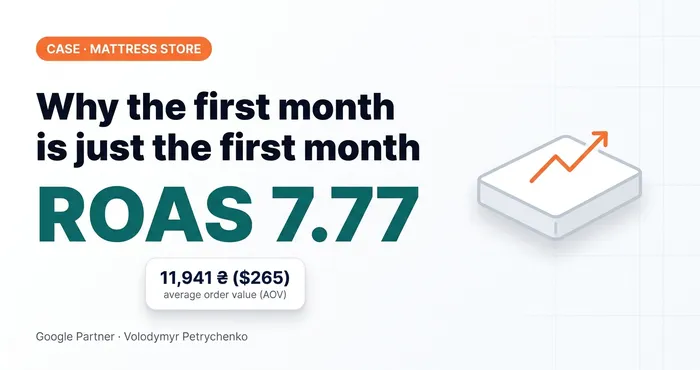 Google Ads case study · Merchant CenterWhy You Shouldn’t Stop After the First Month: A Mattress Store Case StudyMattress store on Horoshop: feed enrichment, shipping_label, CRM instead of fake conversions. Why you shouldn’t stop after the first month.
The shipping_label attribute was needed there too. Single and double mattresses ship at different prices, and that difference has to be passed to Merchant Center through separate shipping rules. Otherwise the data on the website and in the feed won’t match, and that’s a direct path to a suspension.
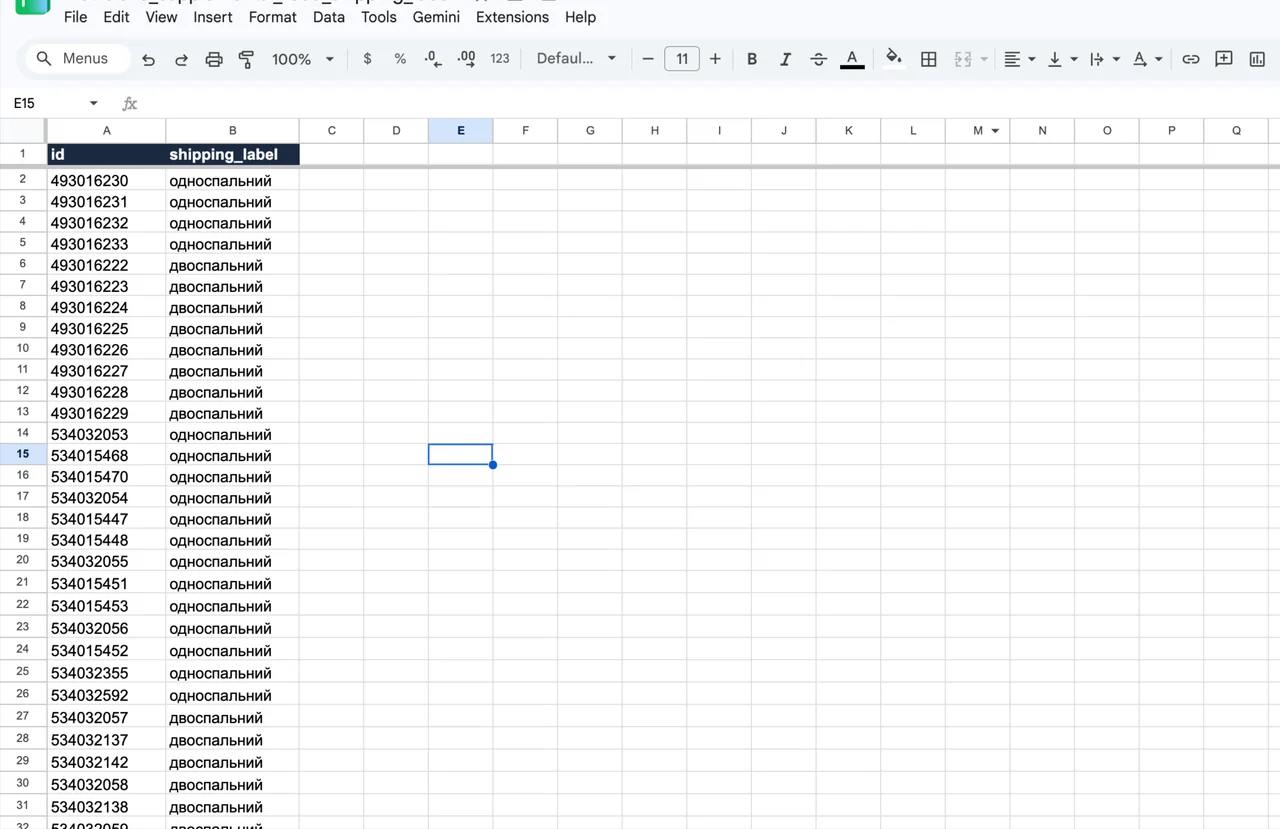
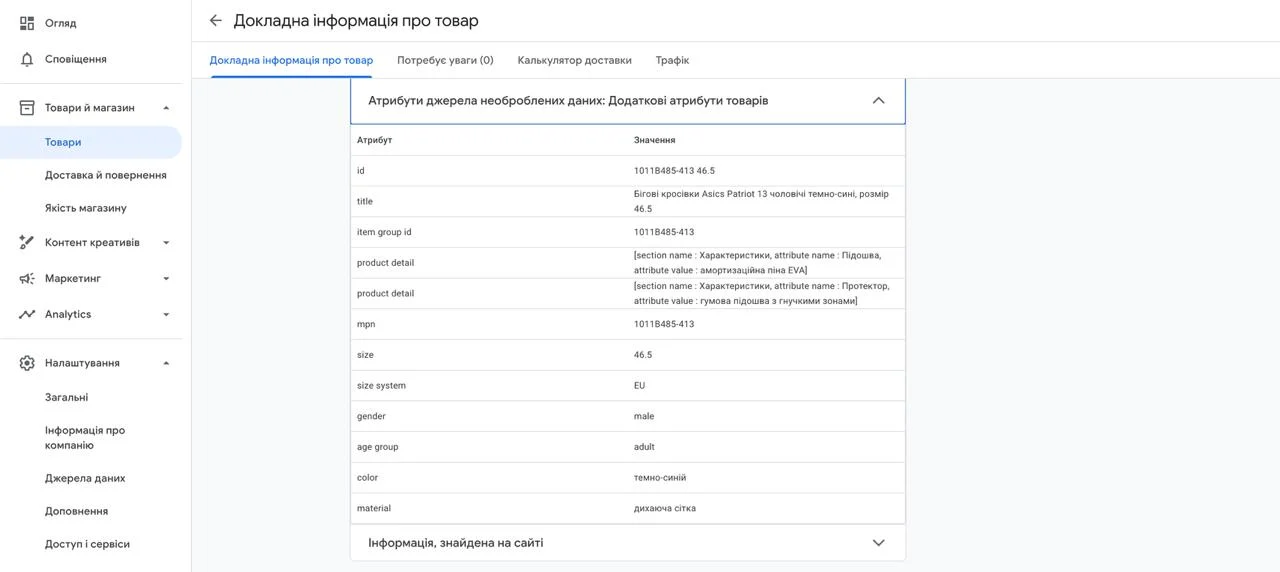
For a sneaker store on Horoshop the set was different: rewritten titles, item_group_id (one model in five sizes means five items), manufacturer part number, size and size system, gender, age group, color and material. Before, a product was roughly “Asics Patriot sneakers”; now it has a whole set of characteristics.
Here I show how to bulk-edit titles with a supplemental feed:
Bulk-Editing Product Titles in Google Merchant Center Next

Honestly, this isn’t a game changer. But when you can do something for free that could improve results, you should do it.
Where the feed breaks
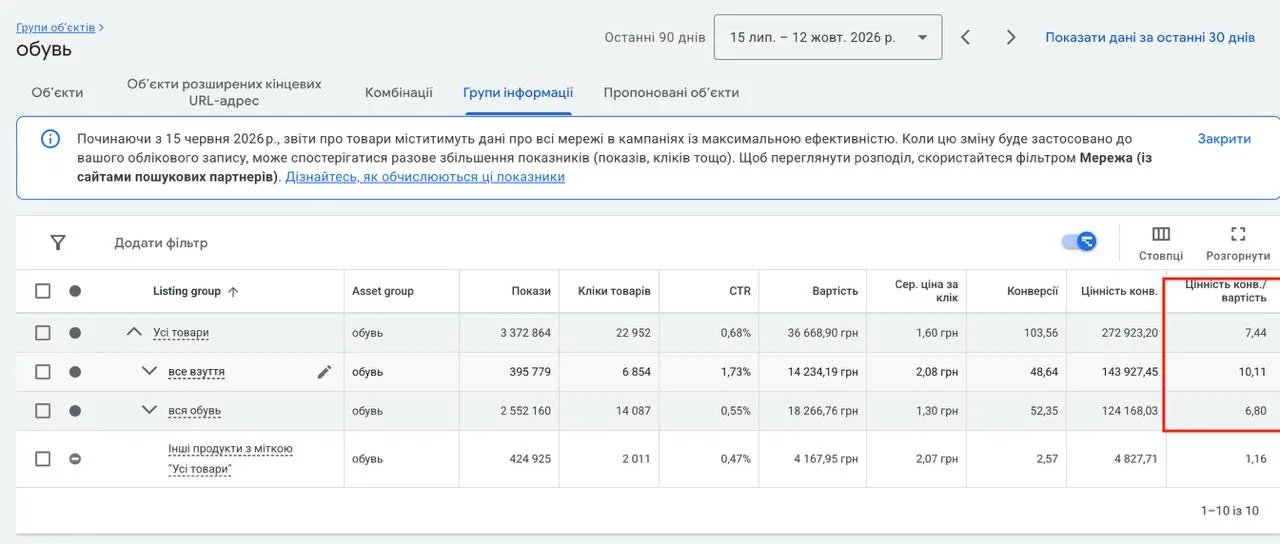
Language. If the feed is declared in Ukrainian and even one product in it is in Russian, Merchant Center issues a warning and may then suspend the account. How to avoid that — in the article on feed language mismatch. The same sneaker store ran a separate Russian-language feed alongside the Ukrainian one. Over 90 days, according to the audit, it got 2.55M impressions versus under 400K for the Ukrainian feed, with a CTR of 0.55% versus 1.73% and a ROAS of 6.80 versus 10.11. My advice was simply to turn it off.
Technical changes on the website. Developers changed the page URLs — and the feed went down. These days Google usually uses a snapshot of the last successful upload, so ads don’t stop immediately, but you still need to keep an eye on it. I collected what else can stop impressions in a diagnostic checklist.
Merchant Center. A suspended Merchant Center means no Shopping at all. Suspensions traditionally pick up in autumn; I have a separate article on the autumn “Merchantfall”.
What a feed can’t fix
Don’t idealize feed work. It never happens that you add “sale” to a title or fill in the attributes and the ads take off.
Shopping won’t make up for an uncompetitive price. Your product is shown next to others, and if it costs 10–30% more, it’ll be ignored right in the results. And if the difference is big, people will even click on it — to see who’s selling the same product for more than everyone else. You pay for those clicks too.
Shopping or Performance Max
Performance Max also works with the feed, but it can go into YouTube and the Display Network. Standard Shopping stays in product results only, and you can control the search queries in it.
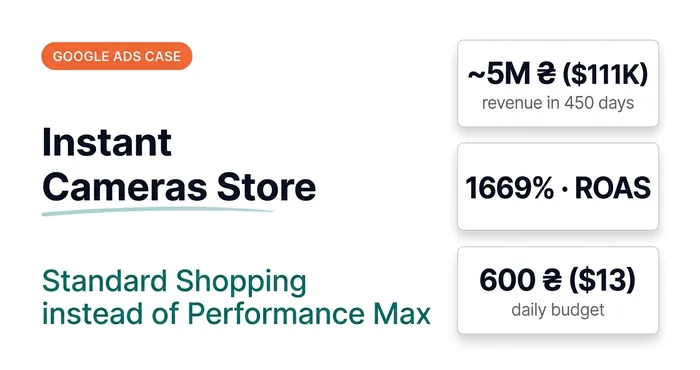
For an instant camera store I tested different options and kept only standard Shopping. The range is narrow, and best-sellers regularly go out of stock, after which Performance Max retrains and dives into the Display Network. Over 450 days, from April 2024 to June 2025, Shopping on a budget of about UAH 600 ($13) a day brought UAH 4.84M (~$108K) in revenue at a ROAS of 1669%. These numbers are atypical and I don’t put figures like that in forecasts, but the choice of campaign type played its part here.
 Google Ads case studyGoogle Ads Case Study: Instant Cameras — UAH 4.84M (~$108K) in Revenue and a 1669% ROAS Without Performance MaxUAH 4.84M (~$108K) in revenue over 450 days on a budget of ~UAH 600 ($13) a day. Why standard Shopping beat Performance Max for a narrow product range.
More on when to choose what — in the article Search, Performance Max, YouTube, Display or Shopping.
What to check in your Merchant Center
Open the “Products” section and look at the titles through a shopper’s eyes: does the beginning contain what people search for your product by — type, size, model? Check for disapproved products and warnings, and whether all titles and descriptions are in one language. If you have products of different sizes with different shipping costs, see whether that’s reflected in the Merchant Center shipping rules.
19 — Merchant CenterProduct feed setup and optimizationFeed setup, optimization and enrichment with extra attributes, product segmentation with custom labels.
Where to find me
Message me on Telegram or by email — I respond quickly. Telegram channel and YouTube are for those who want to see real cases before reaching out and understand my approach.