
Marketer, analyst, ex-CMO focused on the Google ecosystem (Ads, Merchant Center, GA4, GTM). Google Partner. 150+ projects, 100+ positive reviews on Freelancehunt, 12+ countries.
- I work directly, with no account managers or subcontractors
- I measure results in sales, not in-platform conversions
- Maximum expertise in the Google ecosystem
Search is the Google Ads campaign type most of my lead generation projects start with. I’ll walk through how it works, what a click costs in real examples, how a keyword differs from a search term, and when search won’t work.
Contents
- What search ads are
- How Search differs from other campaign types
- Where search ads appear
- Advantages of search ads
- How much search ads cost
- Keyword vs search term: what’s the difference
- Match types in brief
- Negative keywords
- Limitations of search ads
- Who search ads suit and who they don’t
- Where to start
- FAQ
What search ads are
A person types a query into Google, for example “buy a tractor for a farm”, and above the regular results sees ads labelled “Sponsored”. That is search advertising: text ads shown in response to a query.
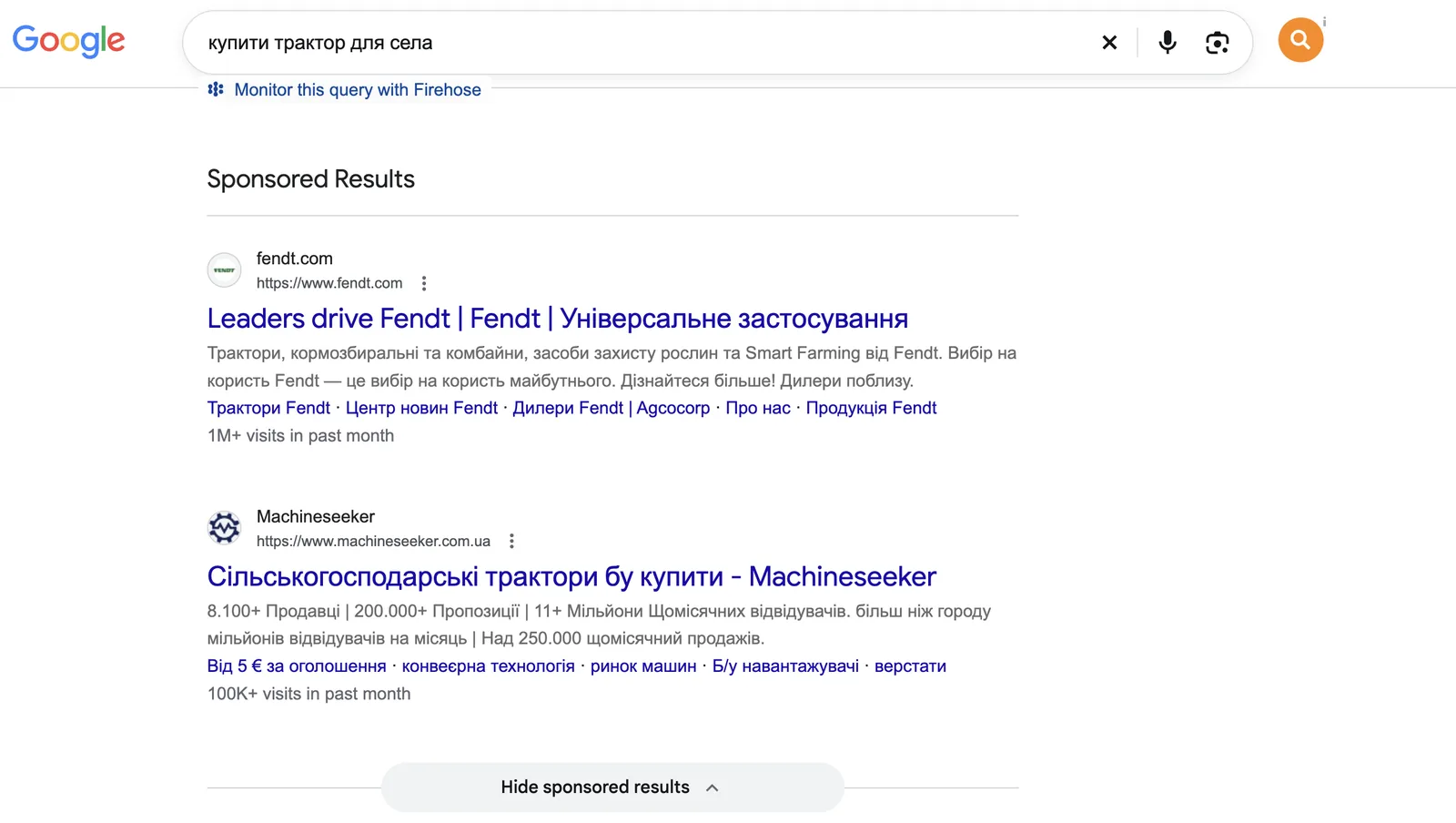
You choose the keywords you want to show for, write the ads and pay per click. Impressions are free; money is charged only when a person goes to the website.
How Search differs from other campaign types
Google Ads has seven campaign types: Search, Performance Max, Demand Gen, Display, Shopping, Video and App. Search is the only one that runs only on Google Search and only with text ads.
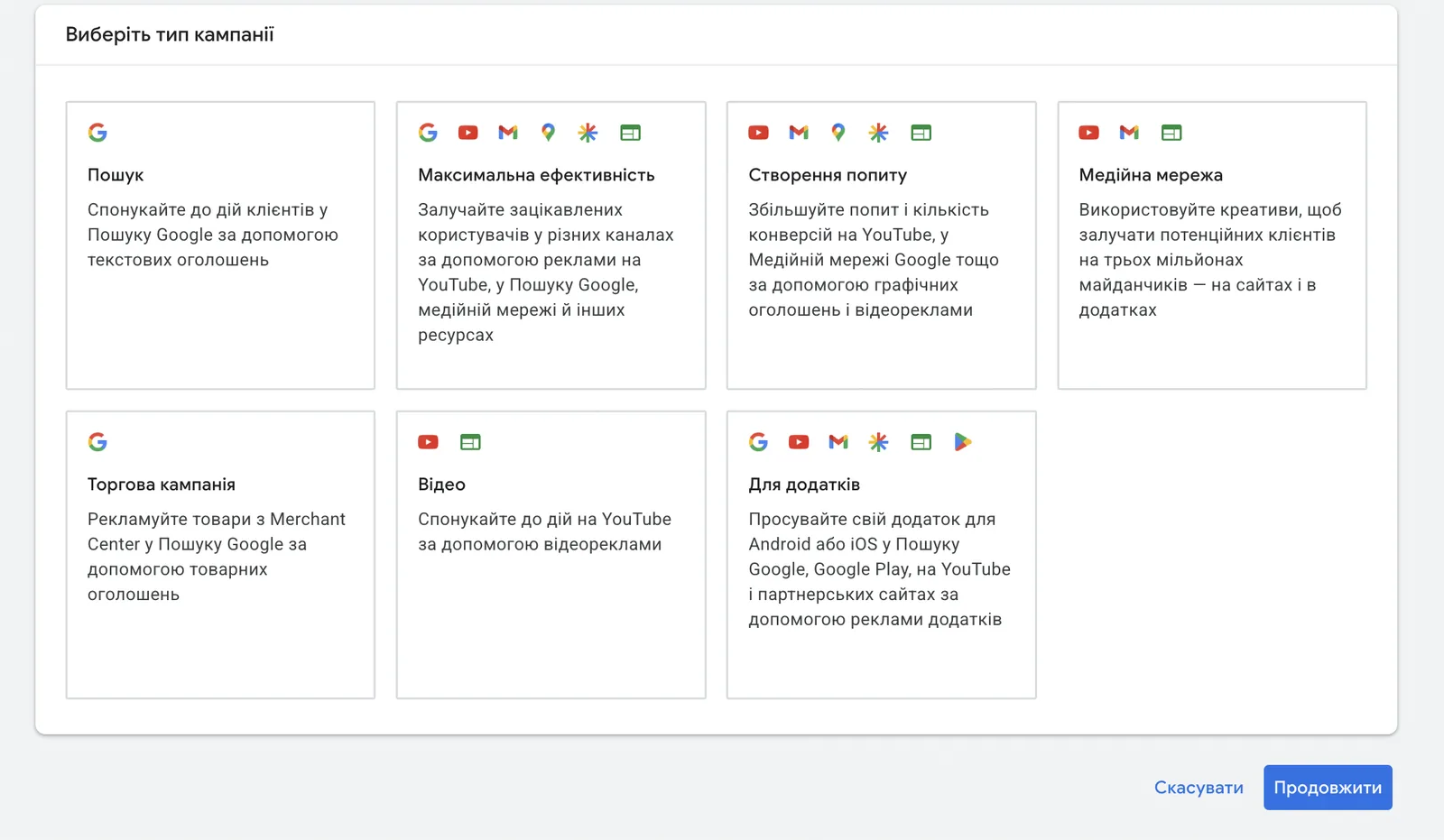
The main difference is the moment a person sees the ad. In search, they are already looking for your product or service. Display, YouTube or Demand Gen ads are shown to people who aren’t looking for anything like it at that moment. Search works with existing demand; the rest mostly create it.
Where search ads appear
Campaign settings have two checkboxes:
- Google search partners — websites that use Google search. Ads are shown there too.
- Google Display Network — unspent search campaign budget goes to the Display Network, to banners.
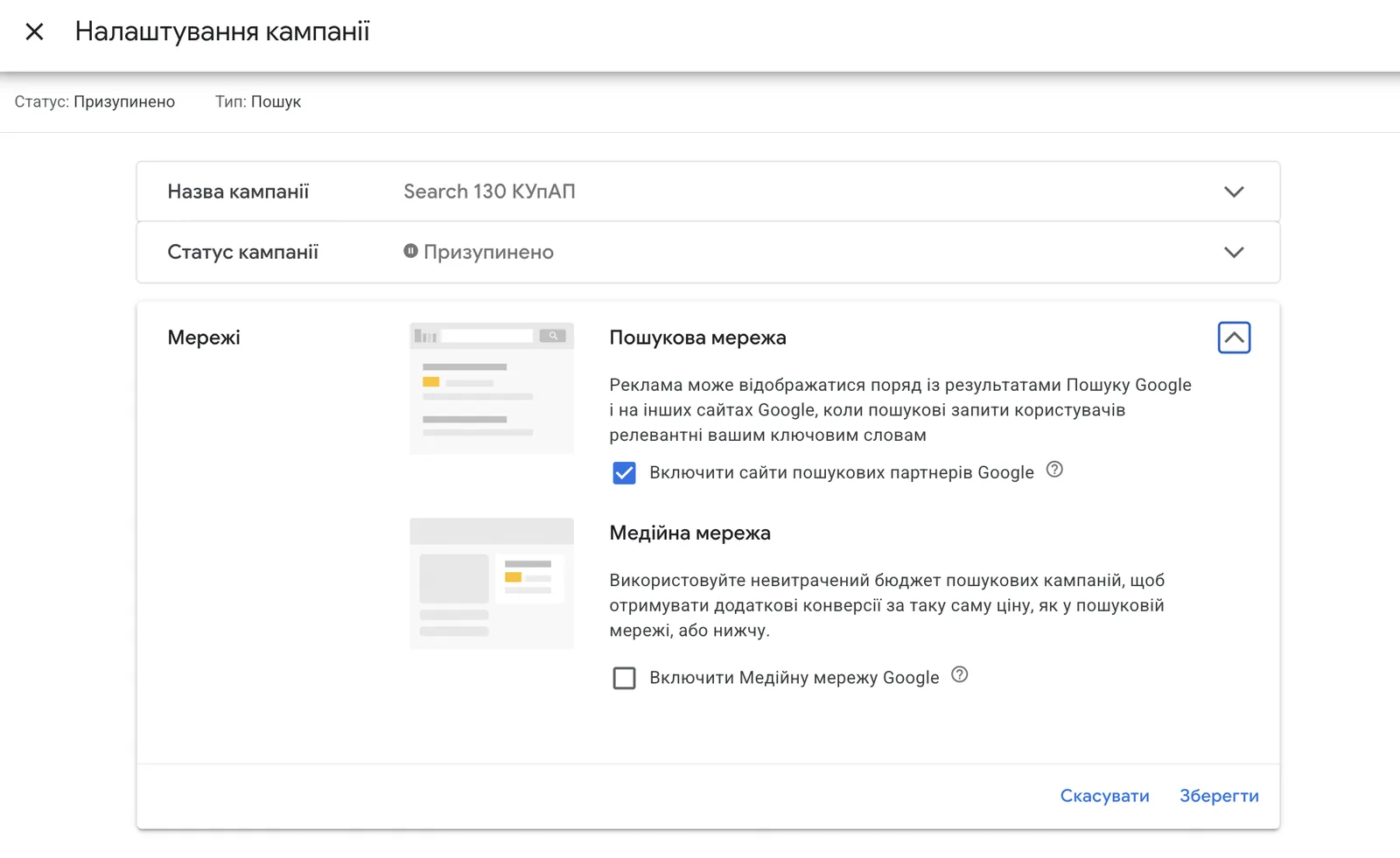
The Display Network in a search campaign is no longer search: the person wasn’t searching for anything but sees your ad on some website. So if you tick this box, analyse that traffic separately.
Advantages of search ads
Hot demand. The person is looking for the service right now. If their air conditioner broke and they type “air conditioner repair”, they are looking for someone to pay.
Control. You see which queries your ads were shown for and can cut off irrelevant ones. Other campaign types offer far less transparency.
Fast start. A search campaign can bring enquiries from the first days if there is demand and the website is ready to take them.
Pay per click. You are charged only for visits to the website.
How much search ads cost
There is no universal cost per click. It depends on the niche, region, competition and season. So before launch I check Keyword Planner: how many people search and what a top-of-page impression costs. For this I built my own tool on the site that pulls data directly from Google Ads.
Tool · Google Ads APIGoogle Ads Keyword PlannerMonthly searches, top-of-page bids and 12-month seasonality without logging in to an ad account.Two examples from Keyword Planner (Ukraine):
| Query | Monthly searches | Bid from, UAH | Bid to, UAH | Average, UAH |
|---|---|---|---|---|
| air conditioner repair | 1 286 | 17,66 | 83,90 | 50,78 |
| sushi Kyiv | 14 275 | 8,92 | 32,96 | 20,94 |
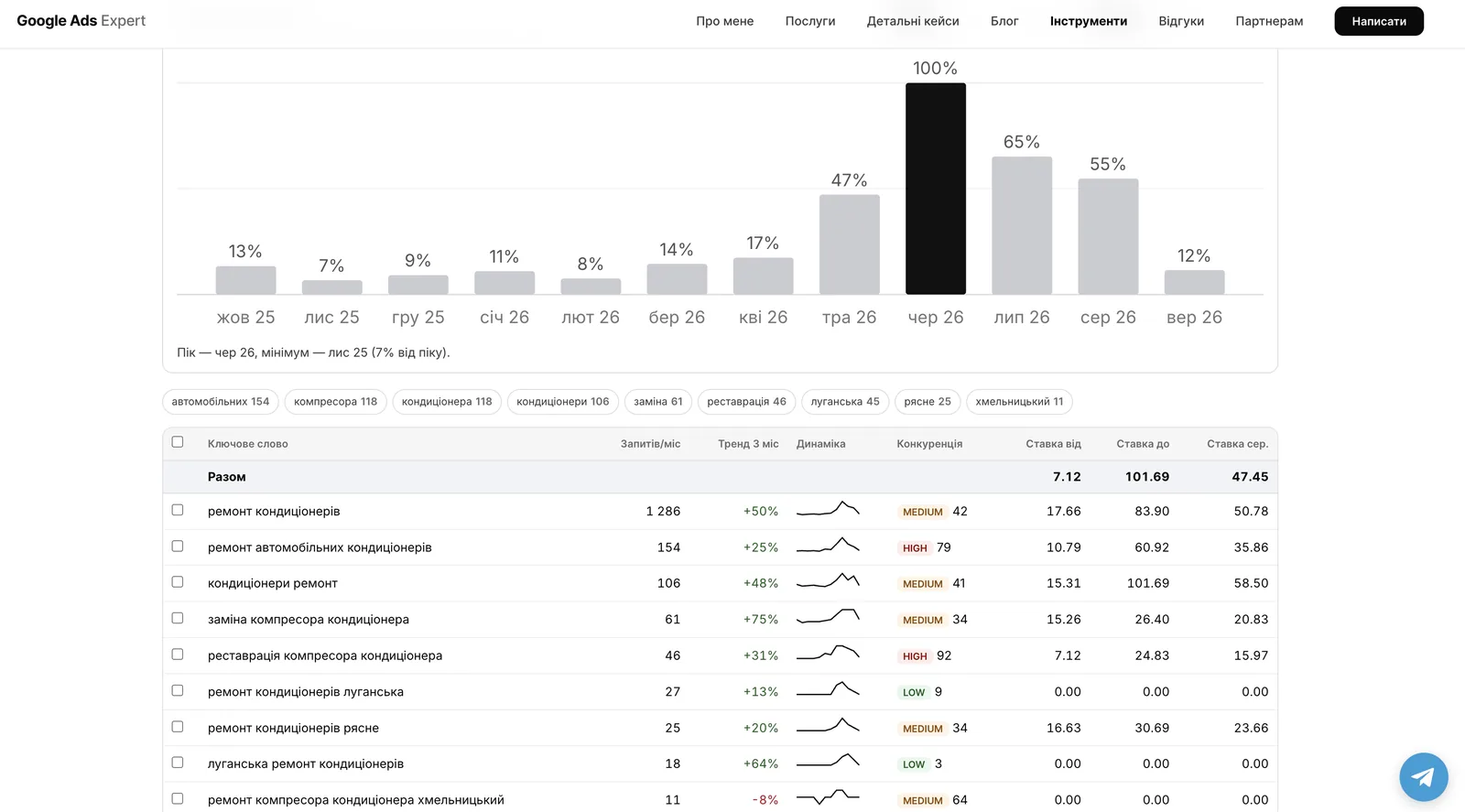
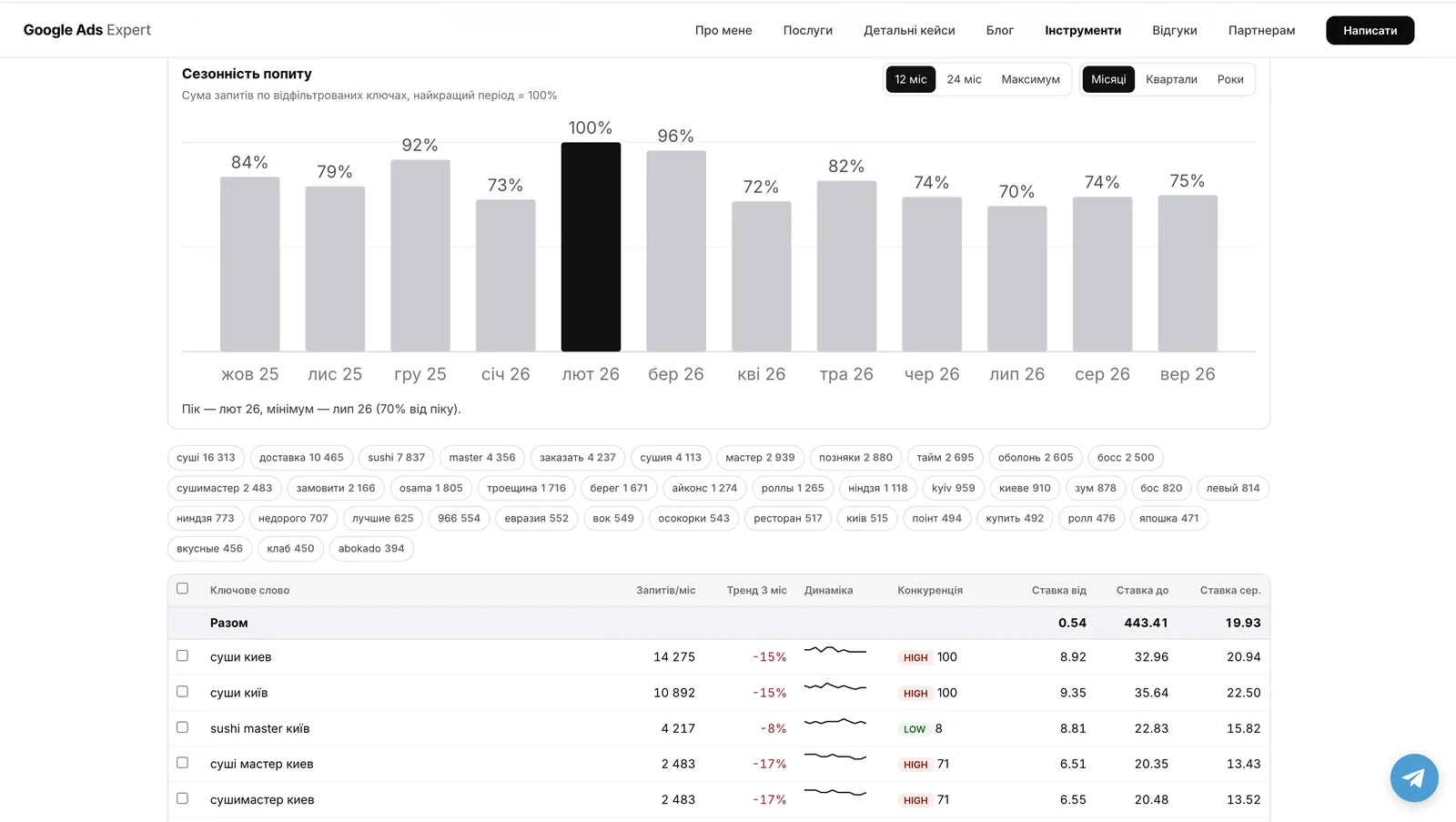
Air conditioner repair is a strongly seasonal niche. Demand peaks in June, and in November it drops to 7% of the peak. Sushi is almost flat all year: the weakest month, July, is 70% of the February peak. So the budget for air conditioners should be planned around the season, and for sushi evenly.
These are Keyword Planner estimates; the real cost per click can be higher. More on that below, under limitations.
How much to budget per day for ads to make sense, I worked out in the article is $10, $50 or $100 a day enough.
Keyword vs search term: what’s the difference
These two concepts get mixed up all the time.
A keyword is what you add to the campaign. For example, “lawyer for drunk driving article 130”.
A search term is what a person actually typed into Google before seeing your ad. It might be “lawyer 130 kyiv”, or it might be “how to get your licence back after a ban without retaking the test”.
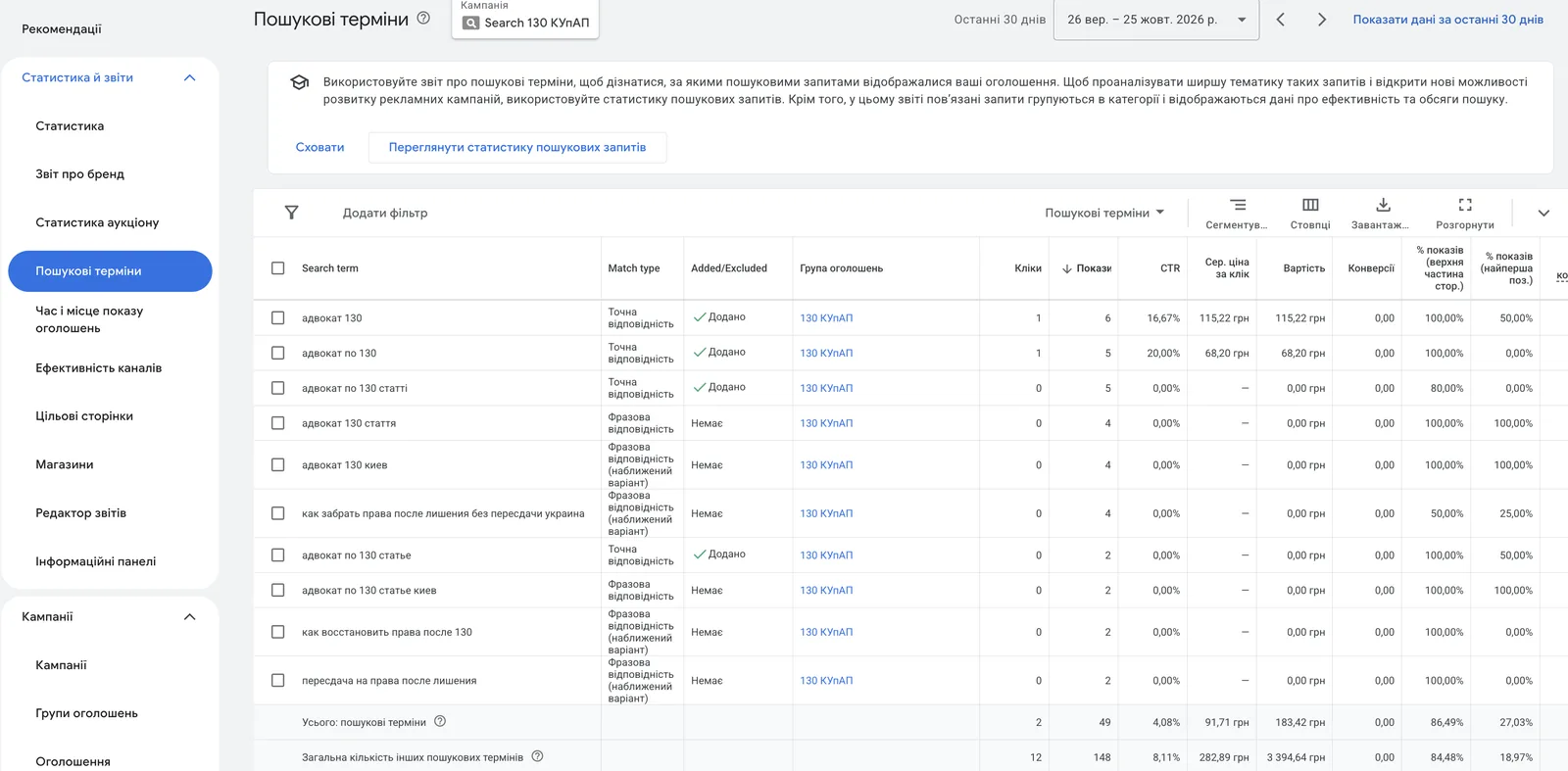
One keyword triggers dozens of different search terms. The screenshot shows that some queries are about a lawyer, while others are about getting the licence back on your own. Someone looking for how to get their licence back without a retest may not need a lawyer. I review these terms regularly: relevant ones go into keywords, irrelevant ones into negative keywords.
Match types in brief
The match type determines how far Google can move away from your keyword.
| Type | How it’s written | What it does |
|---|---|---|
| Broad | air conditioner repair | Shows for any queries Google considers related in meaning |
| Phrase | "air conditioner repair" | The query must contain the meaning of the key phrase |
| Exact | [air conditioner repair] | The query has the same meaning as the keyword |
In 2026 both phrase and exact match show ads for close variants. In the screenshot above, the query “how to get your licence back after a ban without a retest Ukraine” came in through phrase match marked “close variant”. So review the search terms report with any match type. I covered each type in detail in the article on keyword match types.
About Keyword Match Types in Google Ads

Negative keywords
Negative keywords are words your ads won’t show for. If you repair air conditioners and don’t sell them, “buy” becomes a negative keyword. Without negatives, a search campaign quickly starts paying for irrelevant clicks. To clean up search terms faster, I built a free Chrome extension.
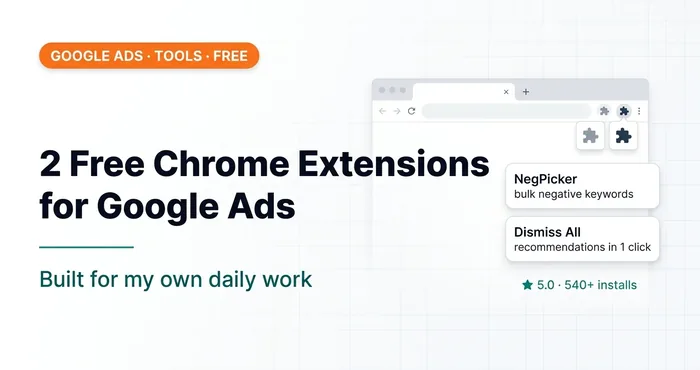 Google AdsTwo Free Chrome Extensions for Google Ads I Built for MyselfNegPicker and Dismiss All Recommendations — extensions for adding negative keywords in bulk and dismissing recommendations in one click.
How to build a negative keyword list and which match types it uses — in the article on negative keywords in Google Ads.
Limitations of search ads
No demand, no ads
Search shows ads only to people who are already searching. If your product is new and nobody knows it exists, nobody will search for it. The same goes for narrow niches: Keyword Planner shows only 11 monthly searches for “air conditioner repair Khmelnytskyi”. A search campaign can’t create demand; it only captures the demand that already exists.
Expensive clicks
Example: legal services under Article 130 of Ukraine’s Code of Administrative Offences (driving under the influence). Keyword Planner shows bids from UAH 4.92 to UAH 25.47. In the real campaign the average cost per click was UAH 255.58: 14 clicks, 197 impressions, UAH 3,578 spent.
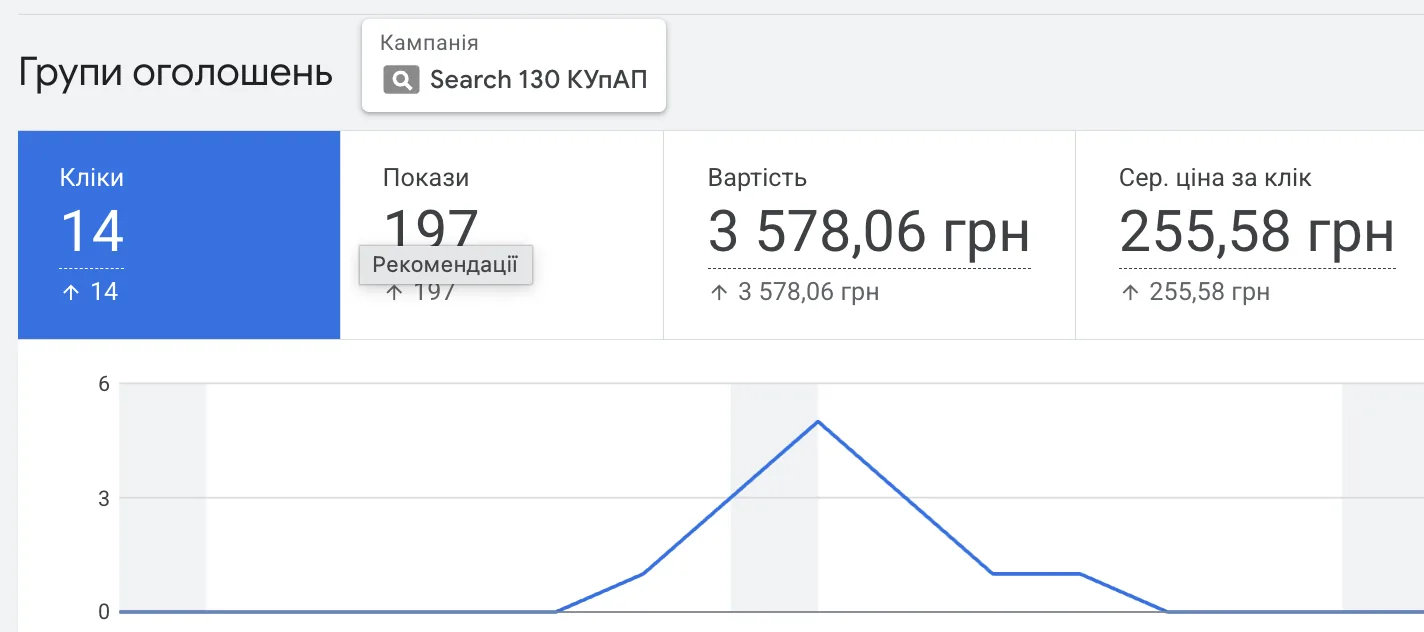
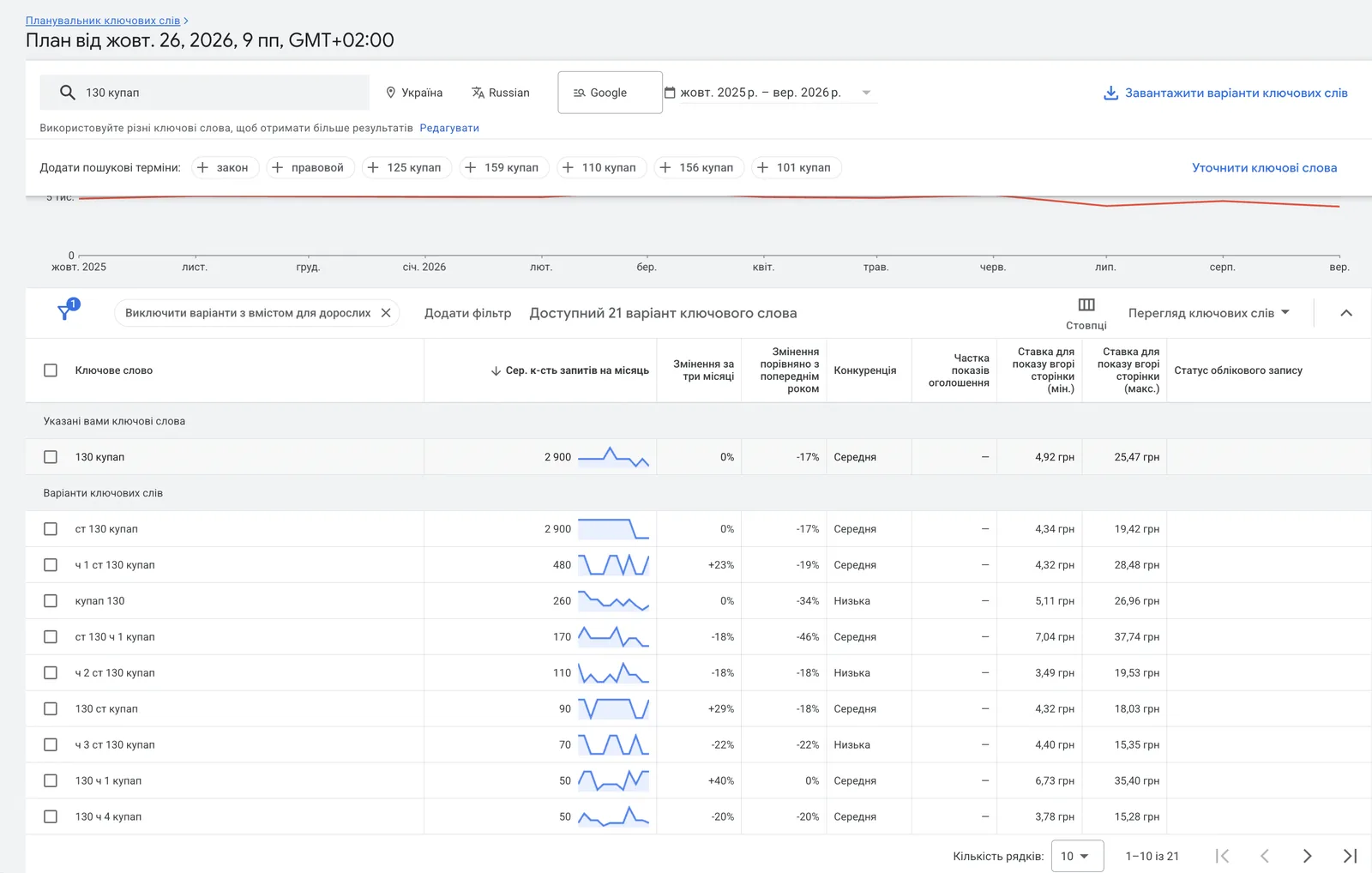
A tenfold difference. Keyword Planner is a guideline; only the auction shows the real cost per click. In legal, medical and similar niches one click can cost as much as a food delivery order. Then you need to work out whether a customer will pay off before launch. What drives the cost per click and why it rises — in the article on CPC in Google Ads.
Low Quality Score
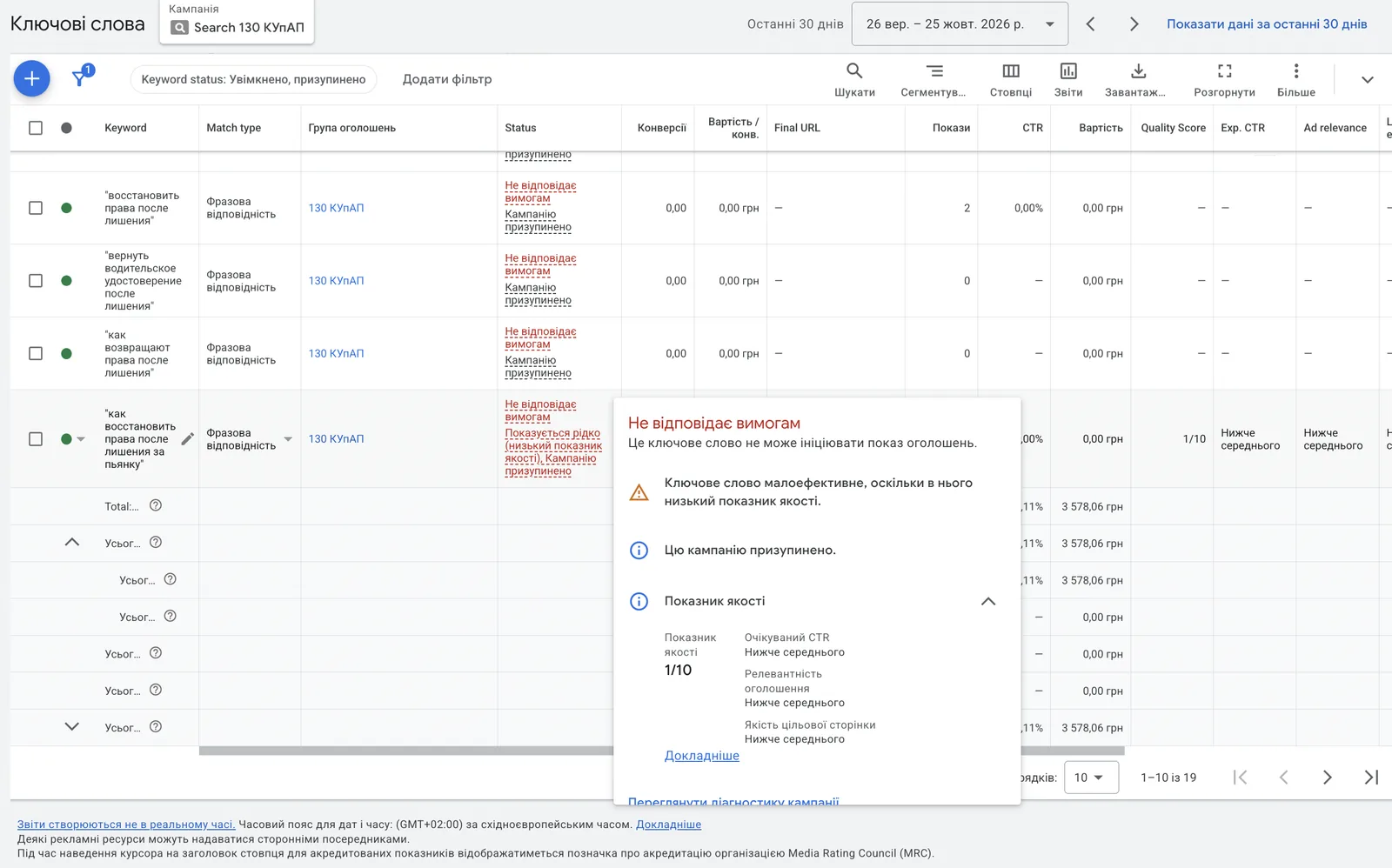
Google rates every keyword on three factors: expected CTR, ad relevance and landing page experience. If all three are “below average”, the Quality Score is 1/10 and the keyword gets the “Rarely shown” status. So you can add a keyword to the campaign and get almost no impressions for it.
Google goes beyond your targeting
Even with exact match, Google expands impressions to queries it considers close in meaning. When it has nowhere to spend the budget, it finds somewhere. So you can’t fully control which queries you show for. All you can do is review search terms regularly and cut what doesn’t fit.
Who search ads suit and who they don’t
Search works well when people are already looking for your product or service: repairs, food delivery, legal and medical services, B2B services, products with an established name.
Search works poorly or not at all when:
- the product is new and nobody searches for it yet;
- demand is tiny, a few searches a month;
- clicks are expensive and the average order value and margin don’t cover them;
- the website isn’t ready to take enquiries.
Where to start
Open Keyword Planner and enter 2–3 queries your customers use to look for your service. Check search volume, bids and seasonality. If there are only a few searches a month, or a click costs more than you earn from one customer, search ads won’t work for you, and it’s better to know that before launch.
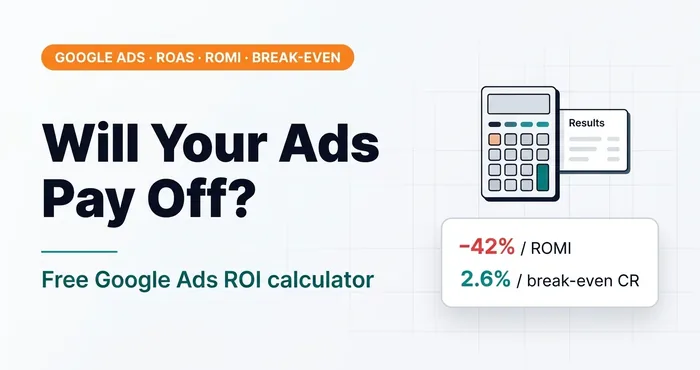 Google Ads · AnalyticsGoogle Ads ROI Calculator: Calculate Before Launch, Not AfterFree online Google Ads ROI calculator: ROAS, ROMI on margin, break-even conversion rate, cost per lead. Model scenarios before you launch ads.
01 — LaunchTurnkey Google Ads launchOne-time setup + one week of support. Includes basic tracking setup, Google Merchant Center setup and launch (for online stores), Google Ads setup and launch.
Where to find me
Message me on Telegram or by email — I respond quickly. Telegram channel and YouTube are for those who want to see real cases before reaching out and understand my approach.