
Marketer, analyst, ex-CMO focused on the Google ecosystem (Ads, Merchant Center, GA4, GTM). Google Partner. 150+ projects, 100+ positive reviews on Freelancehunt, 12+ countries.
- I work directly, with no account managers or subcontractors
- I measure results in sales, not in-platform conversions
- Maximum expertise in the Google ecosystem — instead of “PPC, social ads and SEO, all in one”
I run more projects than most PPC specialists. Not because I'm some kind of superhero who doesn't sleep at night — but because I have tools and processes that others don't. Some of them I built myself. This article is about two of them.
Contents
But first, an important digression.
On automation that kills results
I'm a big fan of automating routine work. But not automation for the sake of automation. And here's what I see in the industry: people automate things that shouldn't be automated. The most common example is AI agents for handling negative keywords.
It's one of the worst ideas I've ever seen. Here's why.
When I analyze search terms, I see the audience's pattern. A clear pattern. How people search, what wording they use, which queries signal purchase intent and which ones mean the person is just curious. Based on these patterns I build the strategy: what to exclude, what to keep, what to use for expanding the keyword set.
If you hand this process over to an AI agent, you lose touch with your audience. AI doesn't know the specifics of the business, doesn't understand the context, and its error rate is high. Not moderate, not negligible — high. I can still understand excluding informational queries at launch — that's fine. But after that? No.
That's why I don't automate negative keywords. I do it by hand — but I do it as fast as possible thanks to my own tool.
On the PPC community that isn't really a community
One more thing that needs to be said plainly. There's a myth about the PPC brotherhood — supposedly all PPC specialists are one team, helping each other and sharing knowledge.
That's complete nonsense. The PPC community is a river full of crocodiles. There are no rules here; everyone fights for their own piece. A manager at an agency I consult once told me “we're PPC people, we're a community, a brotherhood” — asking me not to take a client from them. I wasn't taking it and had no plans to. But the very idea of a PPC brotherhood makes me laugh.
So I built both extensions purely for myself. The fact that they turned out to be useful to 500+ other people is a nice side effect, not the goal.
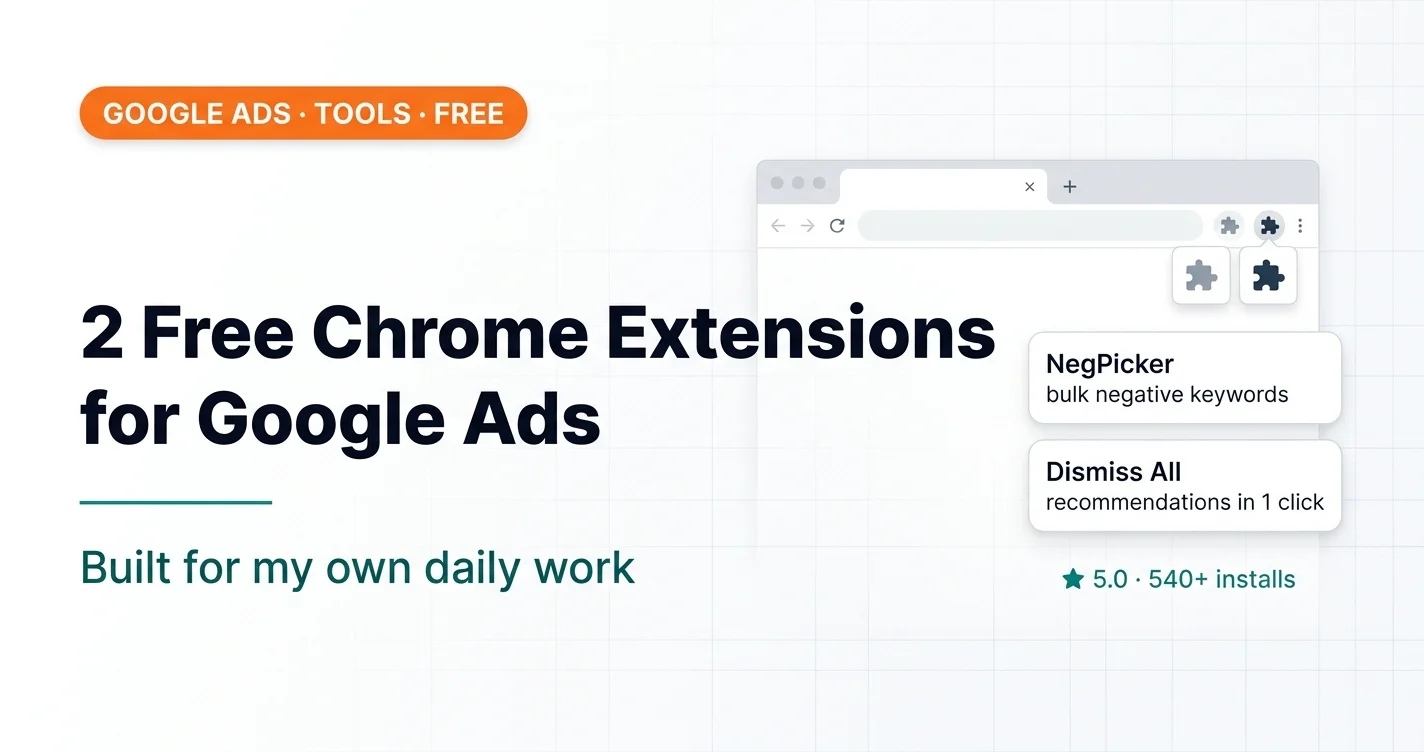
Extension 1: NegPicker — Negative Keyword Tool
There was a paid solution I used to rely on. Convenient — it let me quickly add a big batch of negative keywords right in the Google Ads interface. Then it went paid. And I did the math: I don't work in just one browser — I have several, including client ones.
NegPicker: A Free Negative Keyword Plugin for Google Ads

Instead, I spent ~10 hours and built my own. Free, no sign-up, no strings attached, no nonsense of any kind.
What the extension does: it lets you add a large list of negative keywords in the Google Ads interface in seconds — at the account, campaign or ad group level. What would take an hour by hand takes seconds.
An important note on support. Extensions like this often break because Google changes the interface's CSS styles. If the developer abandons the project, the extension stops working within six months. In my case, I use this extension myself every day. As long as I'm working, it works and gets maintained. How much longer will I keep working? Hopefully another 50 years. Kidding. But not entirely.
Stats as of late August 2026:
44 uninstalls — fair enough, it's not for everyone. The fact that more than half the users are from the US, even though I don't target the US at all, speaks for itself.
Extension 2: Google Ads — Dismiss All Recommendations
A separate word about the “Optimization score” in Google Ads — the number Google shows on the “Recommendations” tab. Clients see it and start getting nervous: “we're at 67% optimization, why so low, aren't you doing anything?”
Dismiss All Google Ads Recommendations in 1 Click — Free Chrome Extension

So here's the thing: this number has nothing to do with actual ad performance. It's Google's marketing tool for promoting its own products and formats.
But recommendations do need to be dismissed — otherwise they drag down that score and annoy the client. And if you have not one account but several dozen, dismissing them by hand every time is a waste of time on total nonsense.
What the extension does: it adds a single button to the Google Ads interface. Click it, and every recommendation in the account is dismissed. If you have an MCC (manager account), even better: open the MCC, click the button, and all recommendations across all sub-accounts are cleared in one go. Make yourself a coffee, wait a few seconds — done.
Stats as of late August 2026:
Rating — 5 stars. This extension is less known because I barely promoted it — mentioned it on my channel a couple of times and that's it. But people still find it and install it.
Why both extensions are free and will stay that way
Not because I'm an altruist. It's because I don't make money on extensions — I make money on my main work. I don't need any money from these extensions. I built them for myself, they solve my problems, and if they help someone else too — great.
Both extensions: collect no data, require no sign-up, and have no paid versions or hidden features behind a paywall. Just install and use.
Instead of a conclusion
There's no moral here. I'm sharing what I built for myself. If it's useful — take it and use it. If you have feedback on how the tools work, message me on Telegram — I read and reply.
Both extensions, the calculators and the UTM builder are collected in one place — the Tools section.
Where to find me
Message me on Telegram or by email — I respond quickly. Telegram channel and YouTube are for those who want to see real cases before reaching out and understand my approach.