
Marketer, analyst, ex-CMO focused on the Google ecosystem (Ads, Merchant Center, GA4, GTM). Google Partner. 150+ projects, 100+ positive reviews on Freelancehunt, 12+ countries.
- I work directly, with no account managers or subcontractors
- I measure results in sales, not in-platform conversions
- Maximum expertise in the Google ecosystem — instead of “PPC, social ads and SEO, all in one”
Everyone sees cookie banners, but few understand what happens behind them in Google. A visitor clicks “Reject” — and what then happens to analytics and ads?
I’ll explain what Consent Mode v2 is, who it’s required for and how it affects your data. ads-expert.online now runs its own banner with Consent Mode v2, so everything below has been tested on it.
Contents
What Consent Mode is and why it matters
Consent Mode is the mechanism a website uses to tell Google tags what the visitor has consented to. Tags adjust their behavior: store cookies or not, send data for advertising or not.
Version 2 has four signals:
| Signal | What it controls |
|---|---|
analytics_storage | Analytics cookies (GA4) |
ad_storage | Advertising cookies (Google Ads) |
ad_user_data | Sending user data to Google for advertising |
ad_personalization | Personalized ads and remarketing |
Why you need it:
- lawful data collection for visitors from the EU;
- a Google requirement. Without Consent Mode v2, personalized ads and full conversion measurement don’t work for visitors from the EEA;
- partial data recovery through modeling: GA4 and Google Ads estimate the behavior and conversions of those who declined.
No Consent Mode, Basic and Advanced: the difference
| Parameter | No Consent Mode | Basic | Advanced |
|---|---|---|---|
| Google tags before the visitor chooses | Run fully | Don’t load | Load, send cookieless pings |
| After a rejection | Run fully (a violation in the EU) | Nothing is sent | Cookieless pings only |
| Conversion and behavior modeling | No | Limited | Yes |
| Meets Google’s EEA requirements | No | Yes | Yes |
| When to choose | No traffic from the EEA / UK / CH | The strictest approach | A balance of compliance and data completeness |
Basic is the strictest option: until the person agrees, Google tags don’t load at all. Advanced is a balance: tags load, but before consent and after a rejection they send only anonymous cookieless pings. Google builds its modeling on those pings. On my site I chose Advanced.
CMP or your own banner
A CMP (Consent Management Platform) is a ready-made banner service: Cookiebot, CookieYes and others.
| Parameter | CMP | Own banner |
|---|---|---|
| Cost | Free plan or subscription | $0 on services |
| Launch speed | Hours | A few days of development and testing |
| Design | Service template | Matches your site |
| Consent Mode integration | Built in | You set it up yourself |
| Show only to certain countries | Depends on the plan | Yes |
A CMP is fast, but paid at high traffic, and the design isn’t yours. Your own banner is free and matches your site, but the consent logic has to be done right.
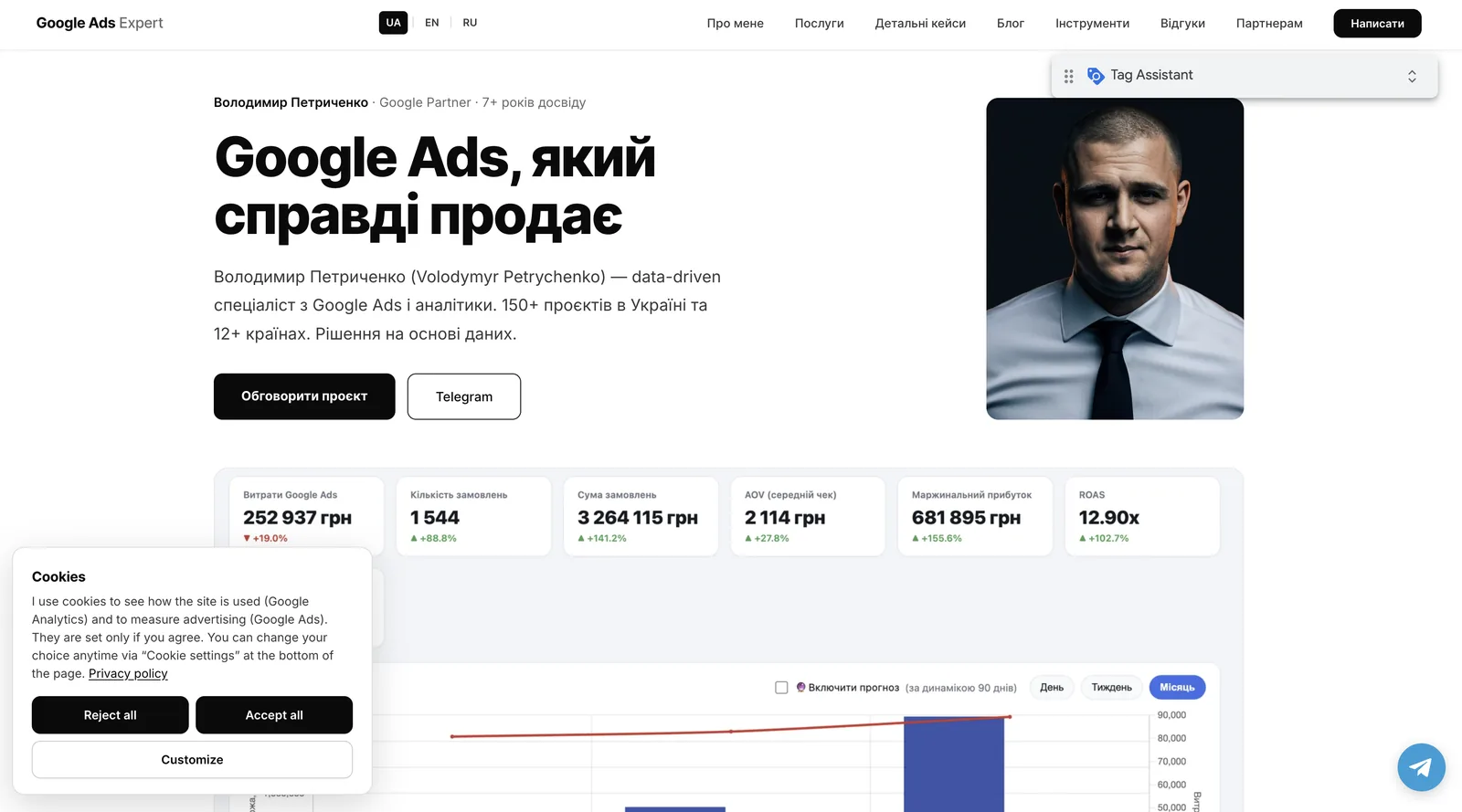
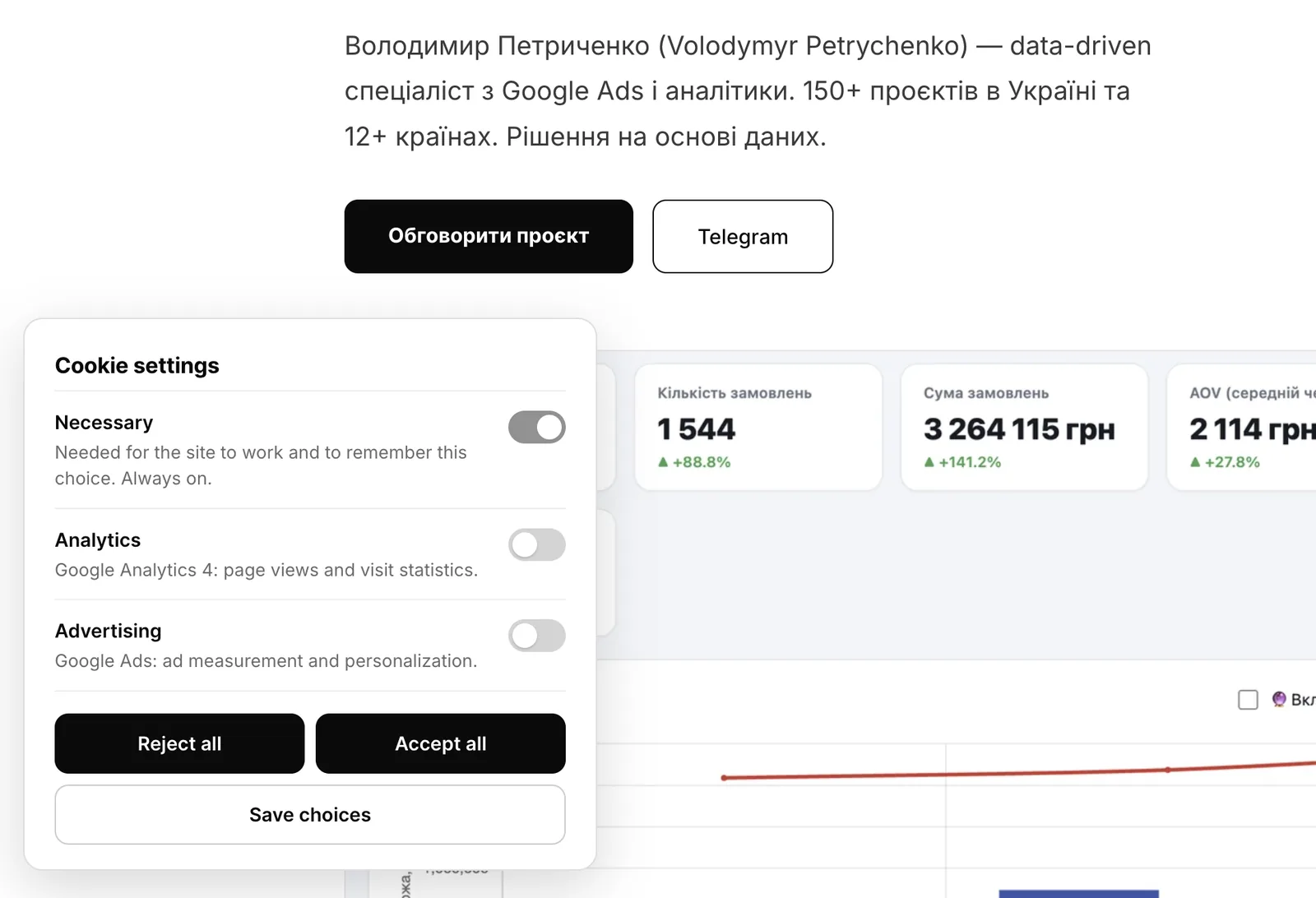
I built my own banner and show it only to visitors from the EEA, the UK and Switzerland. The country is detected via Cloudflare, without separate services. The banner has three buttons: “Reject all”, “Accept all” and “Customize”, where analytics and advertising can be switched on separately.
When Consent Mode is required
- Your site gets visitors from the EEA, the UK or Switzerland.
- You run Google Ads with remarketing or conversion measurement in these countries.
- The site targets international markets.
When you can do without it
If your audience is only from Ukraine and other non-EEA countries and you don’t advertise in Europe, Consent Mode isn’t formally required.
But there’s a nuance. You can show the banner only to those who need it. For other countries consent is “granted” by default, and nothing is lost. So you can set up Consent Mode with the future in mind without hurting your data from Ukraine.
What you need to set it up
Briefly, without a step-by-step manual:
- A banner: a CMP or your own.
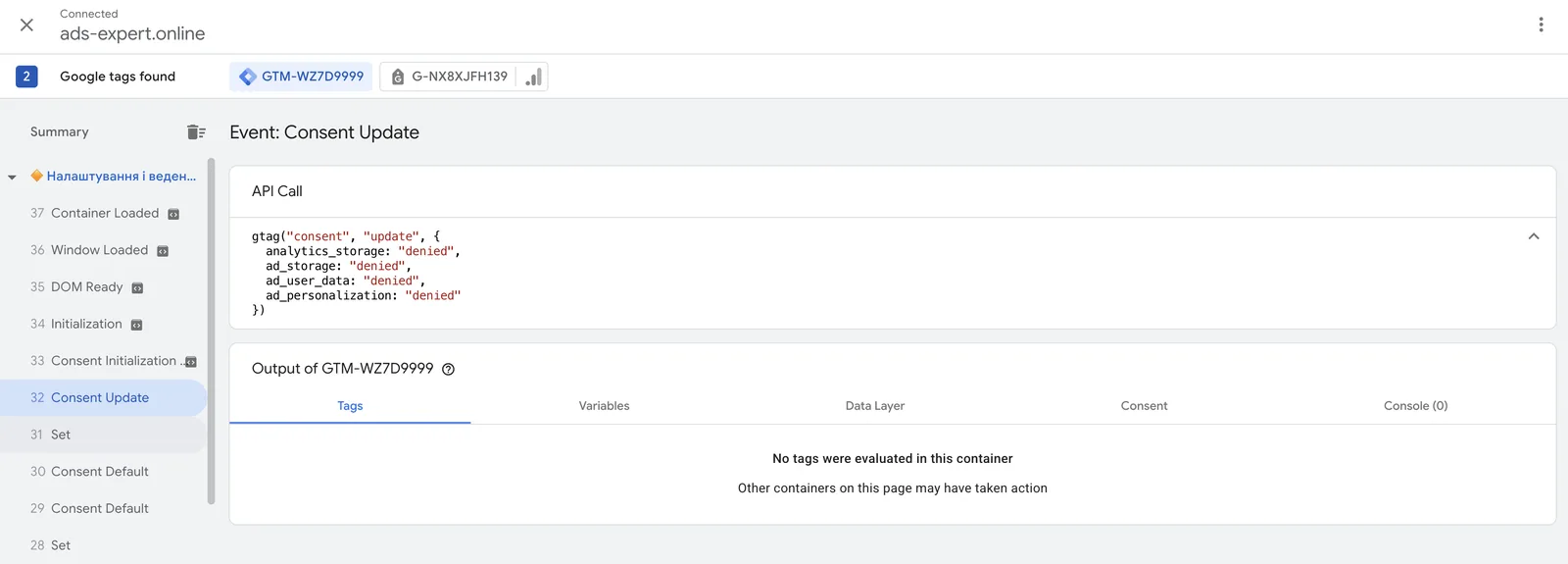
- Default consent — code above GTM that sets all four signals before the visitor chooses.
- A consent update after the visitor’s choice.
- Saving the choice (12 months in my case) and a “Cookie settings” link in the footer so the choice can be changed.
- Additional consent in GTM for third-party tags: other platforms’ pixels, your own scripts.
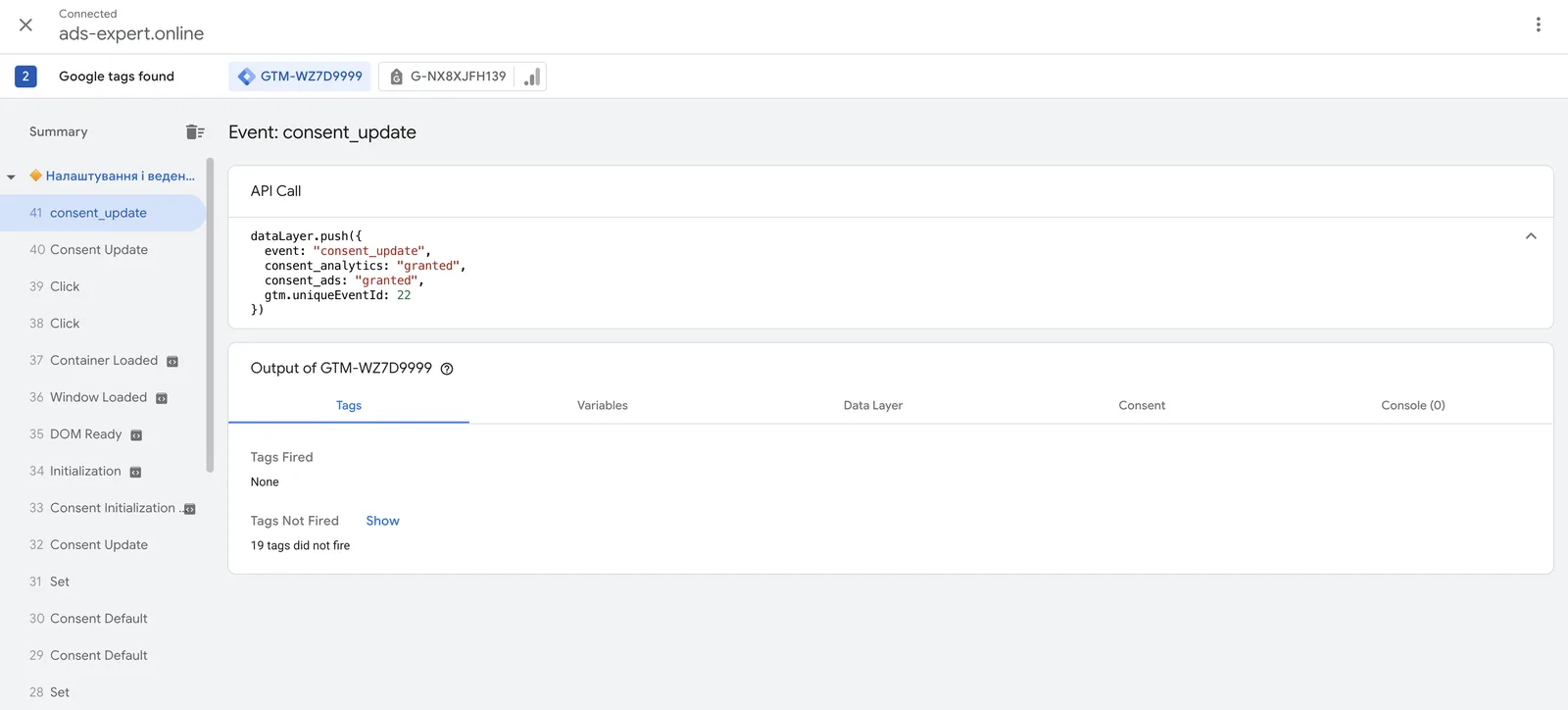
How to check it works:
- Tag Assistant shows Consent Default and Consent Update events with the right values;
- in the GA4 request, the
gcsparameter changes from G100 (rejected) to G101 (analytics consent); - after a rejection, no
_gacookies appear in the browser.
What Consent Mode doesn’t solve
- It doesn’t make a website GDPR-compliant on its own. You need a privacy policy and an honest banner where “Reject” is as easy as “Accept”.
- Data from those who declined isn’t fully recovered. There’s only modeling in GA4 and Google Ads.
- It doesn’t control third-party tags automatically. Meta and OpenAI pixels and your own scripts have to be tied to consent in GTM separately.
- It doesn’t get around ad blockers. That’s what server-side tracking and Google tag gateway are for.
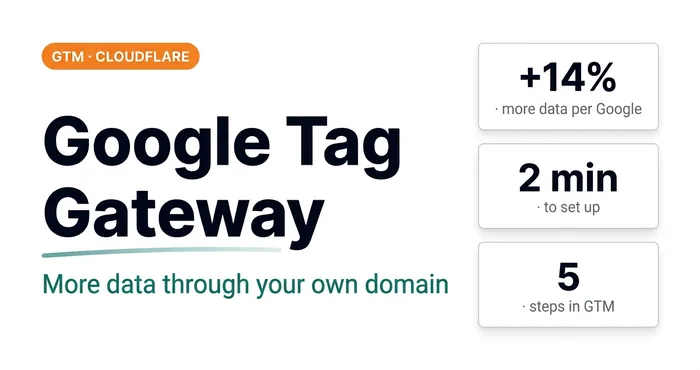 Analytics · GTMGoogle Tag Gateway: +14% More Data in 2 Minutes via GTM and CloudflareWhat Google Tag Gateway is, why you need it and how to set it up via Google Tag Manager and Cloudflare in 2 minutes. A step-by-step guide with screenshots.
How much it costs
A CMP — from free plans to a monthly subscription, depending on traffic and the number of domains.
Your own banner — $0 on services, but it takes time to build and test.
Turnkey setup — from $100: a banner or CMP, Consent Mode v2 in GTM, checking the signals in Google Ads and GA4.
14 — AnalyticsConsent Mode setupSetting up a functional consent mode banner for the EEA in line with Google’s EU User Consent Policy.Where to start
Open GA4 and look at the report by country. If there’s a noticeable share of visitors from the EU, the UK or Switzerland, or you run ads in those countries, you need Consent Mode v2. Then open your site in Tag Assistant and check for Consent Default events. If there are none, Google doesn’t know about your visitors’ consent.
Where to find me
Message me on Telegram or by email — I respond quickly. Telegram channel and YouTube are for those who want to see real cases before reaching out and understand my approach.