
Marketer, analyst, ex-CMO focused on the Google ecosystem (Ads, Merchant Center, GA4, GTM). Google Partner. 150+ projects, 100+ positive reviews on Freelancehunt, 12+ countries.
- I work directly, with no account managers or subcontractors
- I measure results in sales, not in-platform conversions
- Maximum expertise in the Google ecosystem — instead of “PPC, social ads and SEO, all in one”
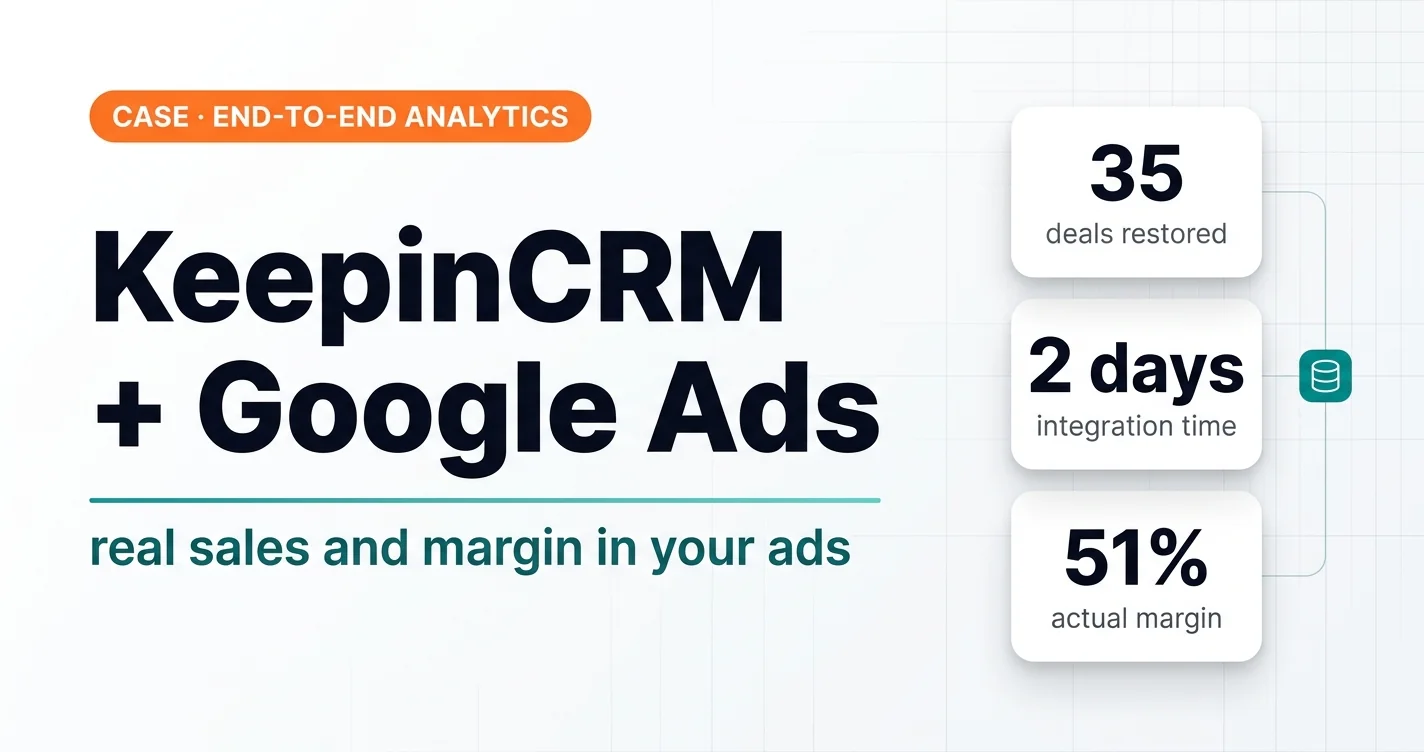
An online store selling home and garden goods, wholesale and retail. Orders come into KeepinCRM from an OpenCart website and from marketplaces. The client paid $2,000 for a website–CRM integration that was supposed to show which sales came from ads. It didn’t. I finished that link in a few days, and now Google Ads sees real purchases and margin.
Contents
Starting point
The website–KeepinCRM integration was done by a third-party team of integrators. At the start they promised a full link between the CRM, Google Ads and Google Analytics so the client could see which sales came from ads. It cost $2,000.
When I joined the project, it turned out ad tags weren’t being passed to the CRM at all. Orders from the site arrived with no information about where the customer came from. When asked “why”, the integrators said that wasn’t part of the task.
In the end the client had paid for the integration but couldn’t answer the main question: how much money the ads bring in and whether they pay off. The client was disappointed, I was angry. So we decided to do it ourselves and finish the job.
First time with KeepinCRM
Before this request I had never worked with KeepinCRM and hadn’t even heard of it. This is my first project with this CRM: I opened it, went through the documentation and got straight to work. There were no difficulties. I have more than twenty similar integrations with other CRMs behind me, and the logic is always the same, only the interface changes.
CRMKeepinCRM and Google Ads integrationConfirmed KeepinCRM sales sent to Google Ads as offline conversions — with value or margin.What I did
1. Figured out how the site → CRM link actually works
I found where and why the order source data was getting lost, and checked what the integrators had already set up.
2. Finished the website–CRM integration
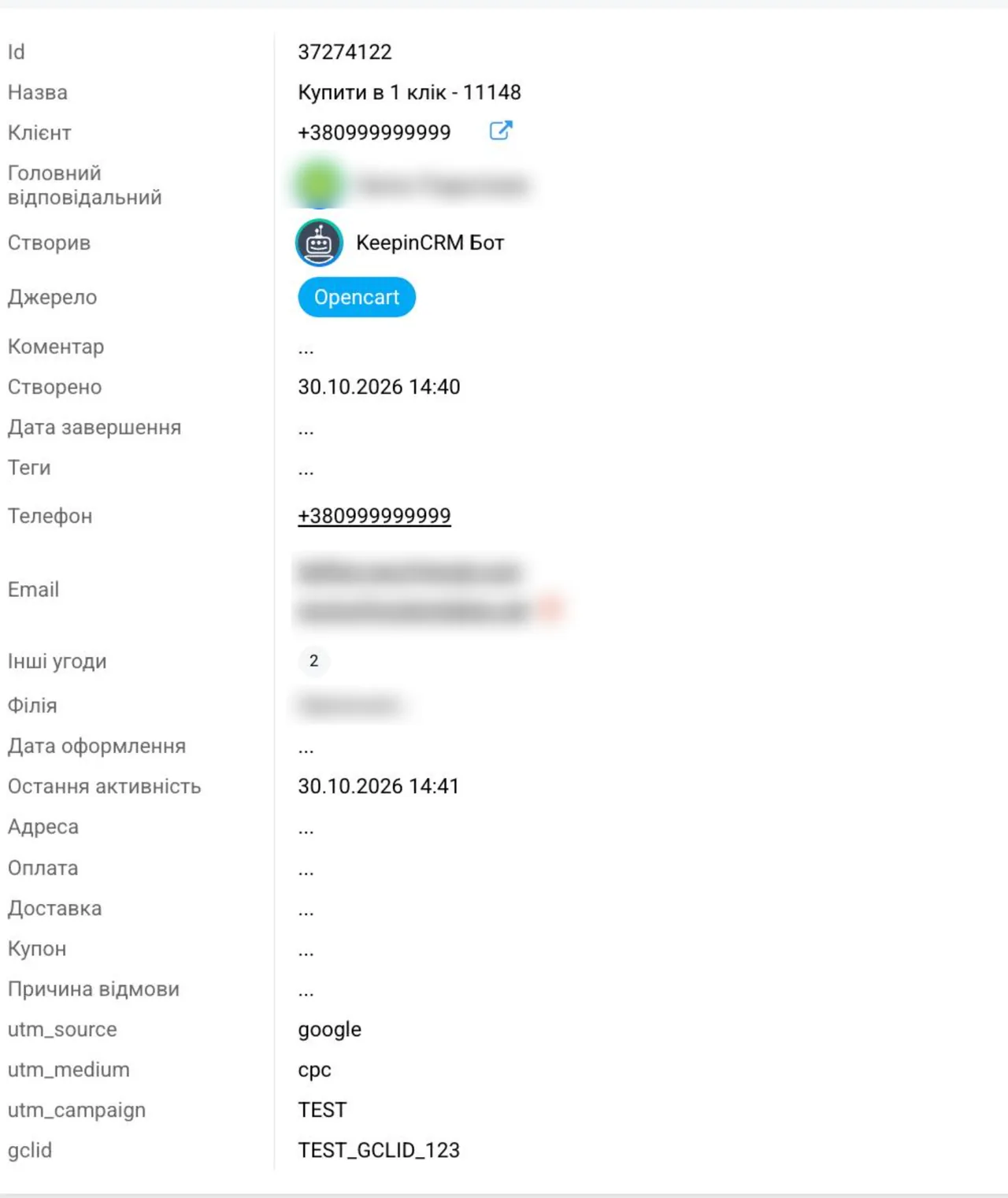
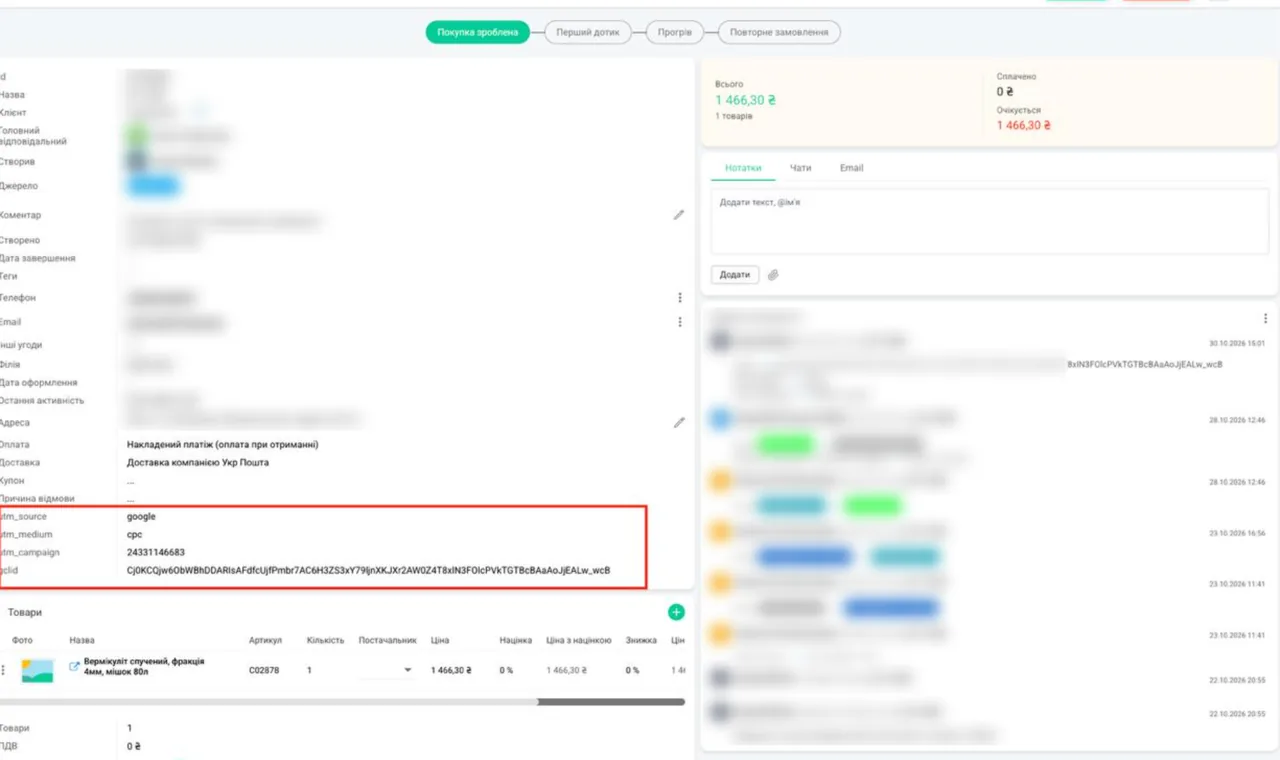
In KeepinCRM I created new fields for the traffic source, campaign and ad click ID (gclid). The site now passes them into every order, including “one-click” purchases. It worked from the first test order.
3. Restored the history of old deals
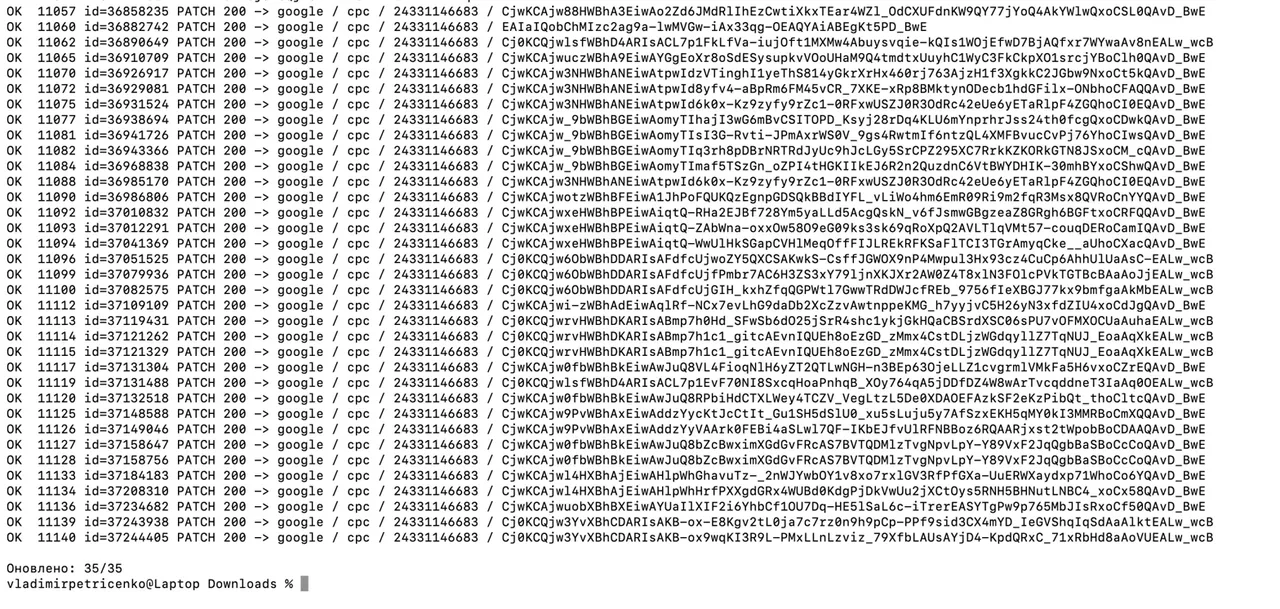
I didn’t lose the orders placed before the fix. I matched them with Google Analytics data and added the ad source to 35 earlier deals. That gave the client correct statistics for the whole month.
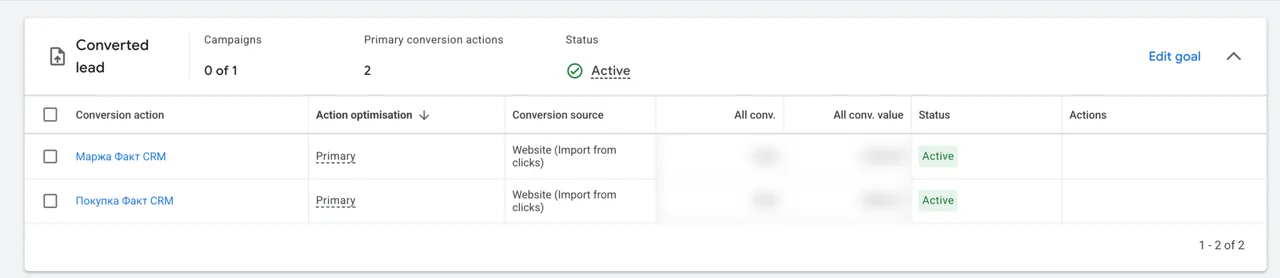
4. Set up sending real sales to Google Ads
Every day, two goals are sent automatically from the CRM to Google Ads:
- “Purchase” — with the actual order amount;
- “Margin” — with the actual profit.
Only orders that actually became purchases are sent, with no duplicates.
5. Tested and launched
I ran test orders, checked every step and sent the first real purchases to Google Ads.
6. Built an end-to-end analytics dashboard
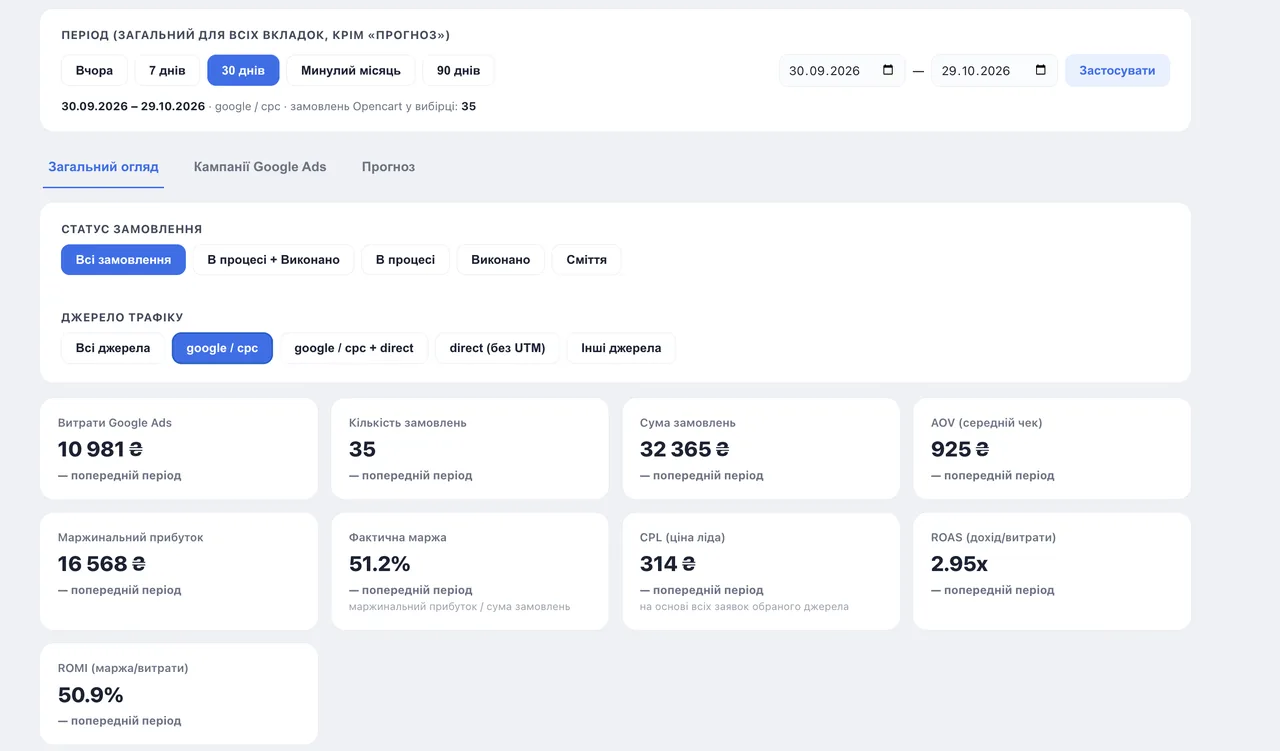
Basic version: spend, orders, revenue, margin, ROAS and ROMI with filters by period, order status and traffic source, a breakdown by campaign and a forecast for the current and next month.
For 30 days (Sep 30 – Oct 29, 2026), for google / cpc, the dashboard shows 35 orders worth 32,365 UAH ($719) with 10,981 UAH ($244) in spend. ROAS 2.95, margin profit 16,568 UAH ($368), actual margin 51.2%, ROMI 50.9%. These are all order statuses; the “In progress + Completed” filter removes canceled ones.
 Analytics + Google AdsEnd-to-End Analytics: What Problems It Actually SolvesWhat end-to-end analytics really is and what real dashboards for lead gen, B2B and e-commerce look like.
Result
| Metric | Value |
|---|---|
| Old deals restored by matching with GA4 | 35 |
| First purchases sent to Google Ads | 22 |
| Revenue in the first upload | 20 438 ₴ |
| Margin in the first upload | 9 685 ₴ |
| Timeline | a few days |
Now every website order in the CRM has a source: you can see what came from Google Ads and what came from direct visits. Google Ads learns from real purchases and real profit. The client sees the return on ads in one dashboard, without combining numbers from three different systems. And everything runs automatically every day, with no manual exports.
Key point: a CRM integration has to answer one question — how much the ads earn. Until it answers that, it isn’t finished.
Before you pay for an integration
If you order a website–CRM integration, write it straight into the task: passing UTM tags and gclid into every order and sending actual sales to Google Ads. And after handover, place a test order with an ad tag: did the source show up in the deal card in the CRM? That’s 5 minutes that will tell you more than any integrator report.
05 — CRMCRM integration with Google AdsOffline conversions: real sales from your CRM flow back into Google Ads, so the algorithm learns from revenue, not leads.
Where to find me
Message me on Telegram or by email — I respond quickly. Telegram channel and YouTube are for those who want to see real cases before reaching out and understand my approach.