
Marketer, analyst, ex-CMO focused on the Google ecosystem (Ads, Merchant Center, GA4, GTM). Google Partner. 150+ projects, 100+ positive reviews on Freelancehunt, 12+ countries.
- I work directly, with no account managers or subcontractors
- I measure results in sales, not in-platform conversions
- Maximum expertise in the Google ecosystem
Keyword research is the first step of any Search campaign. It determines who sees your ads, how much a click costs and how much budget goes to people who will never buy from you.
Below is my working process: where I get keywords, what I check in Keyword Planner, how I group keywords and what I do after launch.
Contents
A keyword and a search query are different things
A keyword is what you add to the campaign. A search query (search term) is what a person actually typed into Google. The match type defines how far a query can differ from the keyword for your ad to show.
One keyword can trigger dozens of different queries. You add “sandblasting services”, and Google shows your ad for “sandblaster rental” or “sand for sandblasting”. That’s why keyword research is only half the job. The other half is controlling queries after launch.
Where I get keywords
From the client’s business
The first source is the business itself. What customers call your product or service when they call. Which lines you have, which are high-margin and which you don’t want to sell at all. Where you operate geographically.
It sounds obvious, but this is exactly where money gets lost most often. In a sandblasting project, the client wasn’t interested in car wheels: the conversion rate there is close to zero. If you don’t know that before launch, part of the budget goes to “wheel sandblasting”. The workshop is on the left bank of the city and not in the city itself, and as practice showed, people from the right bank mostly don’t bring items there. No keyword tool will show you things like that.
Keyword Planner
The second source is the Google Ads Keyword Planner. You enter a few seed queries or a website address, choose a country and language, and get keyword ideas with search volume and bids.
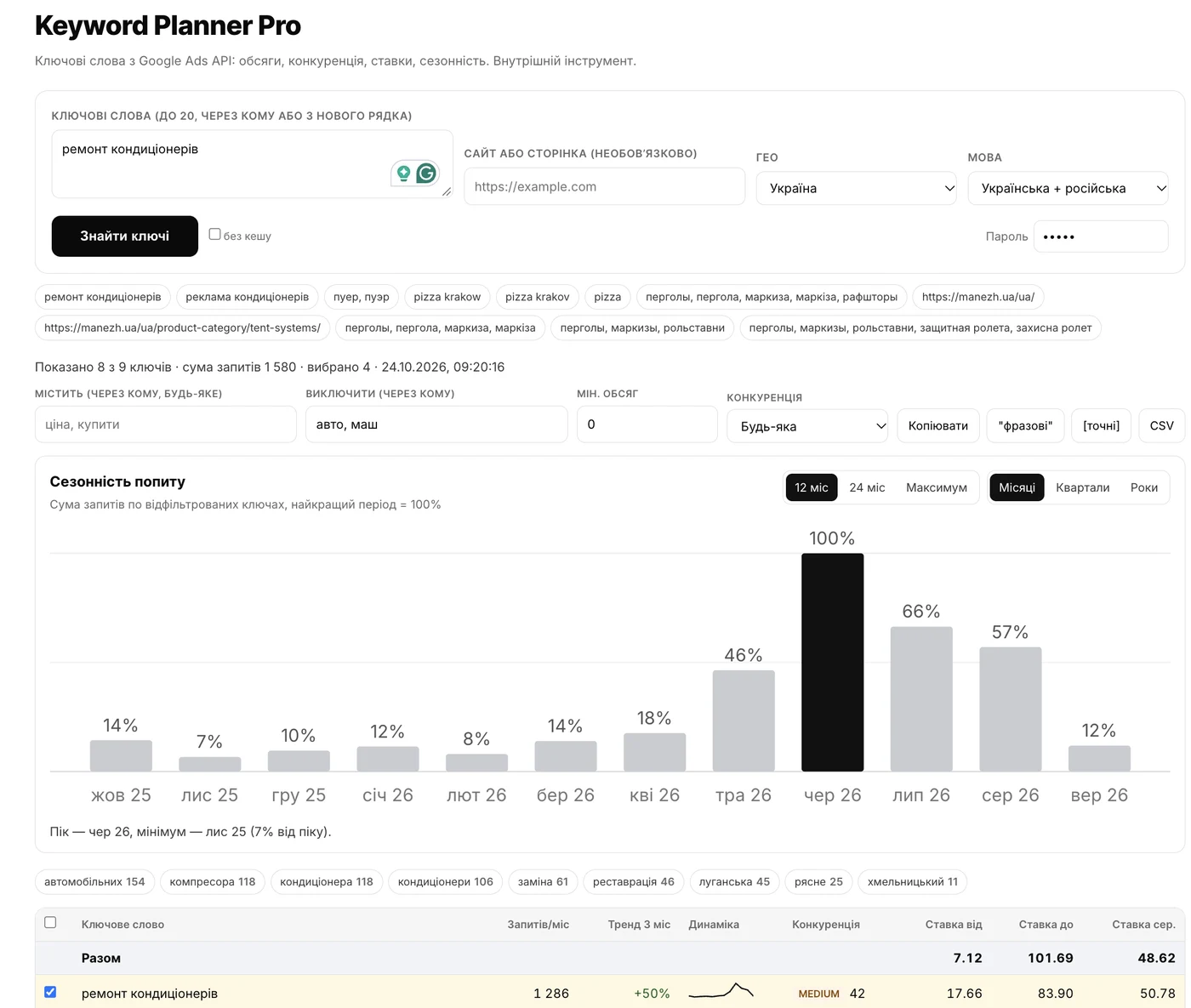
The downside of Keyword Planner is that it lives inside the ad account. A new advertiser doesn’t have an account yet, and even when they do, by the time you log in and set the location and language, a lot of time has passed. So I connected to the Google Ads API and built my own interface to the same data: monthly searches, competition, top-of-page bids and 12-month seasonality.
Search terms from live campaigns
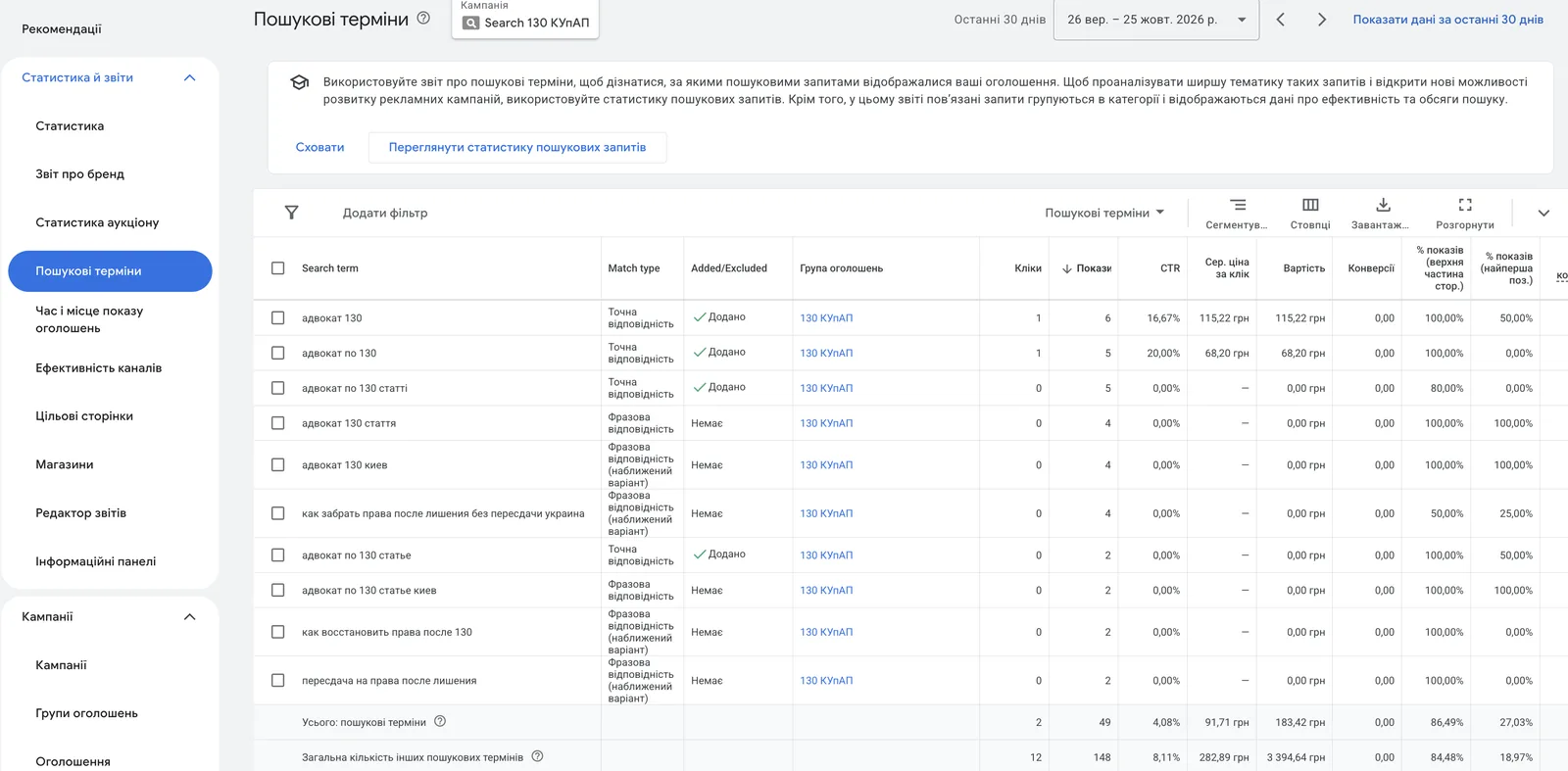
If ads have already run, the most valuable source is the search terms report. It shows the real queries people clicked and bought from. I add queries with conversions as keywords and irrelevant ones as negative keywords.
What about competitors’ keywords?
I don’t copy competitors’ keywords. A list of someone else’s keywords doesn’t tell you which ones make money and which burn the budget. What you can really learn from competitors I covered in the article on competitor analysis in Google.
What I check in Keyword Planner
Search volume
Average monthly searches. It’s important to face reality here: if your service has 11 searches a month in your city, like “air conditioner repair khmelnytskyi”, Search ads will bring a few leads, and that’s the ceiling. Search doesn’t create demand, it only captures the demand that already exists.
Top-of-page bids
Keyword Planner shows the low and high range of top-of-page bids. It’s a reference point and nothing more. Example: legal services under Article 130 of Ukraine’s Code of Administrative Offenses (drunk driving). Keyword Planner shows bids of 4.92 to 25.47 UAH ($0.11–0.57). In the real campaign, the average CPC was 255.58 UAH ($5.7). Ten times higher.
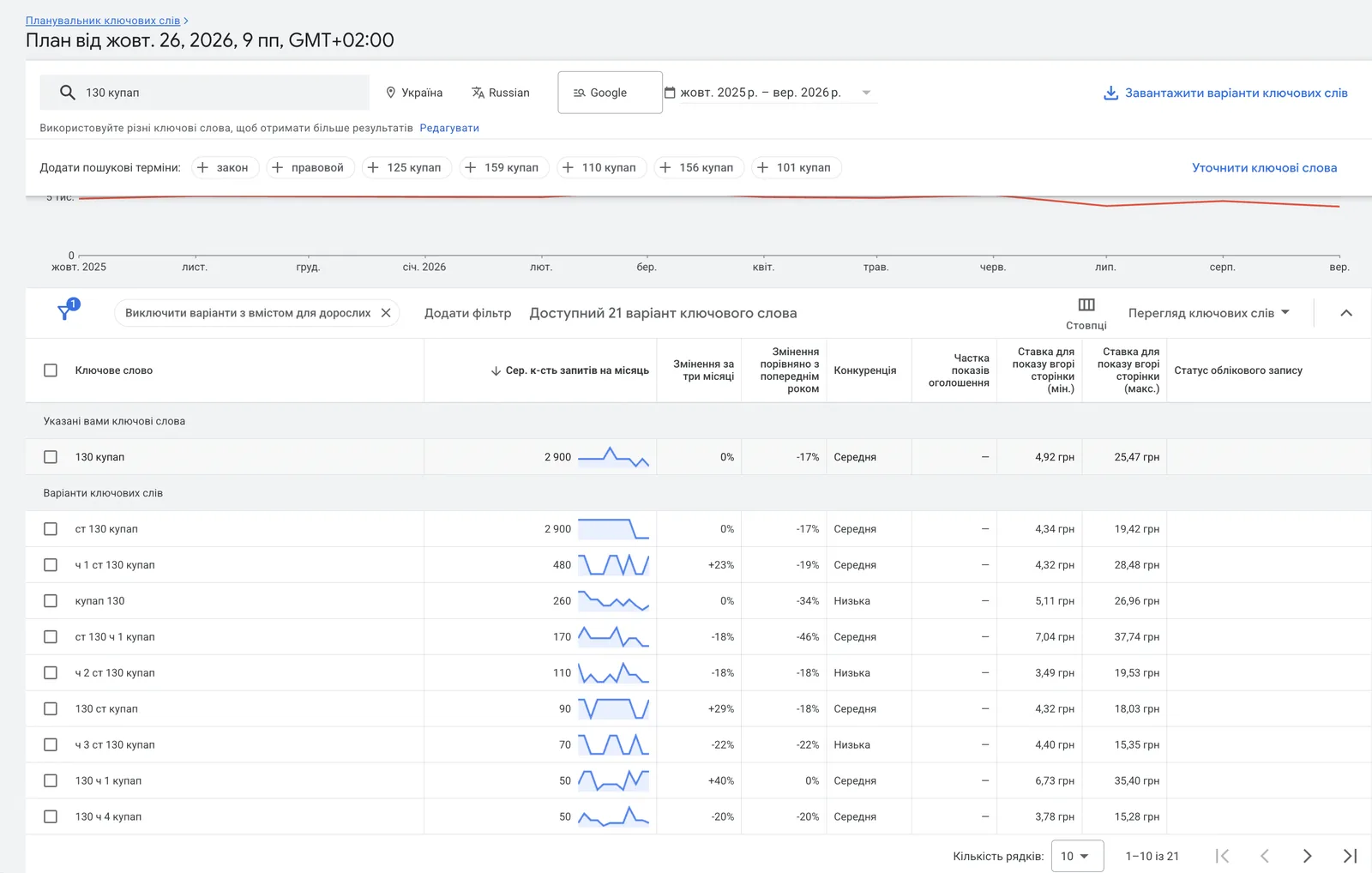
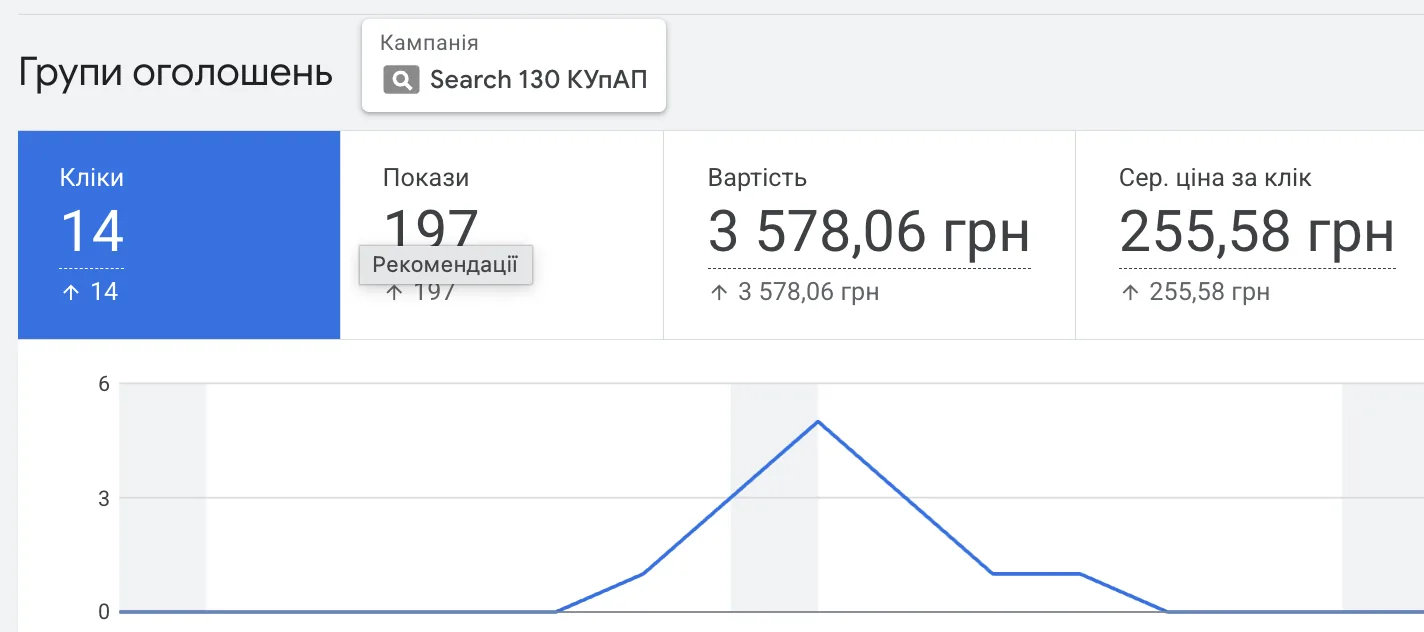
Only the auction shows the real cost per click. Why it jumps and what it depends on I covered in the article what drives cost per click.
Competition
The Competition column in Keyword Planner reflects how many advertisers bid on this keyword relative to all keywords in Google Ads. It has nothing to do with SEO difficulty. High competition doesn’t mean you shouldn’t enter a niche. In a media plan for an artificial flower store in Colombia, all the top keywords had high competition with bids up to $0.67, and the forecast paid off even in the pessimistic scenario.
Seasonality
Monthly demand shows when to launch and when not to expect miracles. For Ukraine there’s a catch: people search in both Ukrainian and Russian. If you look at only one language, the seasonal picture and volume will be incomplete. My tool counts both languages together.
How many words a keyword should have
The long-tail strategy used to be popular: build the campaign around long 5–9 word queries, because they’re cheaper and more precise. I checked this on two accounts. In the first (oxygen cylinders, 474 conversions), 2–3 word queries brought about 68% of conversions, long 5–9 word queries about 10%. In the second (2,305 conversions), 2–4 words brought over 80%, long queries about 6%.
So I build the core of the keyword list on 2–4 word queries. I test one-word keywords too: in one project they brought about 15% of conversions. Long queries are an add-on.
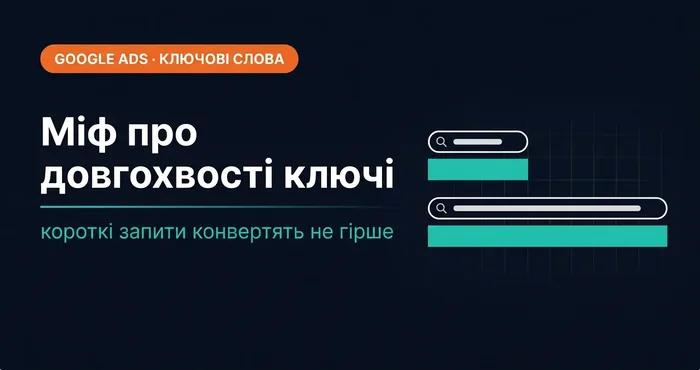 Google AdsLong-tail keywords in 2026: why the long-tail strategy no longer worksData from two accounts (474 and 2,305 conversions): most leads come from 2–4 word queries, not the long tail.
Grouping keywords
After collecting keywords, you need to split them into campaigns and ad groups. My logic:
- Brand separately. Brand queries always go into a separate campaign. Brand converts better and costs less, and mixed with generic queries it hides the real cost of a new customer. More in the article about the brand campaign.
- By product line. Separate services or categories go into separate ad groups, so the ad and landing page match the query.
- B2B and B2C separately, if you have both audiences. They have different queries, different order values and different lead value, and in one campaign the algorithm mixes them.
I showed the full process, from collecting and clustering keywords to launching a campaign, in a video:
Collecting and clustering keywords. Building negative keywords. Launching a Google Ads campaign

Match type
On most projects I use phrase match. It doesn’t restrict traffic as much as exact match, and at the start it doesn’t generate as much junk as broad match.
I switch to broad match when phrase match has run out of potential and I need more traffic, or when the niche is so narrow there are hardly any keywords. I hardly use exact match: in 2026 it also shows ads for queries with “the same meaning”, so the old idea that “exact = hot buyers only” no longer holds.
| Type | Syntax | What it catches |
|---|---|---|
| Broad | air conditioner repair | related queries, even without the keyword’s words |
| Phrase | "air conditioner repair" | queries that include the keyword’s meaning |
| Exact | [air conditioner repair] | queries with the same meaning |
More on each type in the article about keyword match types.
I build negative keywords before launch
I collect negative keywords together with keywords, before launch. If you repair air conditioners and don’t sell them, “buy” becomes a negative keyword. If you provide a service and don’t sell equipment, then “rental” and equipment brand names. Informational “what” and “how” often go into negatives too, because the person wants to learn, not to order.
After launch, the list grows from search terms. To do this faster, I built a free Chrome extension, NegPicker: you open the search terms report, click on words, and they’re collected into a list with the match type you need. More in the article about two free Chrome extensions for Google Ads.
After launch, keyword work is just beginning
Even with exact match, Google expands impressions to queries it considers close in meaning. When it has nowhere to spend the budget, it finds somewhere. So you can’t fully control queries; you can only review search terms regularly.
I draw conclusions about individual keywords only with enough data: at 5–10 conversions you can’t see anything; aim for dozens and hundreds.
Separately: if a keyword is added but gets no impressions, there can be several reasons, from a low Quality Score to a negative keyword blocking your own keyword. Details in the article why your Google Ads aren’t showing.
Start with five queries
Open the keyword planner on my site, enter 3–5 queries customers use to look for your service or product, choose a country and check three things: how many searches a month, how much a top-of-page impression costs and how demand changes by month. If there are only a few searches a month, or a click costs more than you earn from one customer, it’s better to know that before launch than after the first month of budget. You can check whether ads will pay off at that CPC in the payback calculator.
Where to find me
Message me on Telegram or by email — I respond quickly. Telegram channel and YouTube are for those who want to see real cases before reaching out and understand my approach.