
Marketer, analyst, ex-CMO focused on the Google ecosystem (Ads, Merchant Center, GA4, GTM). Google Partner. 150+ projects, 100+ positive reviews on Freelancehunt, 12+ countries.
- I work directly, with no account managers or subcontractors
- I measure results in sales, not in-platform conversions
- Maximum expertise in the Google ecosystem — instead of “PPC, social ads and SEO, all in one”
I’m a Google Ads specialist, but ads don’t live separately from the website. If a site is slow, with outdated delivery terms and errors, ads bring people nowhere, and organic traffic simply passes by.
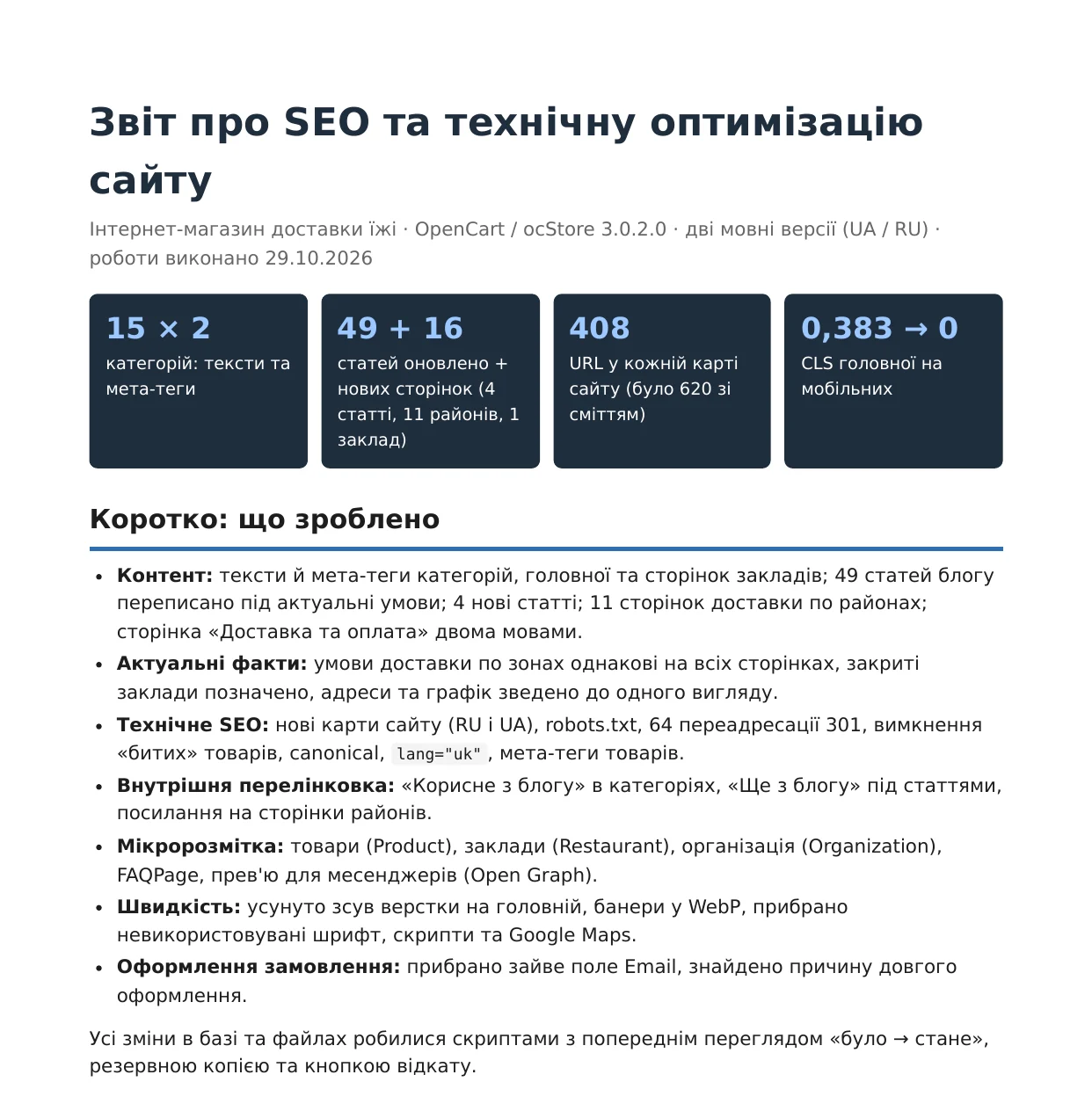
Below I break down a real report on SEO and technical optimization of a food delivery website. An OpenCart online store (ocStore 3.0.2.0) with two language versions — Ukrainian and Russian. The work was completed on 29.10.2026. There are no ranking results yet, they’ll show in a few weeks, so this is only about what was done and why.
Contents
- How I made the changes
- Content: categories, home page, restaurants, contacts
- Blog
- Delivery terms: the same on every page
- Delivery pages by district
- Technical SEO
- Internal linking
- Structured data and link previews
- A new restaurant in Chuhuiv
- Google Business
- Speed
- Checkout
- What’s left for the developer
- Summary table of changes
- What’s next
- How much this kind of work costs
- FAQ
| Metric | Before | After |
|---|---|---|
| Categories with texts and meta tags | outdated or empty | 15 × 2 languages |
| Blog articles | outdated | 49 rewritten + 4 new |
| Delivery pages by district | 0 | 11 × 2 languages |
| URLs in the sitemap | 620 with junk, UA sitemap with an error | 408 live in each sitemap |
| Home page CLS on mobile | 0,383 | 0 |
| 301 redirects | — | 64 |
How I made the changes
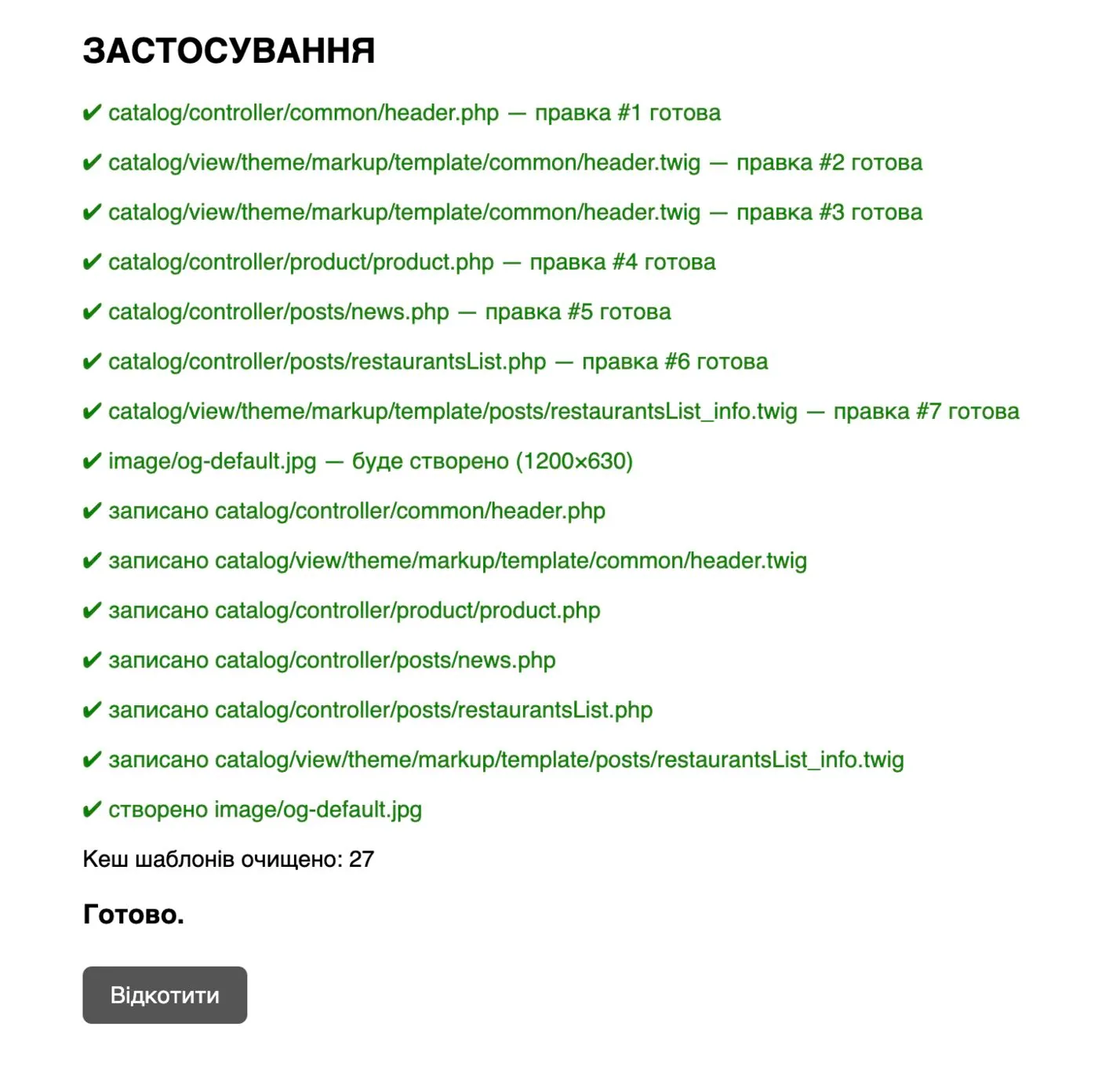
I made all changes to the database and files with scripts. Each script first shows a “before → after” preview, makes a backup and has a rollback button. That matters when you work on a live site that takes orders every day.
Running a script again doesn’t duplicate anything: if a block has already been added, the script skips it. After every run the template cache was cleared, and I checked the result on the site and in Search Console.
Content: categories, home page, restaurants, contacts
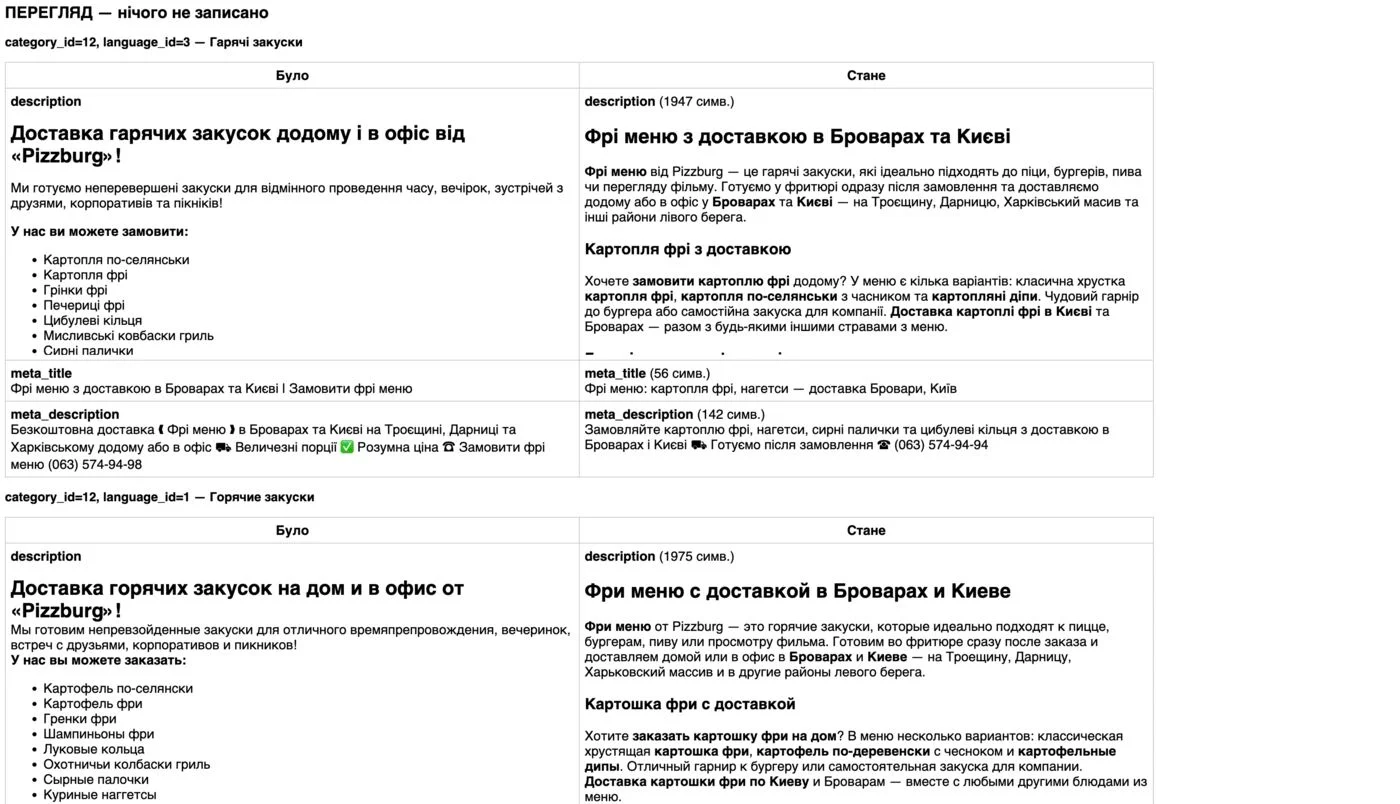
Categories. For 15 menu categories (pizza, burgers, fries, deals, WOK, pizzone, sushi, sushi sets, salads, soups, desserts, breakfasts, drinks, beer, alcohol) I wrote a “Details” block at the bottom of the page, meta title and meta description in two languages. Categories are the main landing pages for queries like “pizza delivery Brovary” or “sushi Troieshchyna”. Previously the texts were outdated or empty, and on top of that showed the wrong free delivery threshold. I built the new texts around real queries from Search Console.
Home page and restaurant pages. New text and meta tags, up-to-date delivery terms. The pages of three restaurants (Troieshchyna and two in Brovary) got new texts. I marked closed locations as “closed” with an offer to order delivery from the open ones. Information about closed locations misled customers, and the traffic to these pages shouldn’t be lost. Local queries like “pizzeria Troieshchyna” lead exactly here. I also added styles to the restaurant page template, because the text there was hard to read.
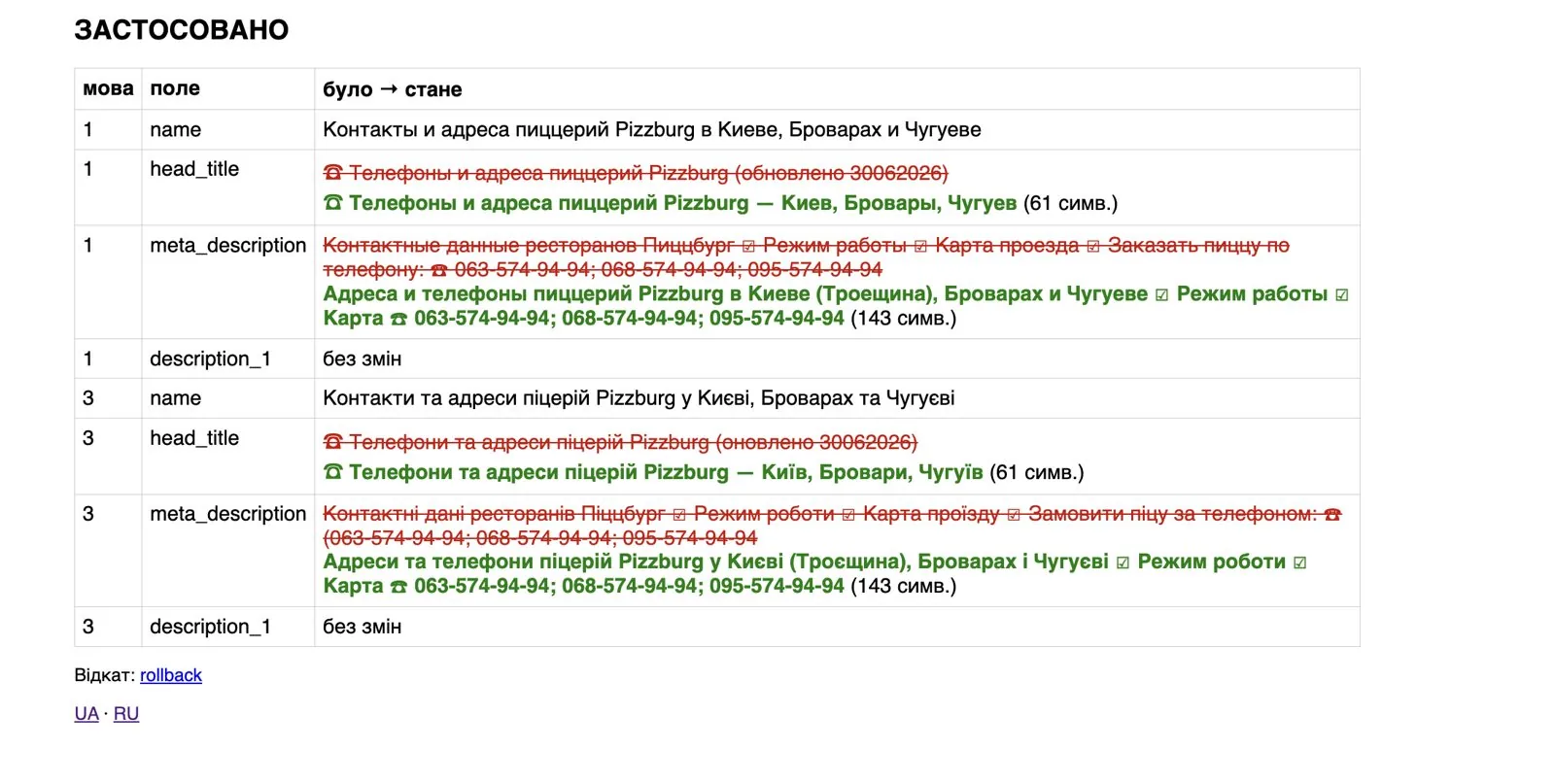
Contacts. The H1, title and description of the contacts page didn’t mention Chuhuiv, where a new restaurant had opened. Now they do: “Pizzeria phone numbers and addresses — Kyiv, Brovary, Chuhuiv”. At the same time I removed an outdated “updated” note with a date from the title.
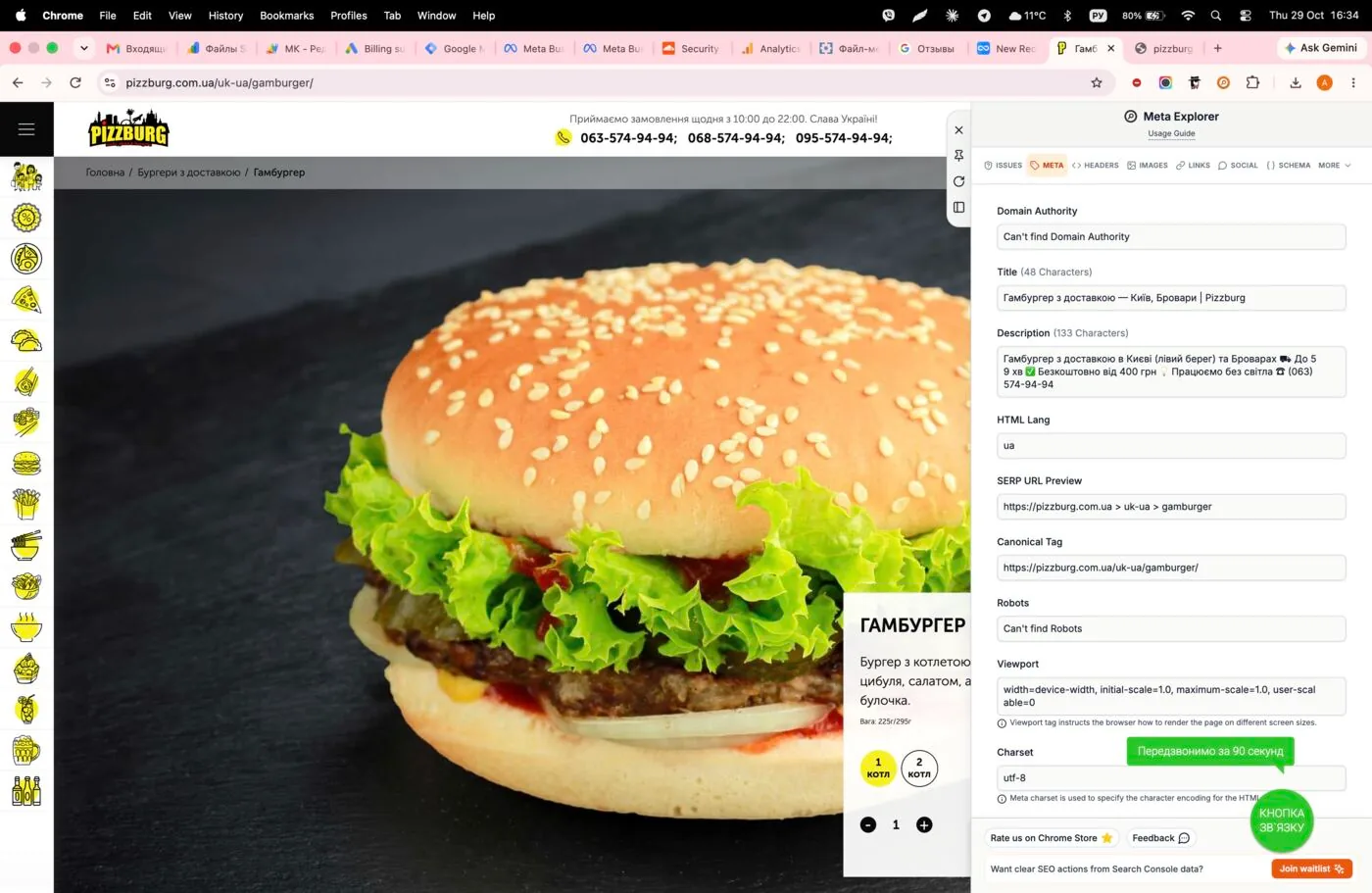
Product meta tags. Previously all products had the same template titles. For 100 priority records (top 50 products by impressions × 2 languages) I wrote individual titles and descriptions. I adjusted the product page code: if a product has its own meta tags, they are used, otherwise the general template applies, as before. I also fixed emoji in meta tags: the database in utf8 encoding can’t store 4-byte emoji, and they turned into “?”. There were 172 such records; I replaced the emoji with allowed characters.
Blog
49 articles rewritten. I took the articles that already had impressions in Google: new H1 headings, texts, meta tags, internal links to categories and other articles, a “Read also” block at the end. I removed outdated deals, wrong amounts and addresses of closed locations. Both language versions. I also fixed the article template styles: headings overlapped the text.
4 new articles for informational queries, each in two languages and with a 1920×600 banner:
| Article | Target queries | Publication |
|---|---|---|
| Pizza calories | pizza calories, kcal per slice | published |
| Pizza: 30 or 40 cm | which pizza to order, how many pizzas for a group | published |
| Chicken roll: what it is, ingredients and price | chicken roll what is it, ingredients, price | 30.10 |
| How many rolls to order per person | how many rolls to order, sushi set for a group | 30.10 |

The blog collects informational traffic and passes weight to categories through internal links. And up-to-date facts in articles mean trust and conversion.
Delivery terms: the same on every page
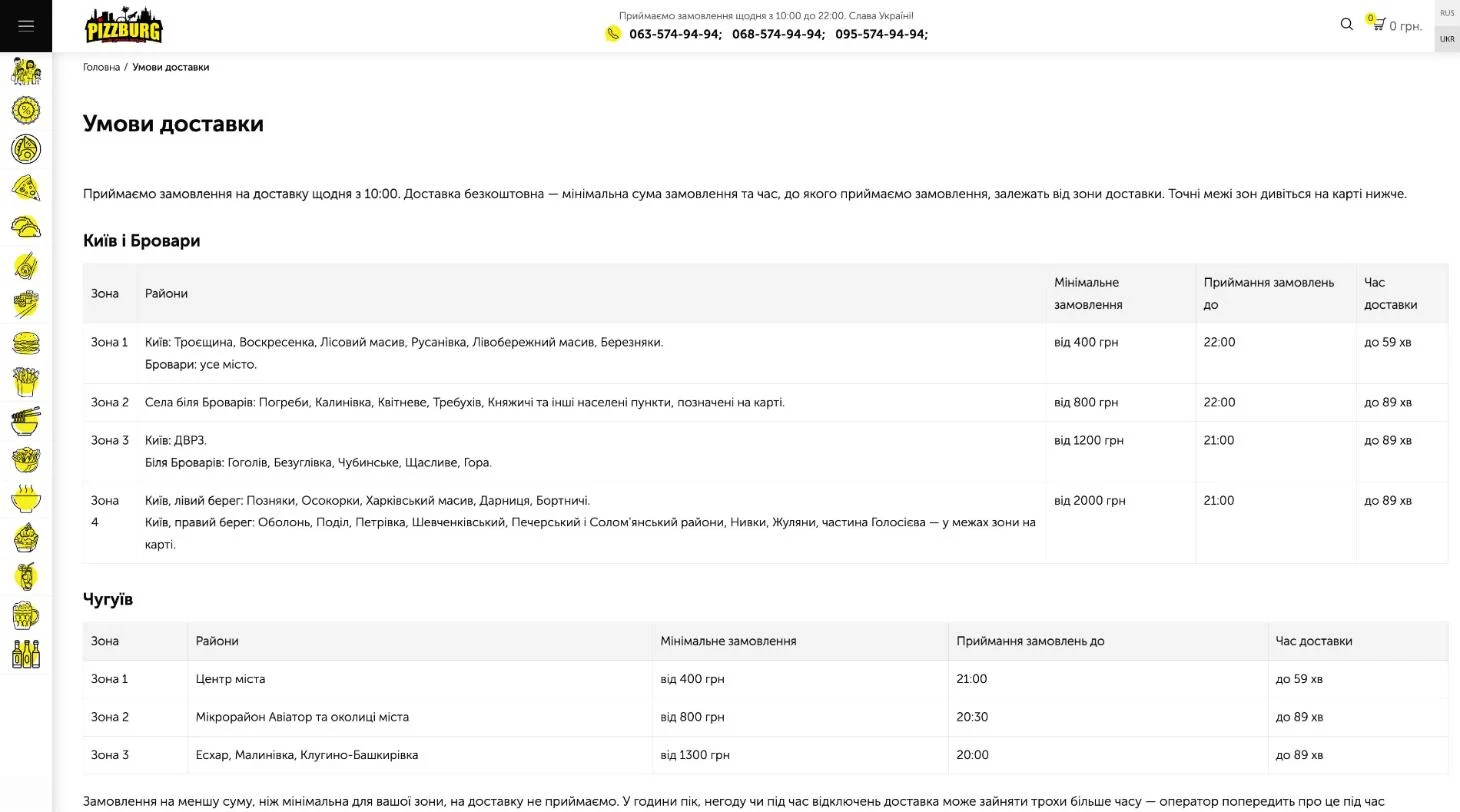
This is probably the most important part for the business. The “Delivery and payment” page was in Russian only, with outdated terms and without the right bank of Kyiv. Now it’s in two languages, with tables by zone:
| Zone | Districts | Min. order | Orders until | Delivery time |
|---|---|---|---|---|
| 1 | Kyiv: Troieshchyna, Voskresenka, Lisovyi, Rusanivka, Livoberezhnyi, Berezniaky; Brovary | 400 UAH | 22:00 | up to 59 min |
| 2 | Villages near Brovary: Pohreby, Kalynivka, Kvitneve, Trebukhiv, Kniazhychi | 800 UAH | 22:00 | up to 89 min |
| 3 | Kyiv: DVRZ; near Brovary: Hoholiv, Bezuhlivka, Chubynske, Shchaslyve, Hora | 1,200 UAH | 21:00 | up to 89 min |
| 4 | Kyiv: Pozniaky, Osokorky, Kharkivskyi, Darnytsia, Bortnychi + the right bank | 2,000 UAH | 21:00 | up to 89 min |
| Chuhuiv 1 | City center | 400 UAH | 21:00 | up to 59 min |
| Chuhuiv 2 | Aviator neighborhood and surroundings | 800 UAH | 20:30 | up to 89 min |
| Chuhuiv 3 | Eskhar, Malynivka, Kluhyno-Bashkyrivka | 1,300 UAH | 20:00 | up to 89 min |
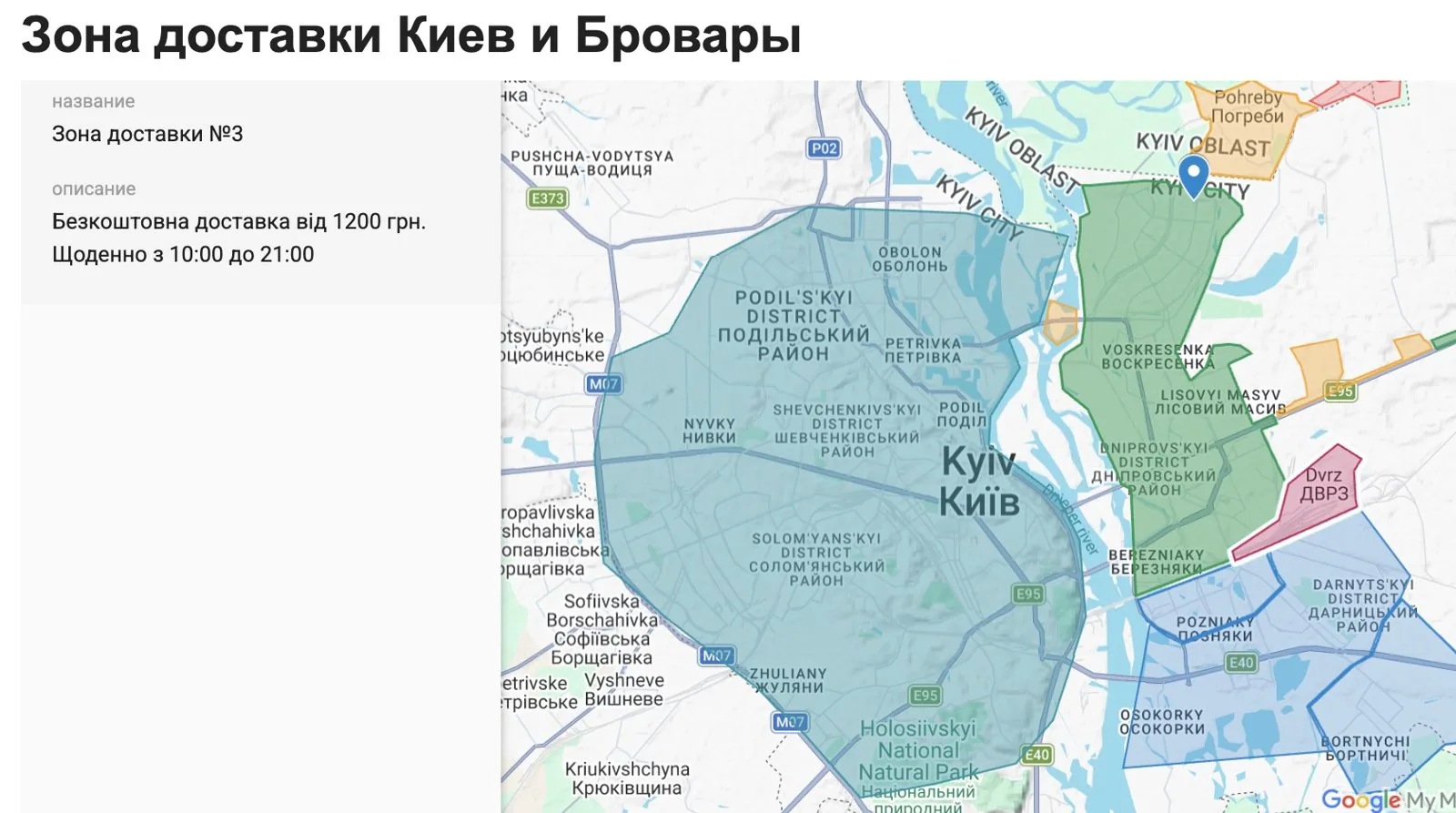
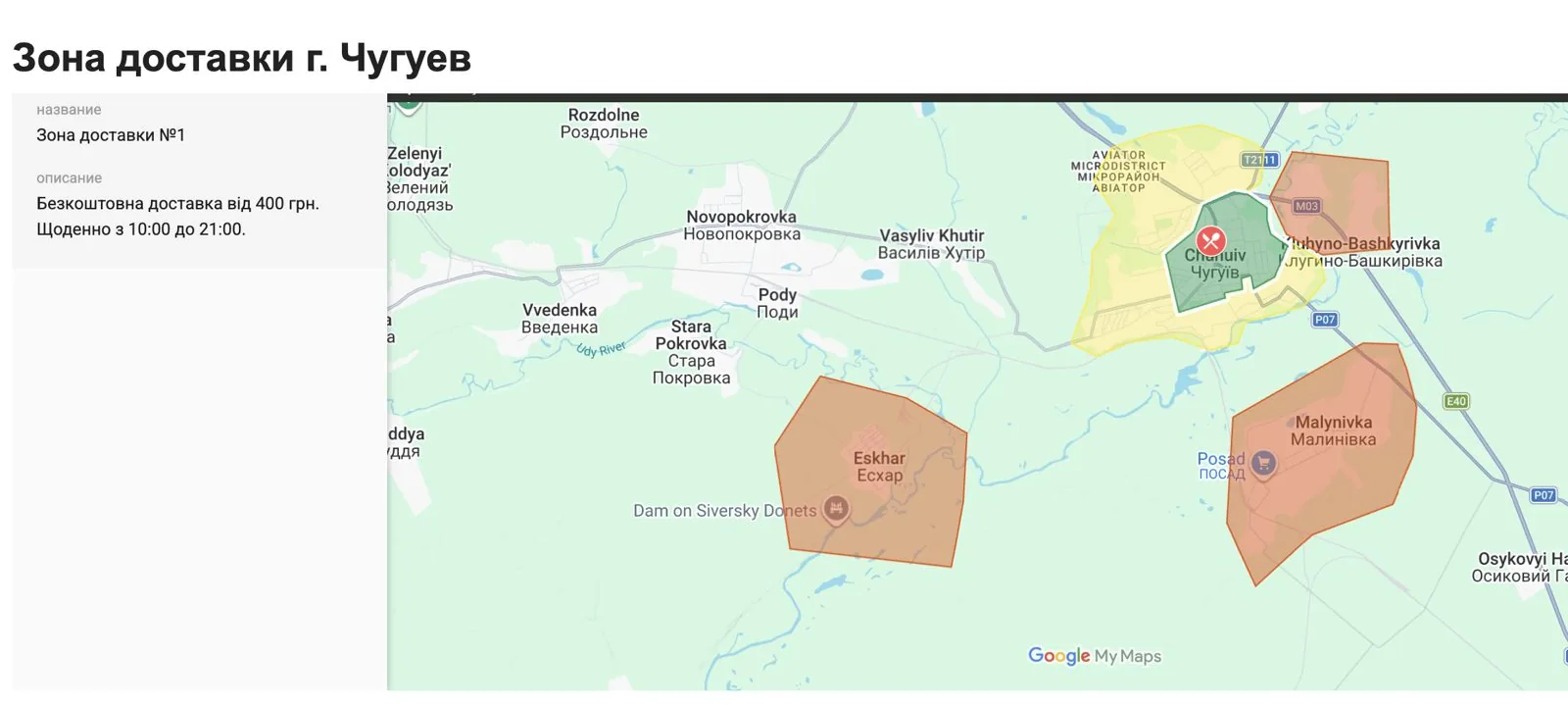
But updating one page isn’t enough. The old terms had spread across category descriptions, articles and restaurant pages. A separate script fixed them everywhere. For example, for the far zone the texts said “from 400 UAH ($8.9), up to 59 minutes”, while in reality it’s “from 2,000 UAH ($44), up to 89 minutes, until 21:00”. For DVRZ and the villages I set their minimum amounts and added a link to the terms page everywhere.
What this meant in practice: customers from remote districts read “free from 400 UAH” and got turned down by the operator. The same terms on every page mean fewer refusals and complaints, and more trust from both people and Google.
Delivery pages by district
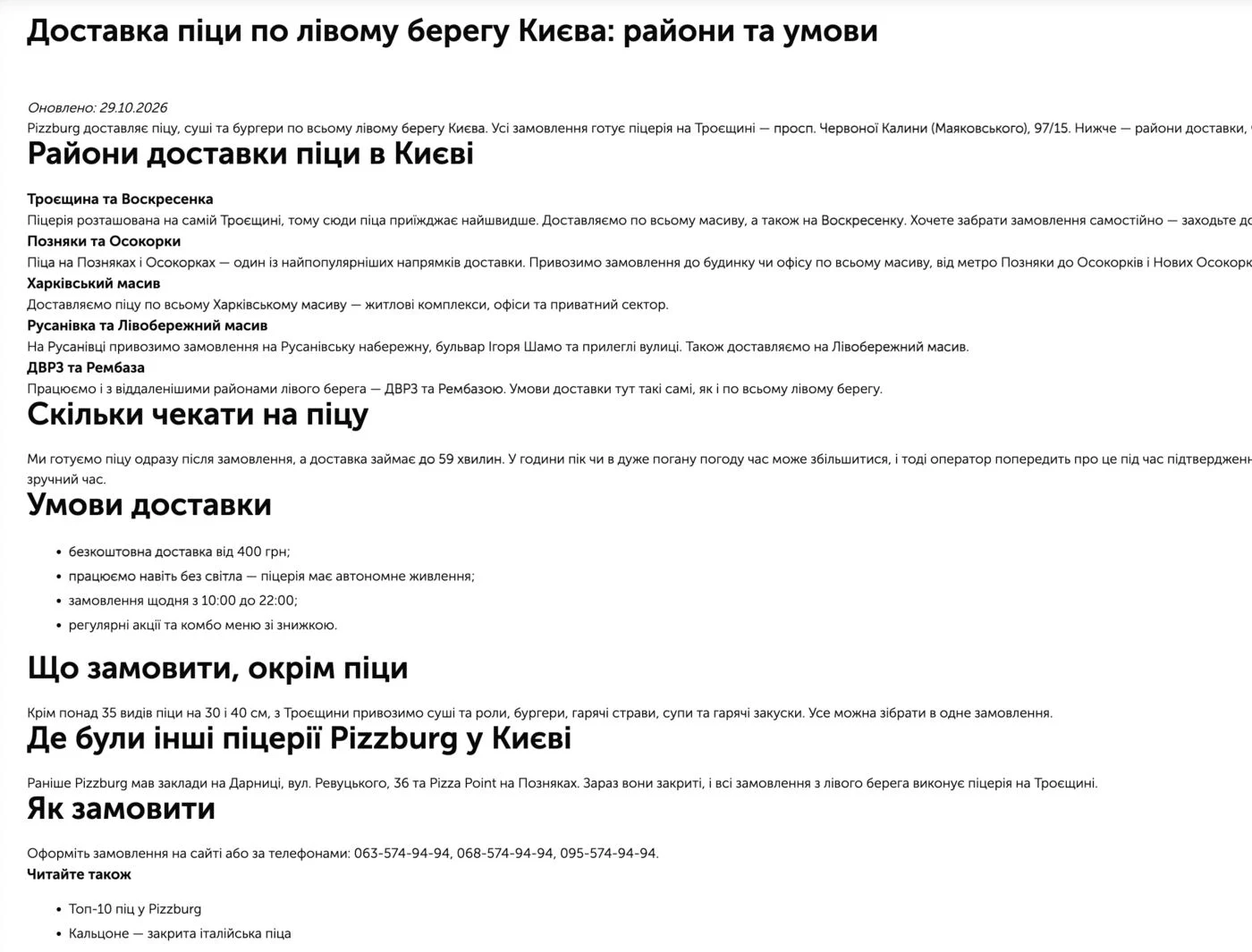
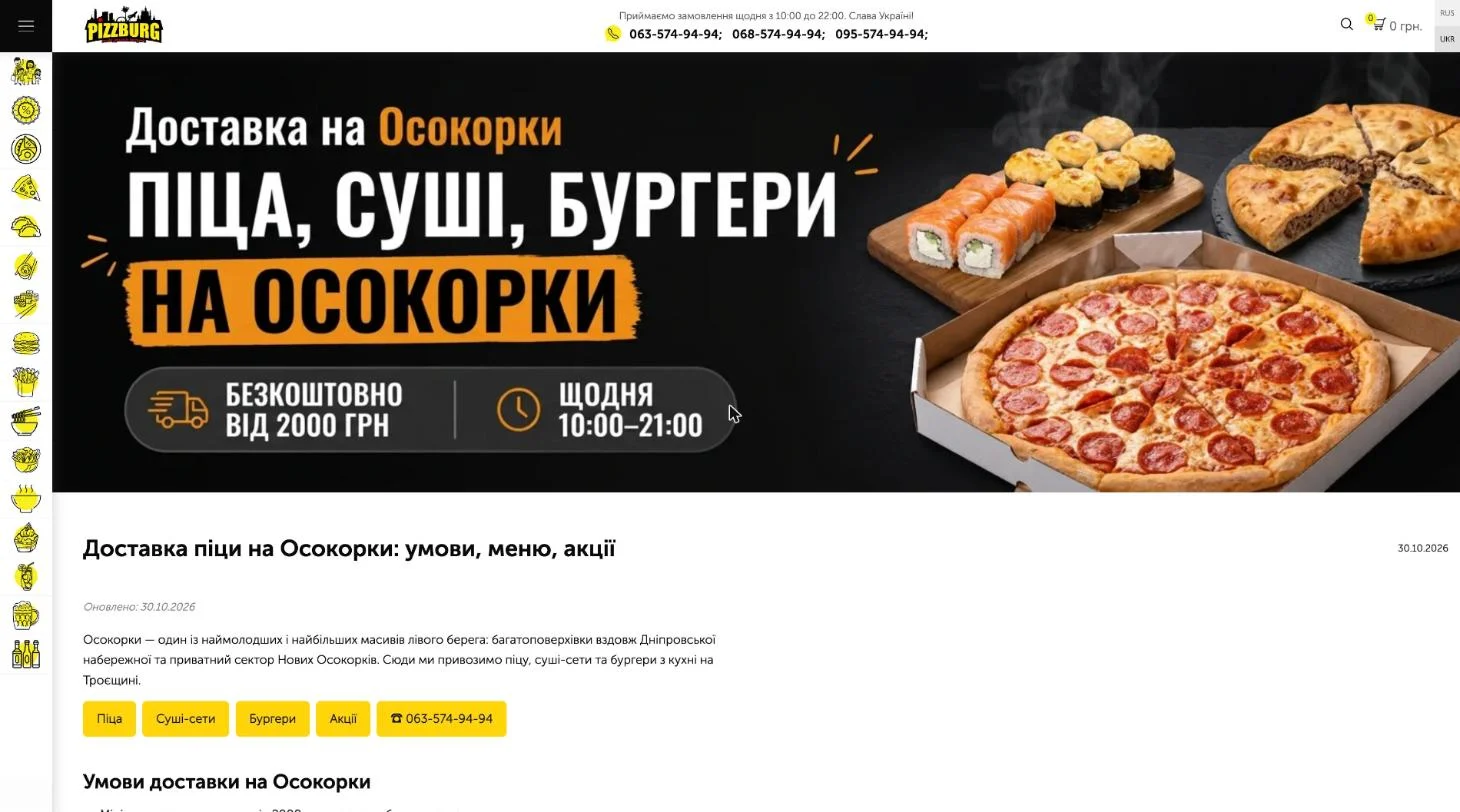
I created 11 landing pages for “pizza delivery + district” queries, each in two languages — 22 URLs: Pozniaky, Osokorky, Kharkivskyi, Bortnychi, DVRZ, Berezniaky, Rusanivka, Voskresenka, Lisovyi, Livoberezhnyi and the Right Bank.
- each page has the terms of that specific zone, district landmarks, popular dishes, deals, a “Questions and answers” block, buttons to the menu and a phone number;
- I generated 1920×600 banners in Gemini and converted them to WebP, separately for the UA and RU versions;
- I added links to the district pages from the delivery terms page and from articles about the left bank;
- publication on 30.10, and on the same day an indexing request in Search Console for the 6 main URLs.
Previously, for queries like “pizza Osokorky” or “pizza delivery Pozniaky” the site simply had no matching page. A separate page per district is the main way to get this kind of traffic.
Technical SEO
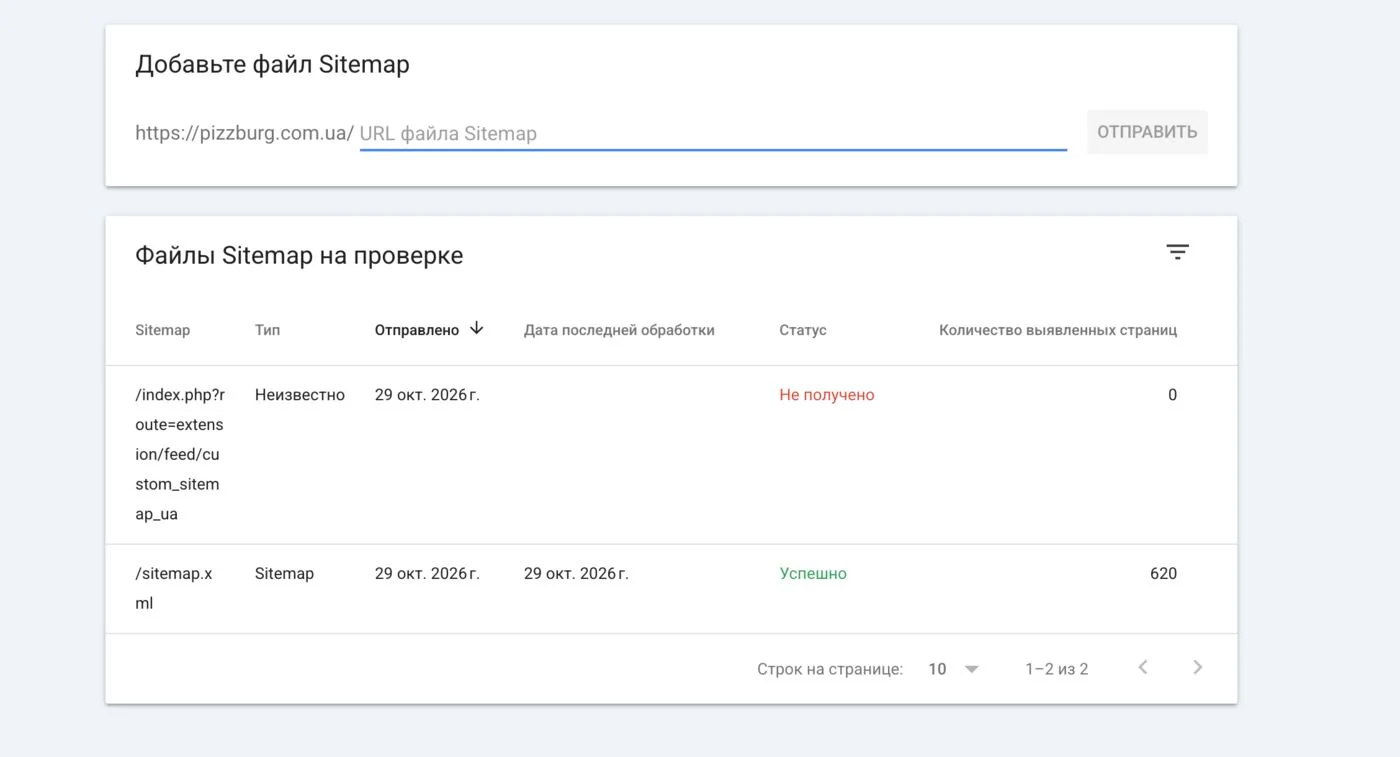
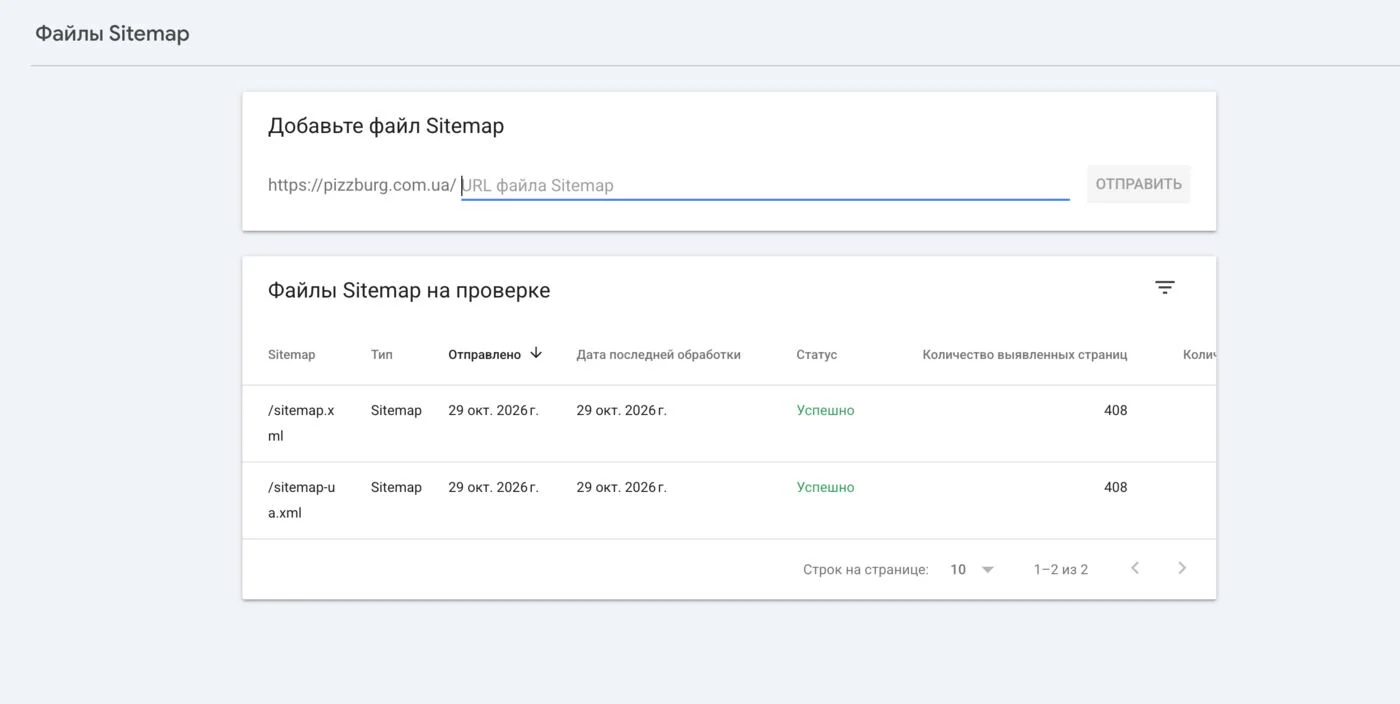
Sitemaps. The old sitemap contained 620 URLs: deleted products, duplicates, addresses like index.php?route=…, pagination pages. The Ukrainian sitemap returned an error altogether and never reached Google. Now there are two sitemaps, /sitemap.xml (RU) and /sitemap-ua.xml (UA), with 408 URLs each: only products from active categories, categories, articles and restaurants. Status in Search Console — “Success”.
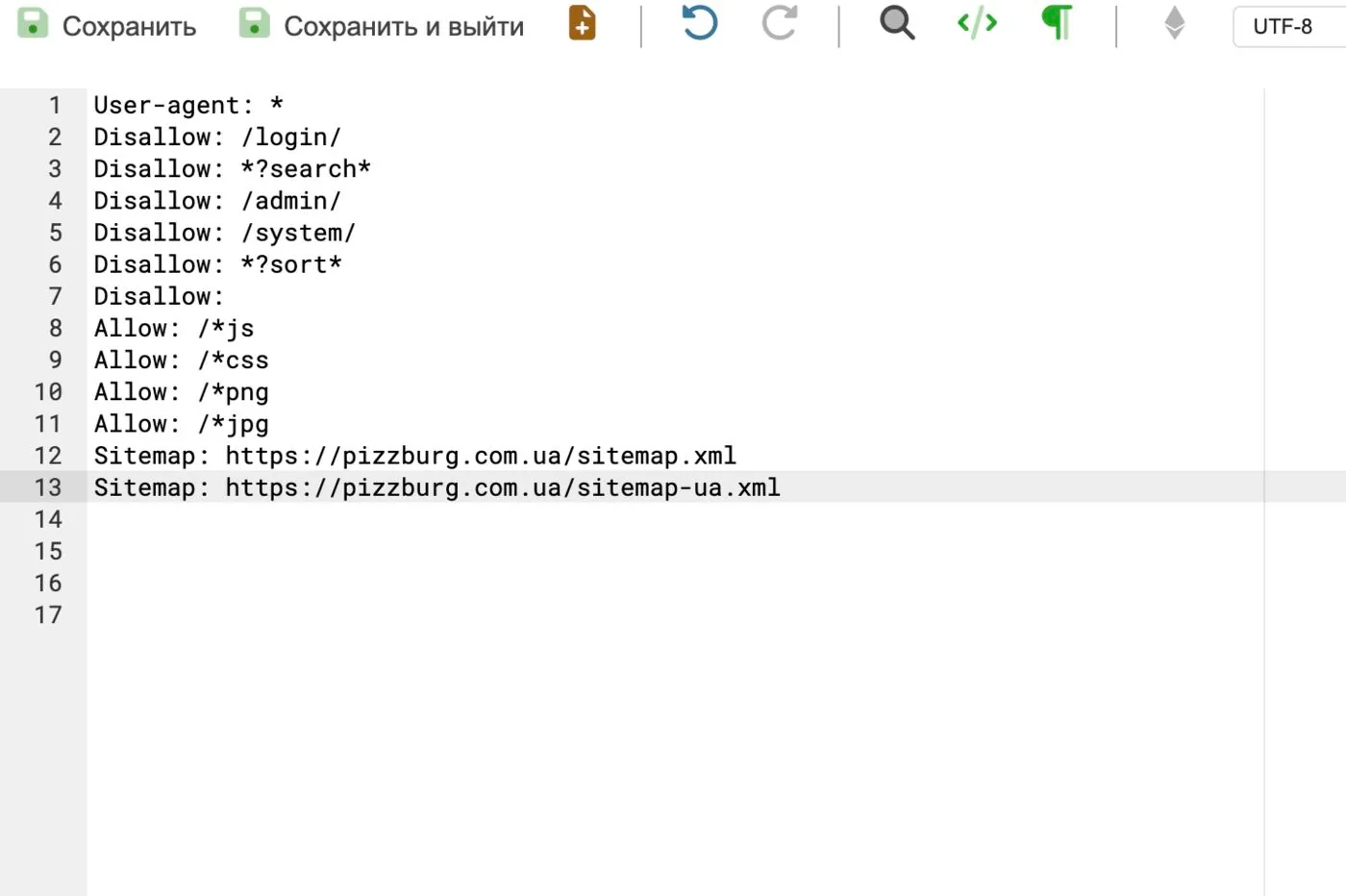
robots.txt. I added a line with the Ukrainian sitemap and closed service sections (login, admin, system folders), search and sorting.
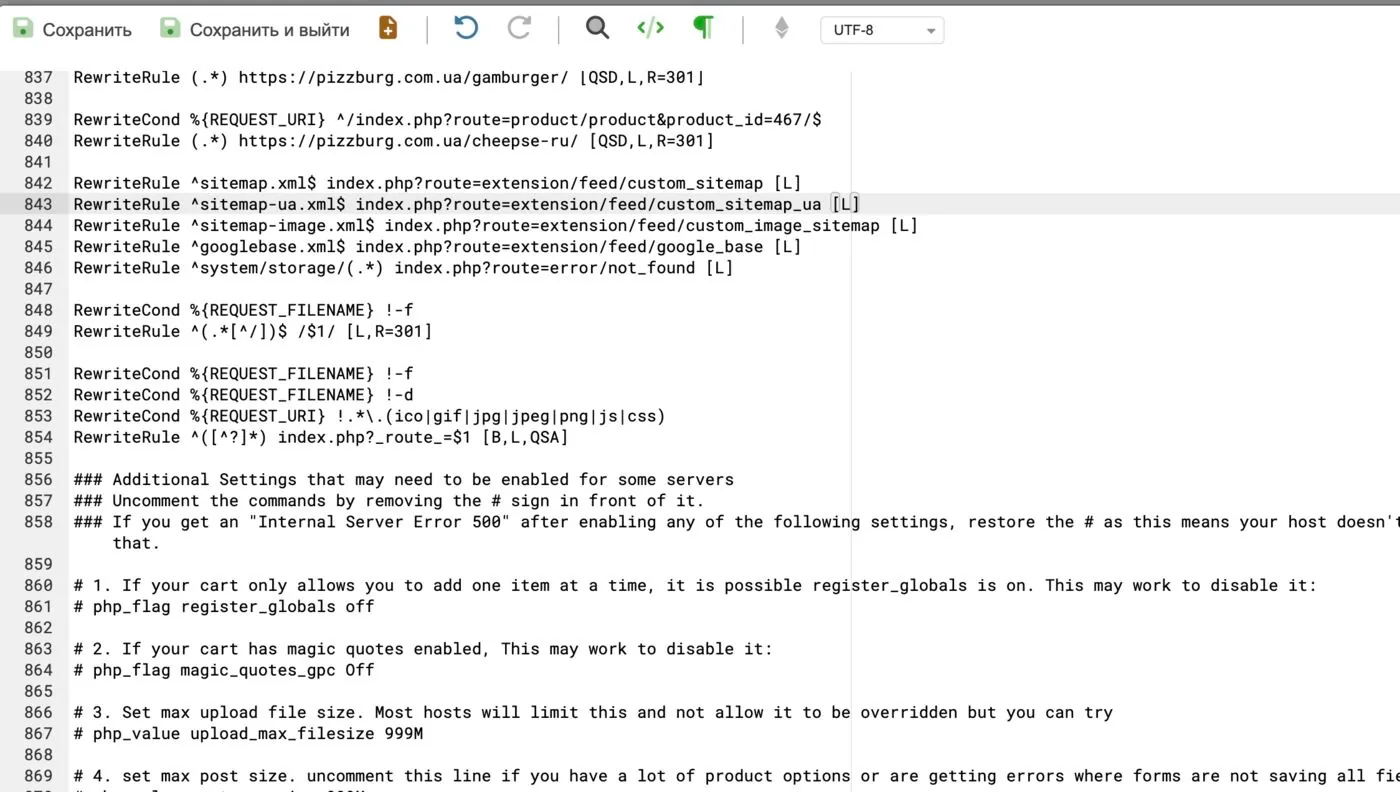
“Broken” products and 301s. I found products without an active category: their pages returned a 500 error. I disabled 32 products and removed them from the sitemaps. I added 64 301 rules from old URLs of disabled products and outdated pages to the current menu sections. 500 errors hurt how Google rates the site, and redirects keep the accumulated link equity and the customers who come via old links.
Canonical. Search Console showed restaurant pages as “Duplicate without user-selected canonical”: each one also opened at an address with the other language’s slug, and there was no canonical tag (the articles had one). I added canonical, as in the blog articles — one line in the controller.
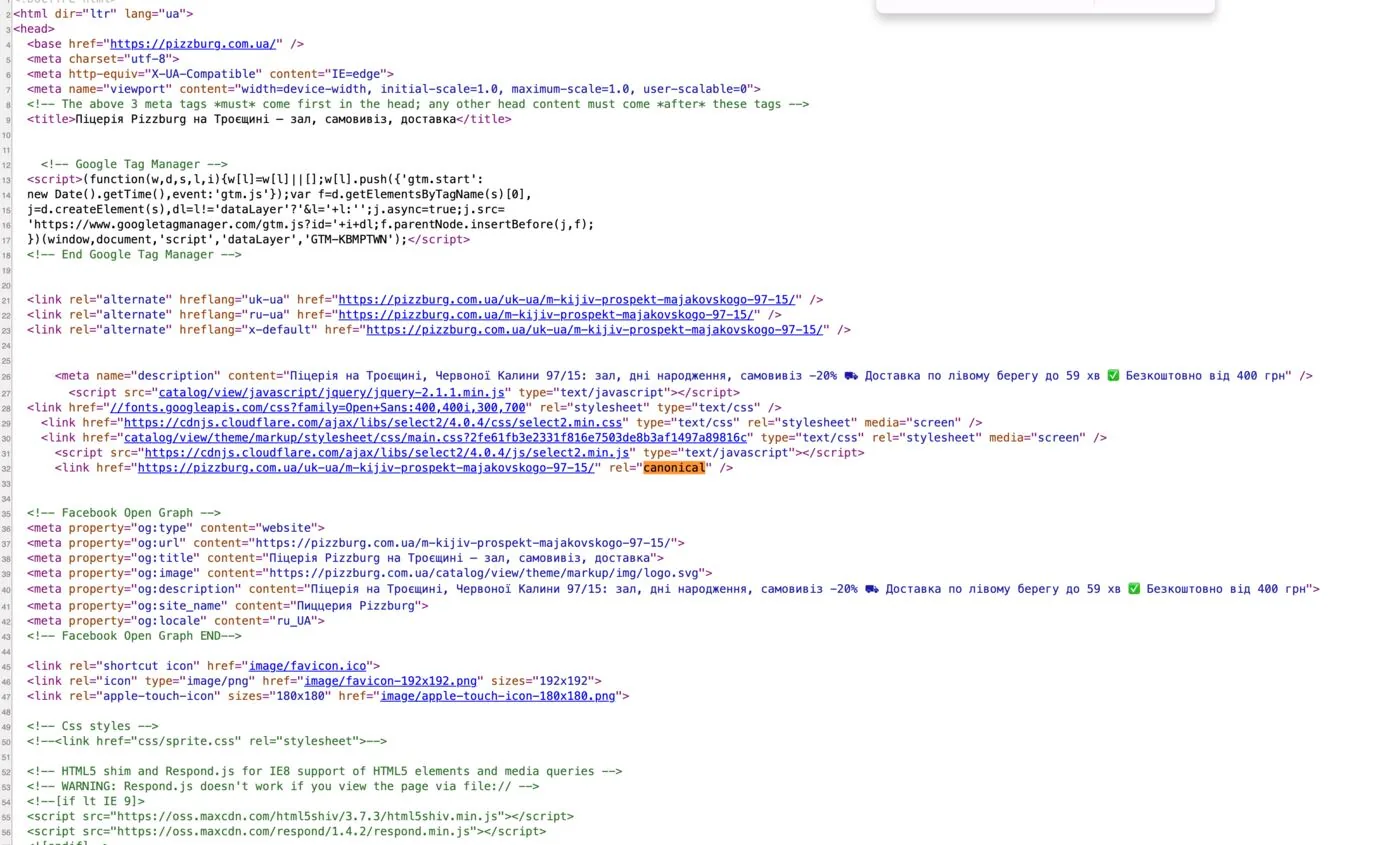
Page language. It was lang="ua", now it’s lang="uk". There is no “ua” code in the standard, and Google could detect the language incorrectly.
Internal linking
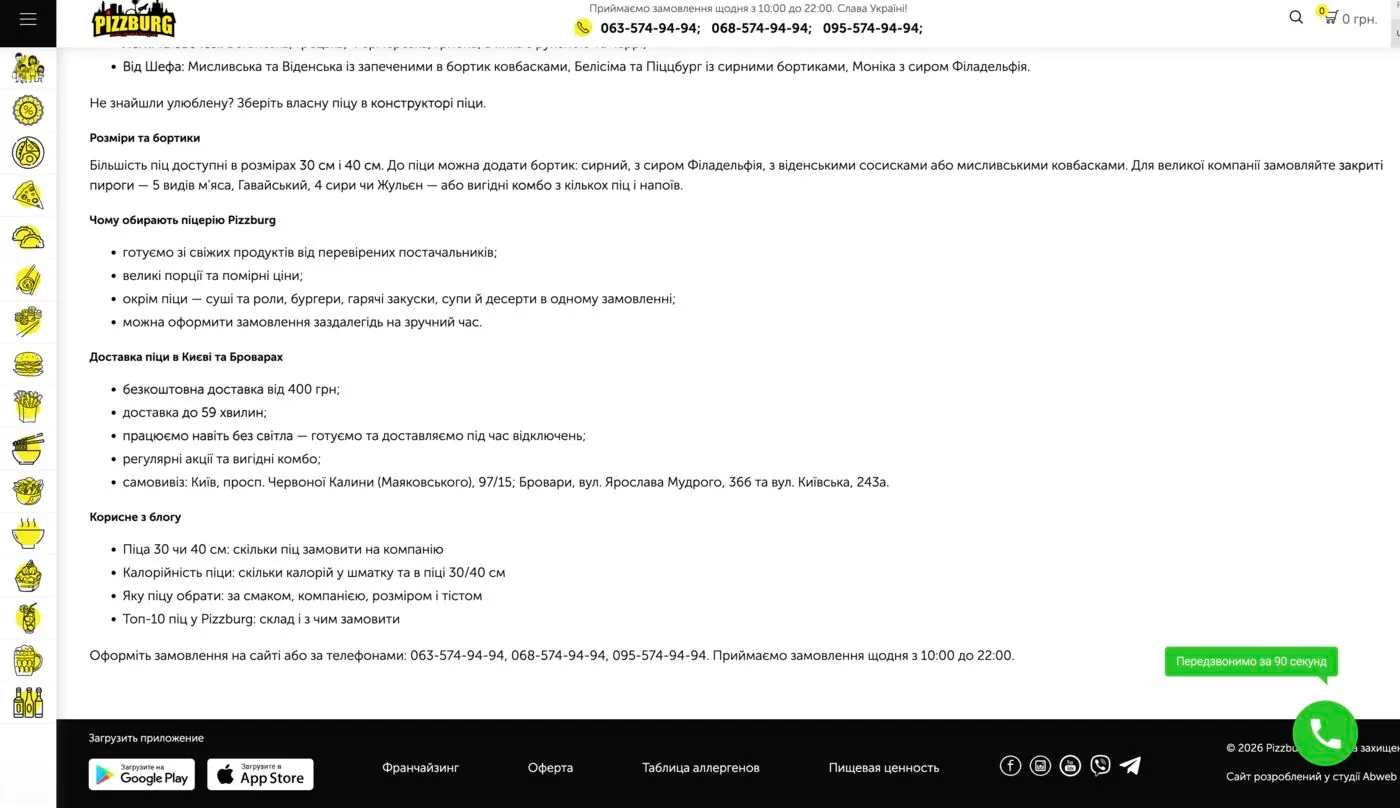
- in the descriptions of 13 categories (both languages, 26 records) I added a “Useful from the blog” block with 1–4 relevant articles;
- under articles — 3 cards of similar articles “More from the blog”, picked by topic: pizza, sushi, burgers, deals, kids. They show only where there’s no own “Read also” block, and old deals and closed restaurants aren’t suggested;
- added links to the district pages from the delivery terms page and from articles about the corresponding districts.
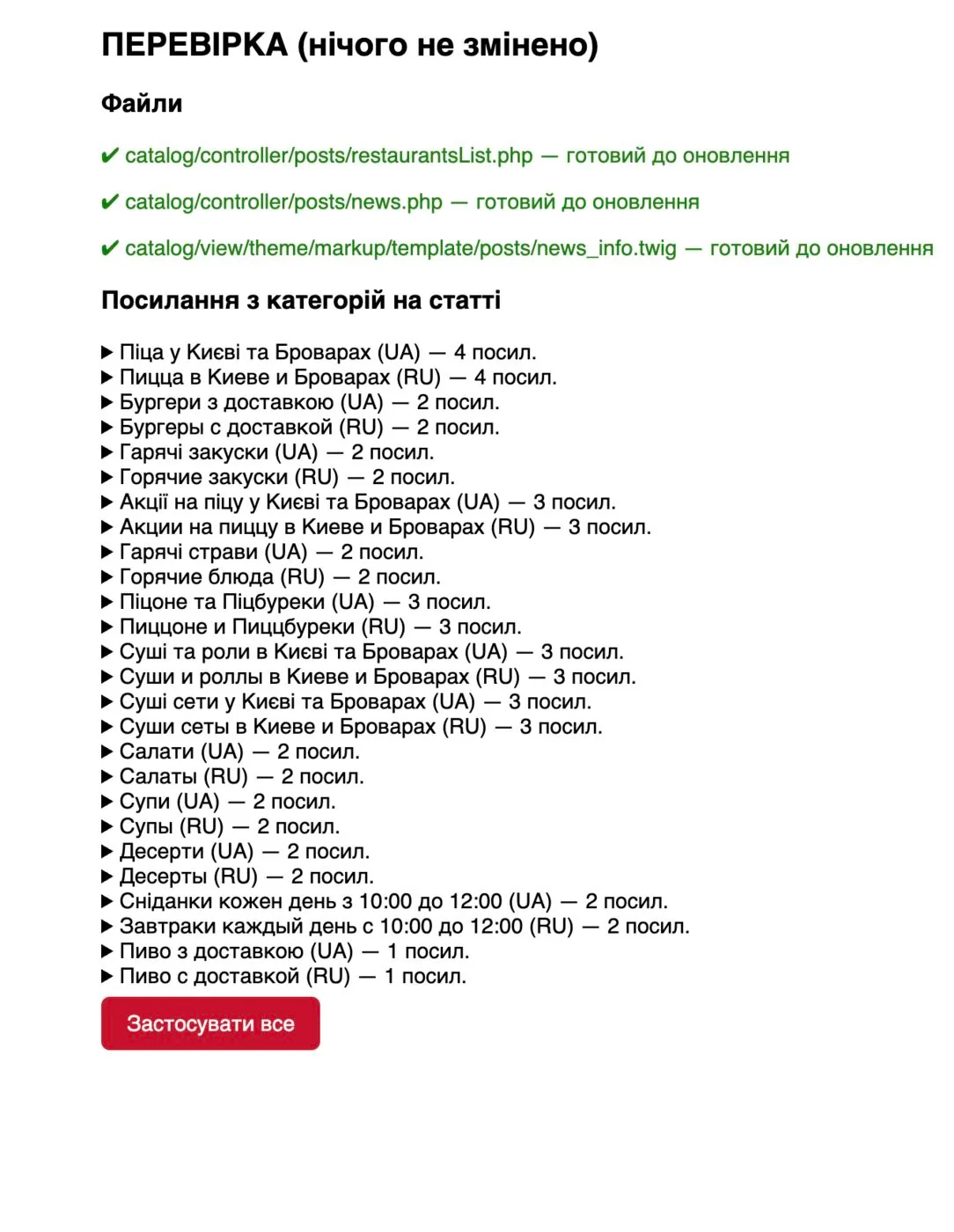
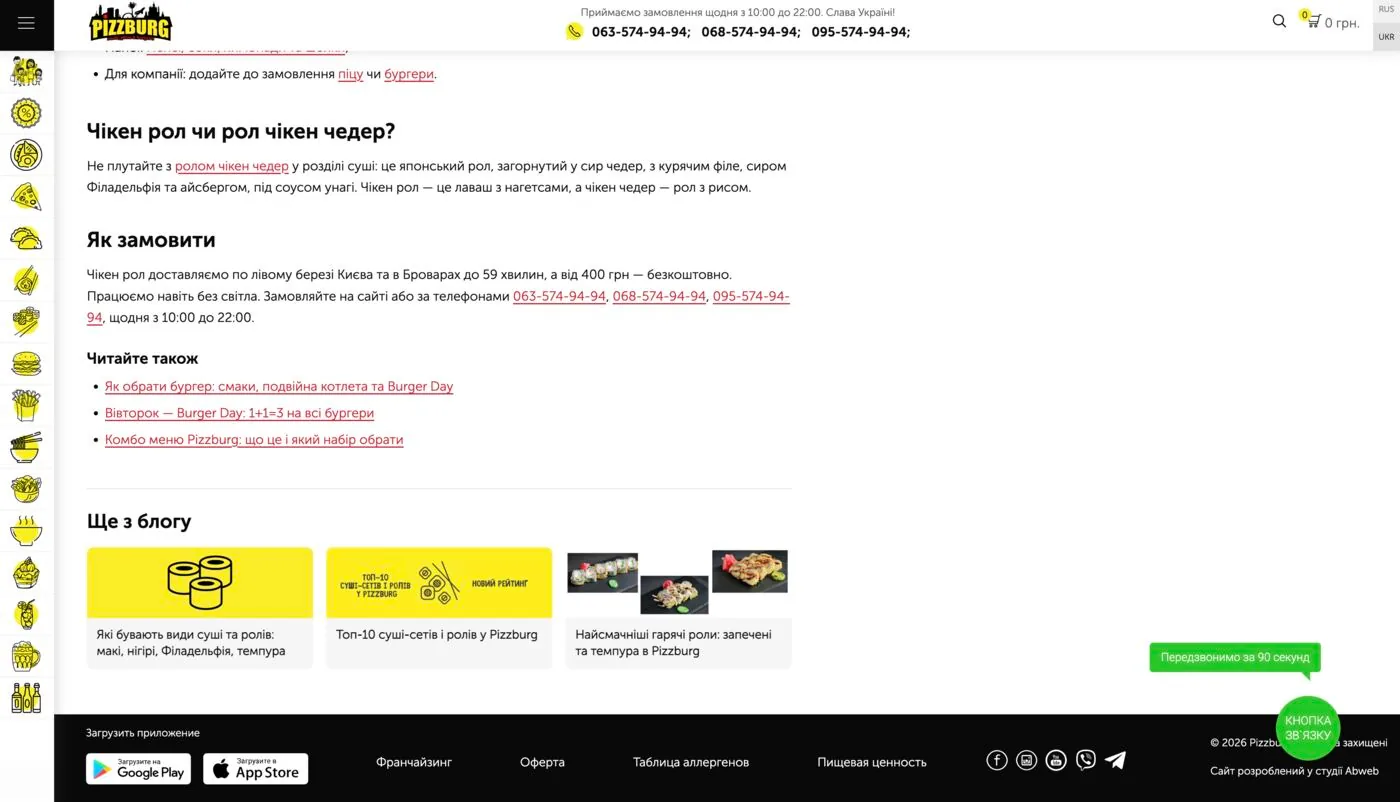
Internal links speed up indexing of new pages, pass weight to categories, and users stay on the site longer.
Structured data and link previews
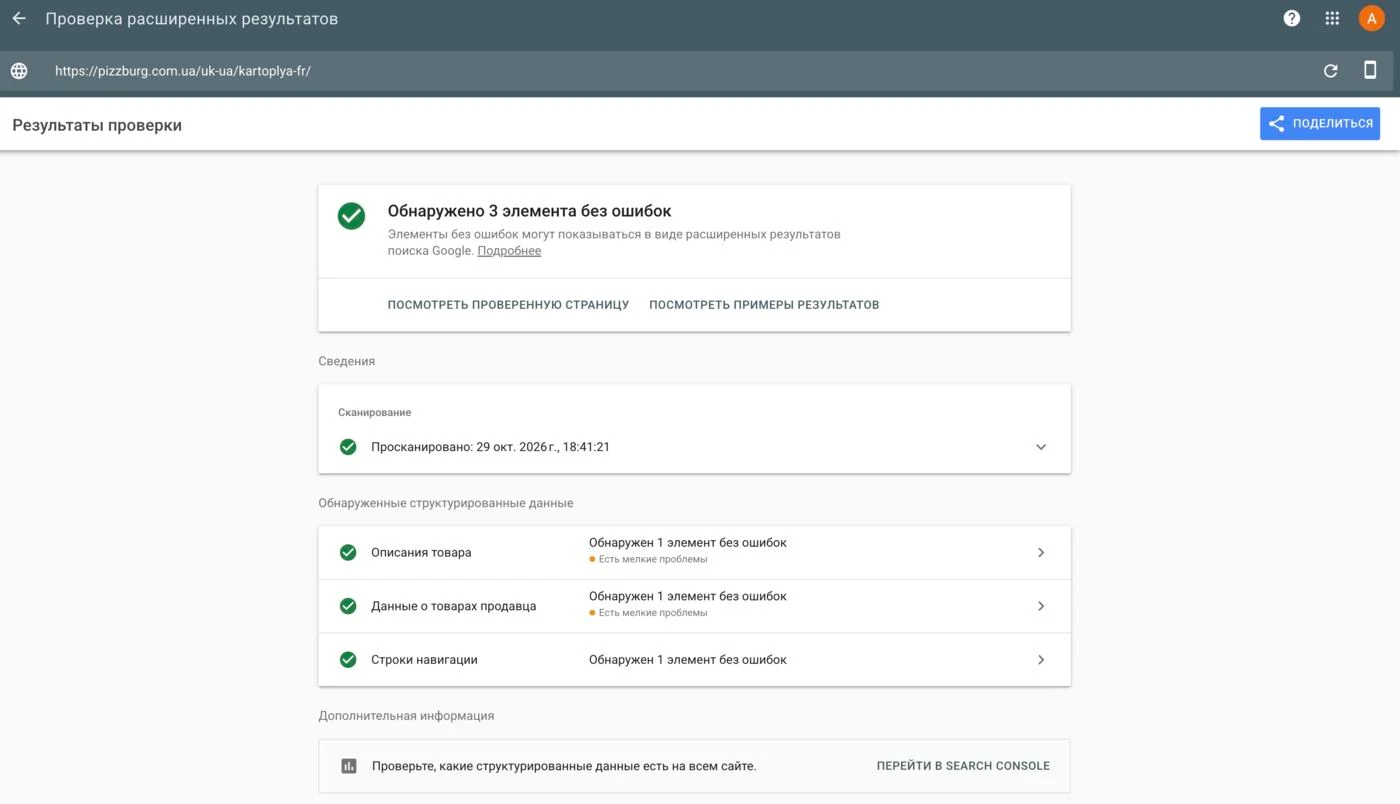
Products (Product). The old markup had errors: the category name instead of the dish name, an error in the price field (lowprice instead of lowPrice), no photo or description, and for products without sizes the price was taken from the string “250 UAH”. Now there’s the dish name, photo, description, brand, price (a “from–to” range for 30/40 cm pizzas, a single price for the rest) and availability. Google’s “Product snippets” and “Merchant listings” checks show no errors. Correct markup lets search results show the price and photo, which stands out more than a plain link.
Restaurants (Restaurant). On the pages of the four open restaurants: name, address, phone, opening hours (10:00–22:00, in Chuhuiv until 21:00), cuisine, links to the menu and to the Google Maps profile. The markup confirms addresses and opening hours to Google for local search.
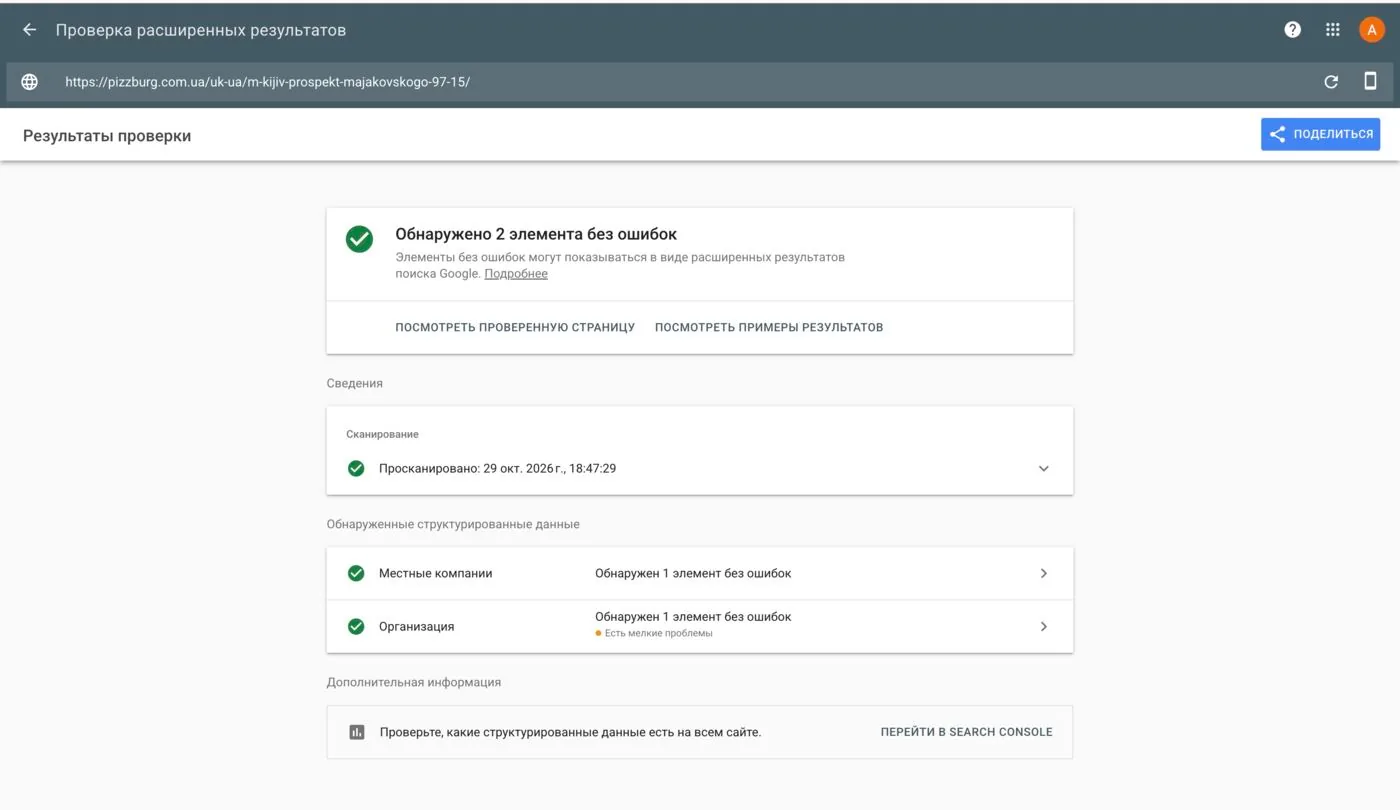
Organization — in the site header: name and alternate name, PNG logo, phone, customer support in Ukrainian and Russian, social networks (Facebook, Instagram, YouTube, Telegram), apps in the App Store and Google Play.
FAQPage — on district pages the “Questions and answers” block automatically turns into markup: 3 questions on Osokorky, 5 on Pozniaky.
Open Graph. Previously the preview image on every page was an SVG logo, which messengers don’t display. Links in Telegram, Viber and Facebook were sent without an image. Now a product shows the dish photo, an article shows its banner, and the other pages show a general 1200×630 image with the logo and phone numbers. The preview language (og:locale) depends on the page language: uk_UA or ru_UA. A good preview means more clicks from chats.
A new restaurant in Chuhuiv
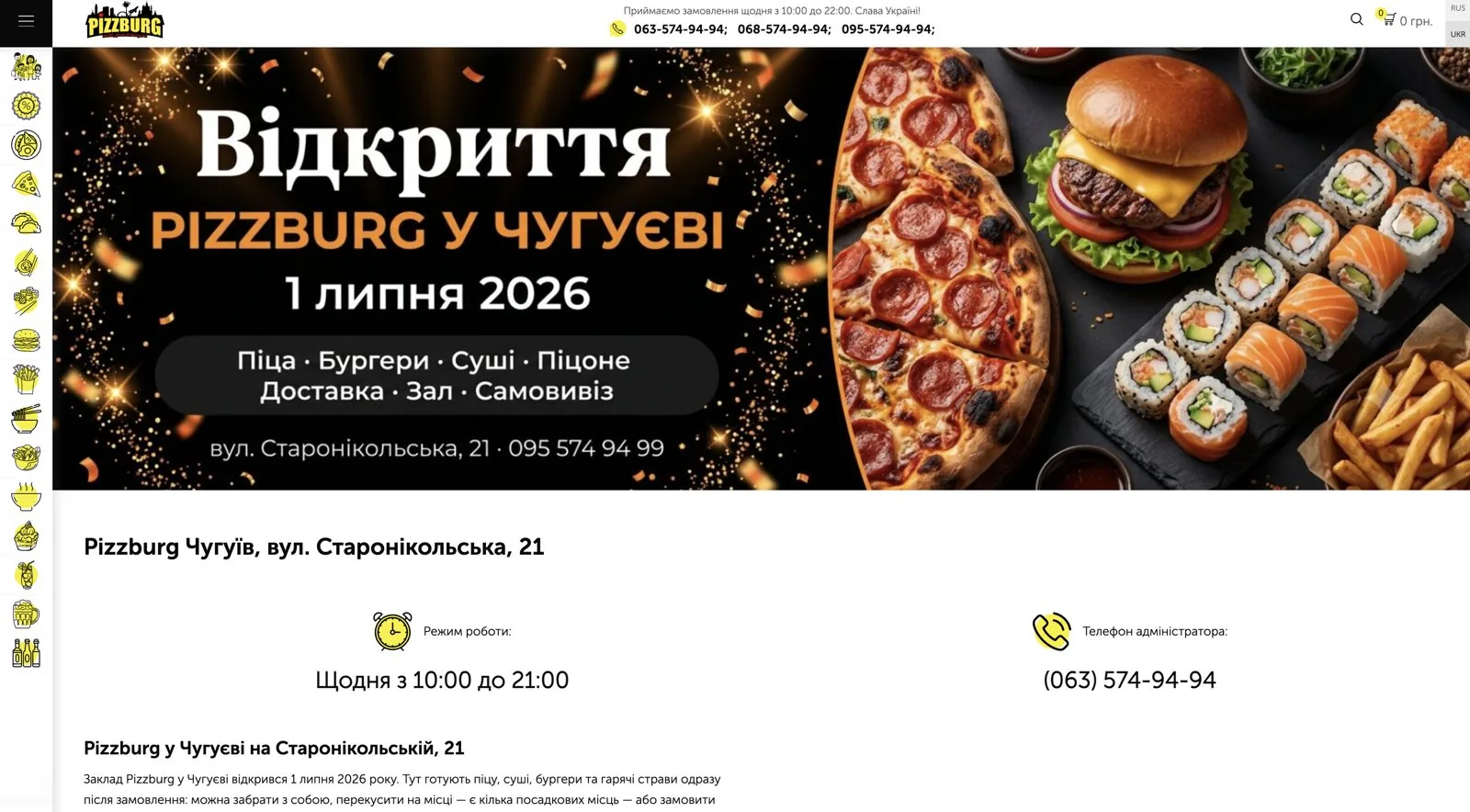
On July 1, 2026 the chain opened a restaurant in Chuhuiv, but it wasn’t on the site. I created a page in two languages: opening date, takeaway and seating, 3 delivery zones, menu, deals, map. I took the photo from the banner of the opening news.
- Restaurant markup: address, phone, closing time 21:00;
- Chuhuiv added to the H1, title and description of the contacts page;
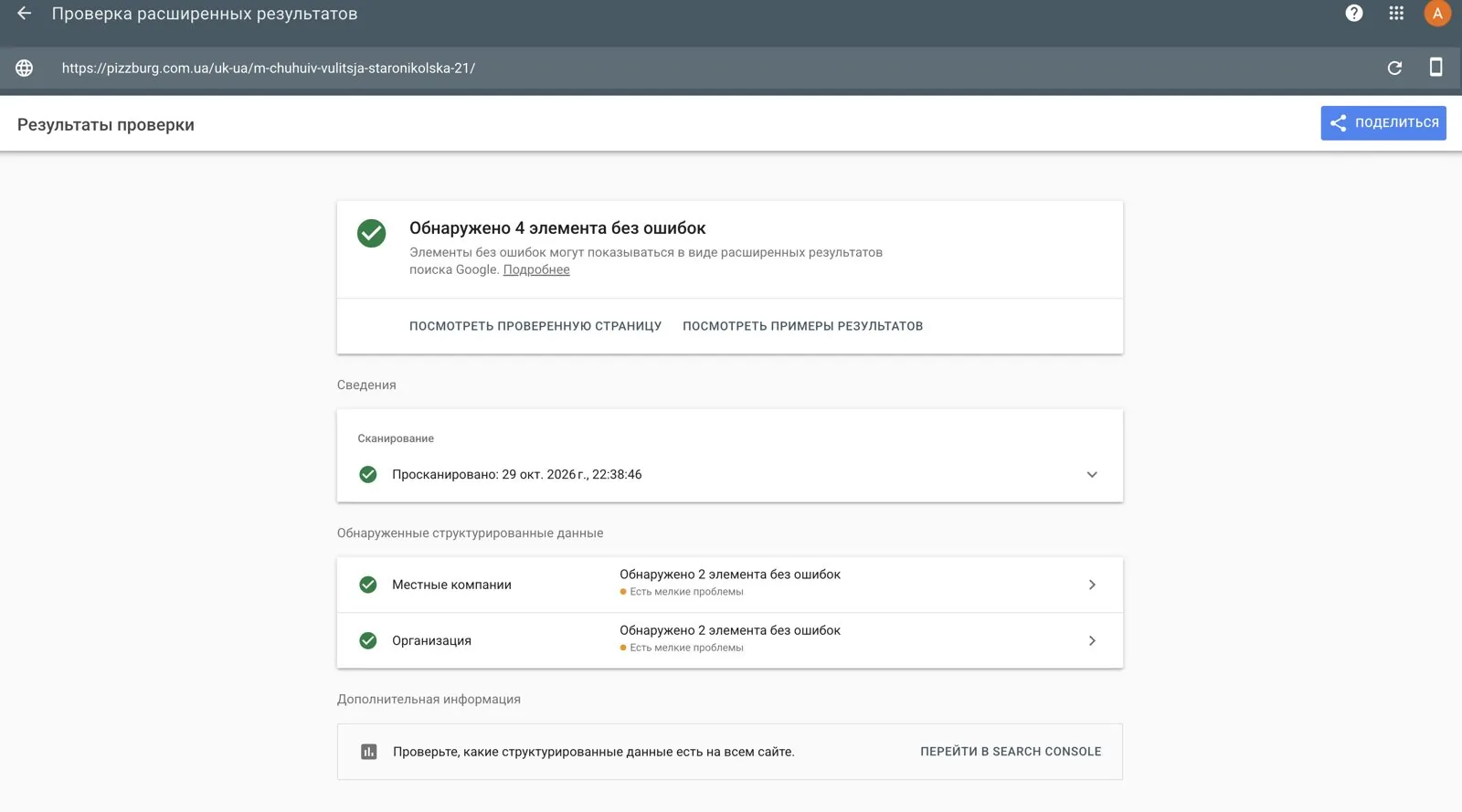
- Google’s “Local businesses” and “Organization” checks show no errors.
Google Business
In the Restaurant markup of the four restaurants I added links to their Google Maps profiles (hasMap, sameAs). This way Google connects the site page with the restaurant’s profile on Maps.
During the check I found that one of the Google Business accounts still holds 3 old suspended profiles with old addresses. The open restaurants are in another account. That’s worth knowing before working on local search results.
Speed
Layout shift (CLS). On mobile the home page “jumped” while the slider loaded: CLS 0.383 against a threshold of 0.1. I reserved space for the slider and loaded the first slide right away with high priority. Result — CLS 0. On 29.10 I started the fix validation in Search Console; it takes up to 28 days.
Banners in WebP. The home page slider banners are now served in WebP: they’re lighter than JPG at the same quality. For that, the image processing module got a WebP parameter, and 6 calls were changed on the home page. Fonts got font-display: swap so text is visible immediately, without waiting for the font. I removed 4 “loader” images from the home page that were loaded from a test domain.
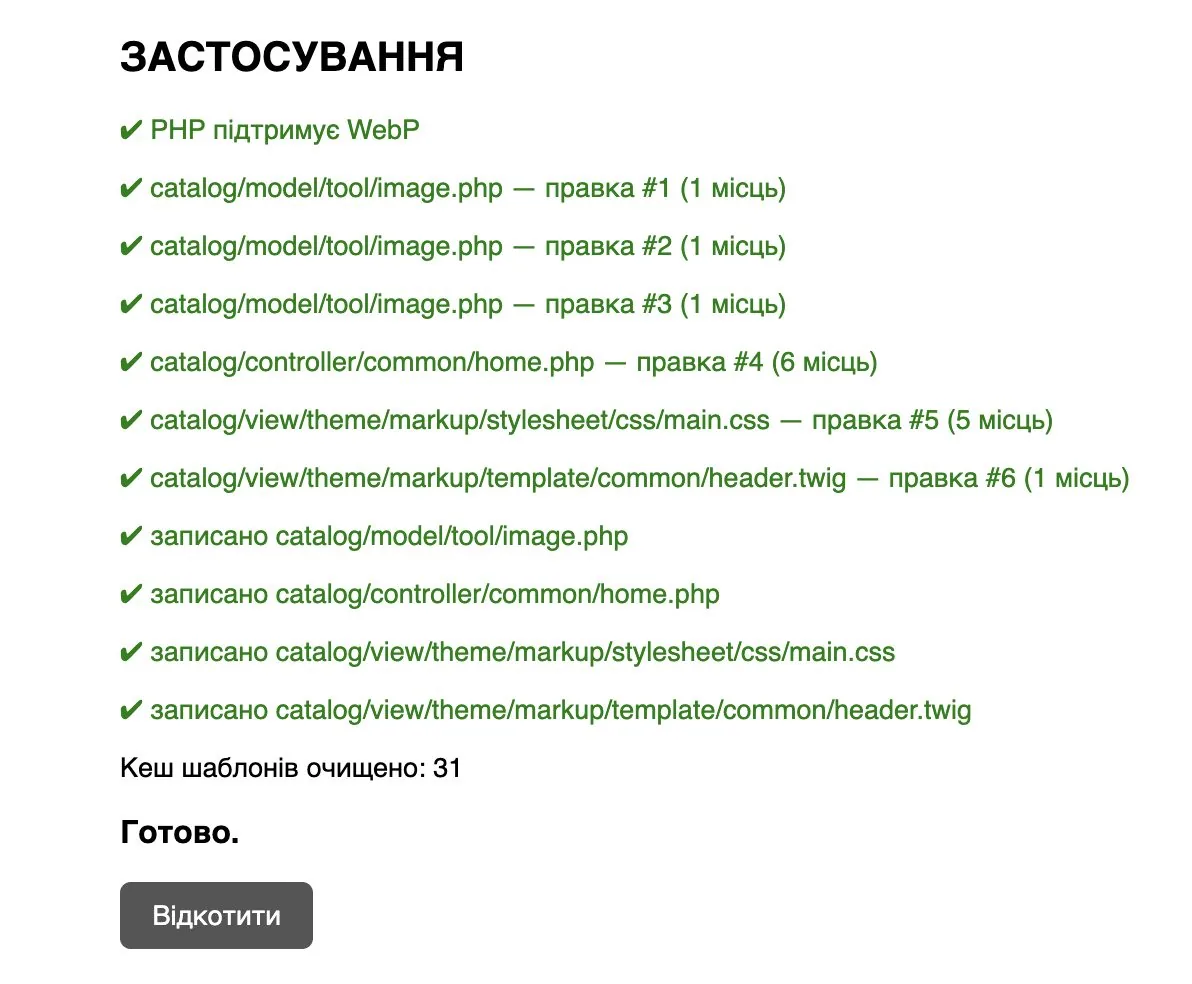
Removed from every page:
| What | Why it was removed |
|---|---|
| Open Sans font from Google Fonts | Not used (the site uses a different font), blocked rendering |
| select2 (JS + CSS) | Not called in any template, but loaded on every page |
| swiper (JS 204 KB + CSS) | Sliders run on a different library |
| Google Maps API | Now loads only on the page with the map |
| 4 “loader” images | Loaded from a test domain |
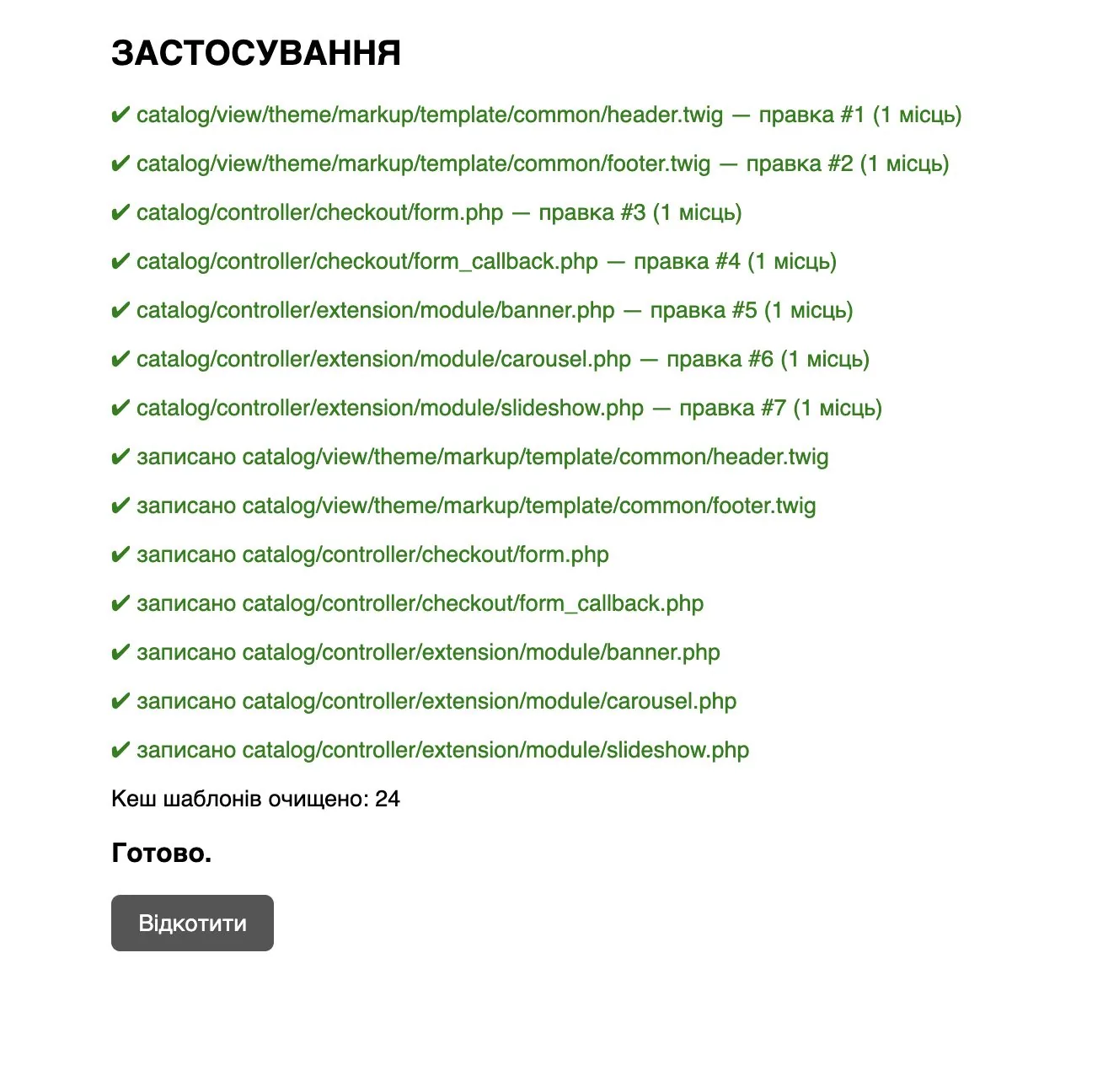
After applying it I checked: only jQuery and the main stylesheet remain in the header; the slider, cart and checkout work, and there are no console errors.
Checkout
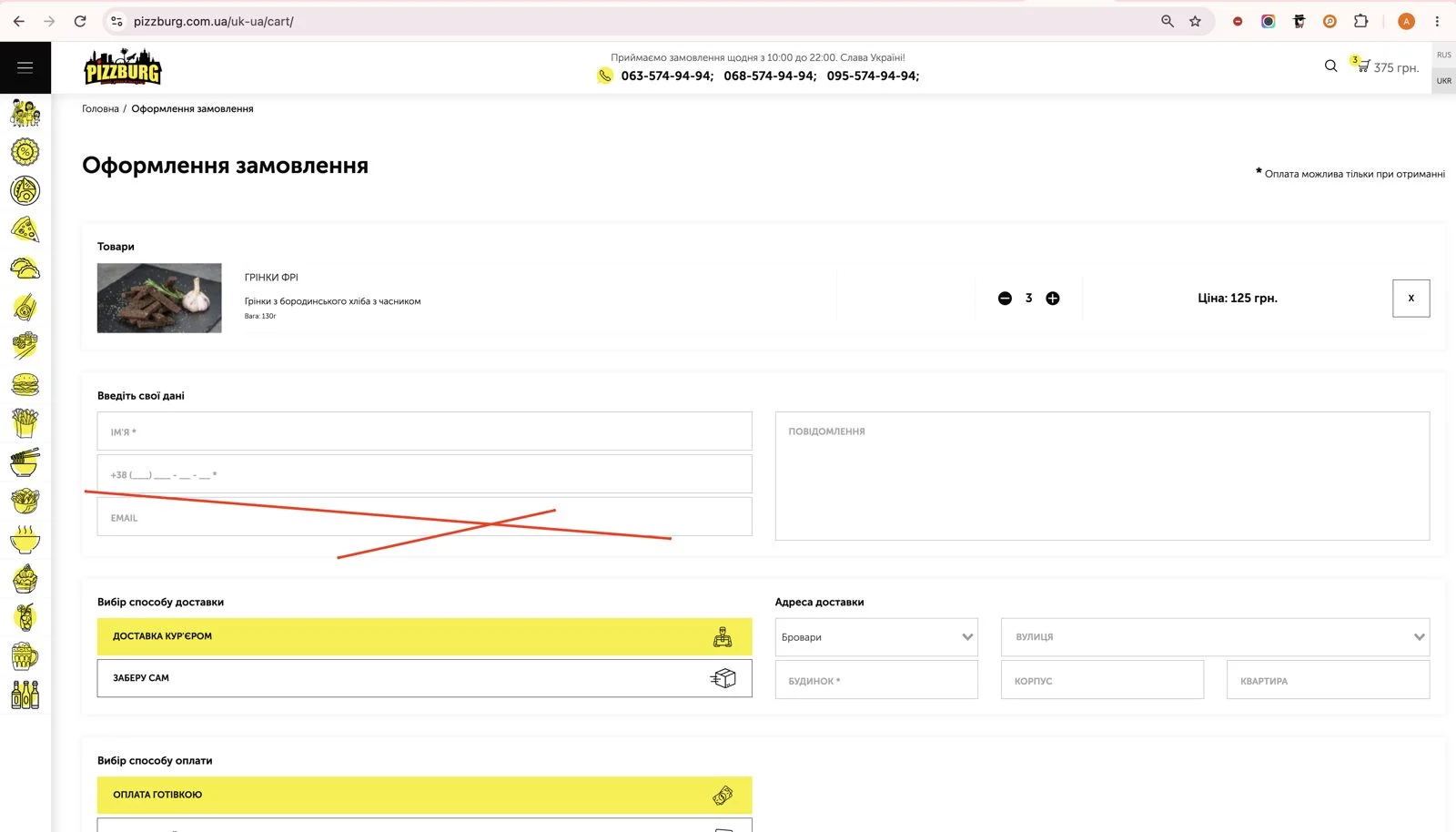
Nobody filled in the Email field in the checkout form. I hid it, but the value is still passed, so order processing and the export to the iiko (Syrve) accounting system aren’t affected. A test order after the change went through.
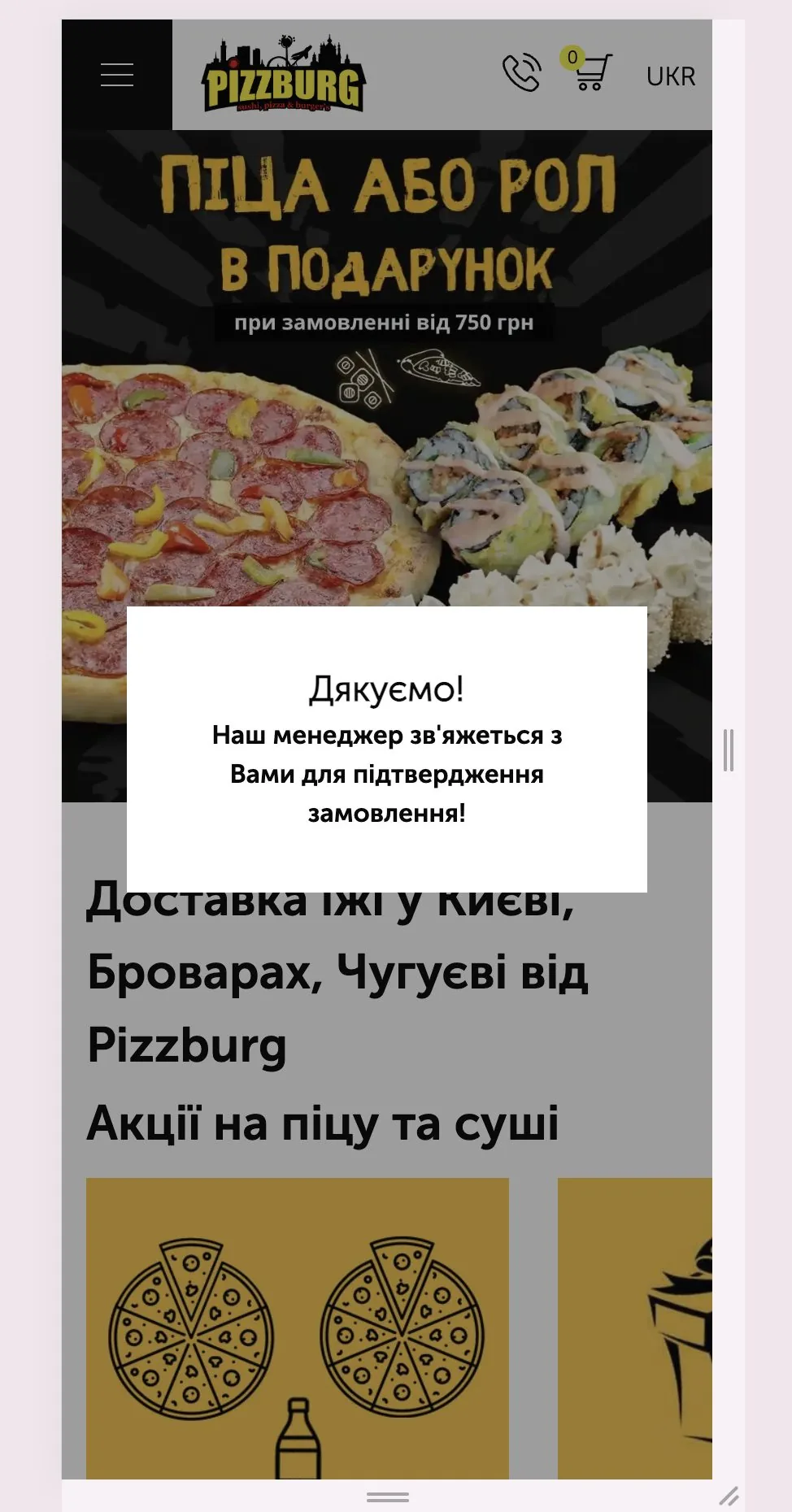
Slow checkout. After clicking “Place order” the spinner kept spinning for 5–6 seconds. I measured each step and found the cause: on every order the site downloads the entire menu from iiko (Syrve) again, about 9 MB. That alone takes 4.35 seconds.
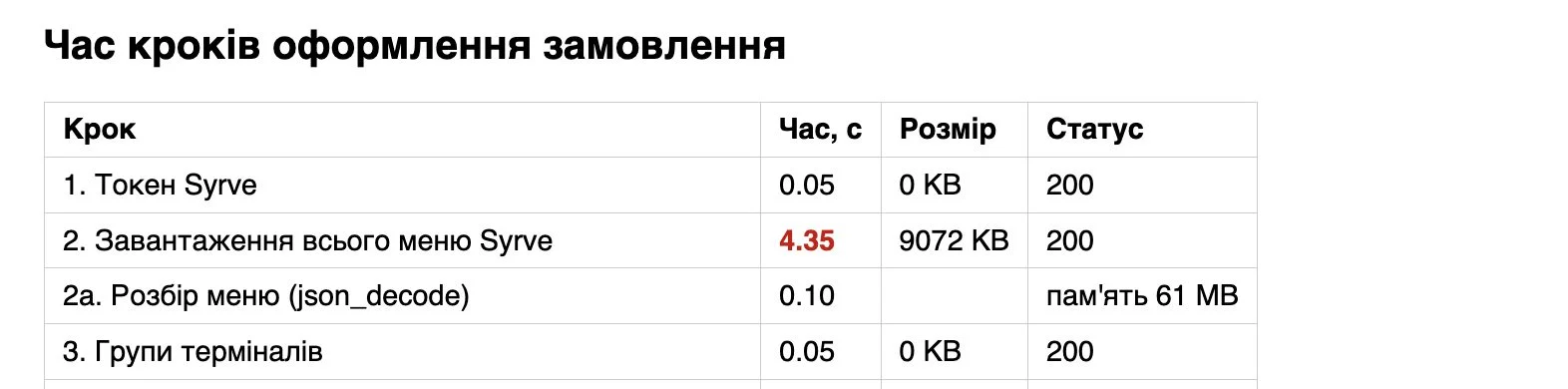
| Checkout step | Time |
|---|---|
| Syrve token | 0.05 s |
| Downloading the entire menu (9,072 KB) | 4.35 s |
| Parsing the menu (61 MB of memory) | 0.10 s |
| Terminal groups | 0.05 s |
| Email to the admin via SMTP | 0.02 s, error |
| Total without creating the order | 4.57 s |
| Order creation and status check | another ~1–3 s |
The fix is to keep the menu on the server for 10 minutes instead of pulling it every time. Details below, in the developer tasks.
A hungry person doesn’t want to wait 6 seconds after clicking a button. I wrote separately about how checkout kills conversion in food delivery.
 Google Ads · MarketingCRO for Google Ads: It's Not the Ads Wasting Your Budget. It's Your WebsiteCRO for Google Ads: why ads can't save a broken website. Two real teardowns — a landing page and a product page — plus a first-screen checklist.
What’s left for the developer
Some tasks shouldn’t be done without the developer who maintains the site. For each one I described the cause, where exactly the error is and a ready solution.
1. iiko (Syrve) menu cache — important
On every order the site downloads the entire menu from the accounting system — 9 MB and 4.35 seconds. The fix: keep the menu on the server for 10 minutes. If a product from the cart isn’t found in the cache (for example, it was just added in iiko), the site fetches a fresh menu and retries, so no orders get lost. I handed over a ready script with a backup and rollback — it can be applied as is or used as a template.
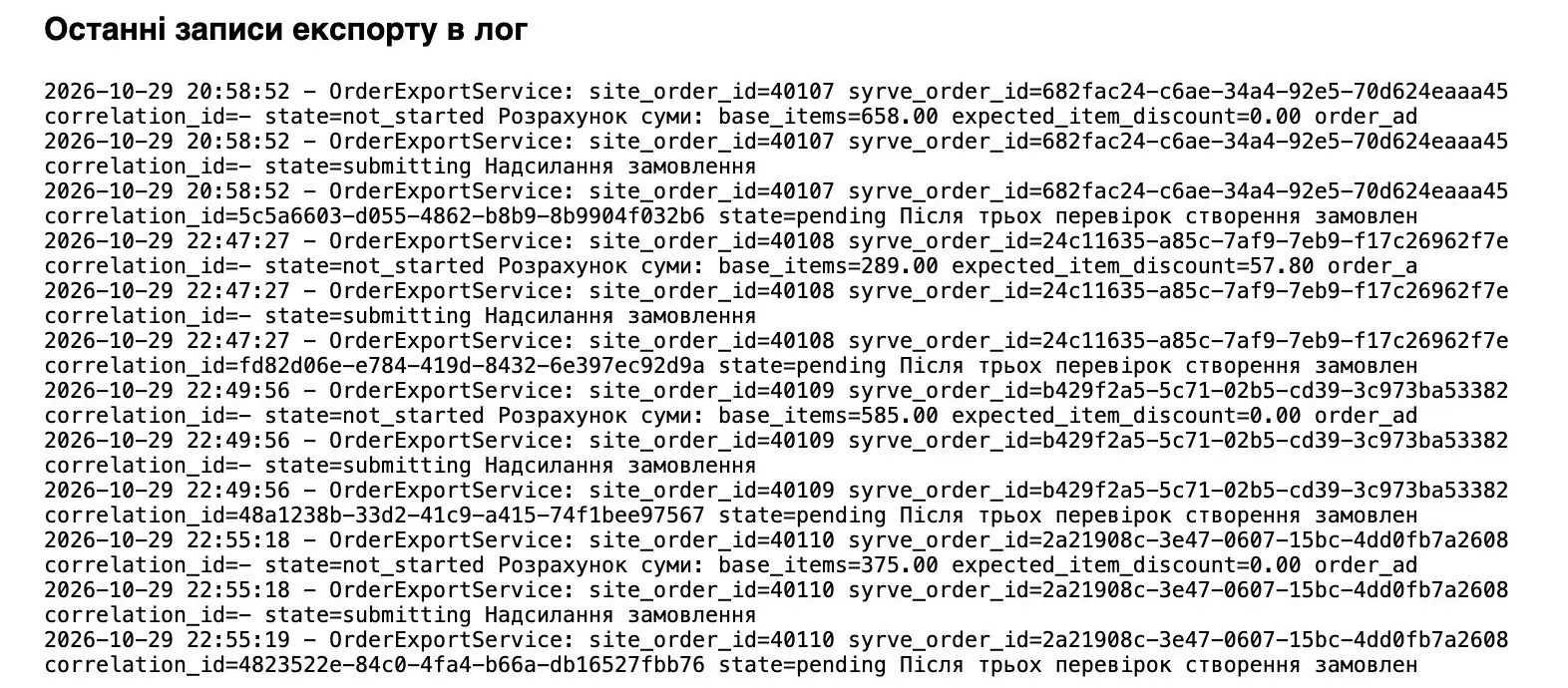
2. Orders in the log stay in “pending” status
Every order in the log ends with the entry “After three checks the order creation is still in progress”. The site checks the status in Syrve three times with a 0.2-second pause and doesn’t wait for confirmation, so the amount reconciliation isn’t performed. We need to make sure all orders reach iiko and increase the pause, for example to 1 second.
3. Protection against the 500 error on products without a category — important
If a product has no category or it was deleted, opening the product page goes into infinite recursion in the breadcrumb building method, and the site returns a 500. I cleaned up the consequences manually (32 products disabled), but the cause remains: after any deletion or move of a category the error will come back. For the developer I described three steps: a safe method protected against an empty result and with a depth limit, a check in the product controller and, ideally, a 404 or 301 for products without an active category. Plus how to test it on a test product.
4. jQuery is loaded twice
One version in the header, another in the footer. The second overwrites the first, and plugins attached to the first are lost. Keep one version, check inline scripts in the templates, and move script loading to the end of the page or load them with defer.
5. The 232 KB main.css blocks rendering
Critical above-the-fold styles should go into the header, and the rest should load asynchronously. This is the main reserve for speeding up LCP on mobile.
6. Server cleanup and personal data
- remove temporary scripts, backups and junk from the site root after all changes are verified;
- iiko export files (~90 MB) with customer phone numbers and names sit in a public folder. I closed direct access, but they need to be moved outside the site or deleted;
- clear the 17 MB
error.log.
7. Order emails via SMTP
The email to the admin is sent synchronously via Gmail with a 5-second timeout, and during the measurement it returned an error. We need to check whether the emails arrive. If they aren’t needed, disable them — it will shorten checkout.
Summary table of changes
So that the developer or the next contractor understands what was changed, the report has a full list of files and database tables.
| File | What changed |
|---|---|
product/product.php | Own product meta tags; photo for Open Graph; correct Product markup and price calculation |
product/product.twig | Old markup block replaced with a new one |
posts/news.php | “More from the blog”; article banner in the preview; FAQPage |
posts/news_info.twig | Article text styles; “More from the blog” cards; FAQPage output |
posts/restaurantsList.php | Canonical; Restaurant markup (4 restaurants, closing time, hasMap / sameAs) |
restaurantsList_info.twig | Text styles; Restaurant markup output |
common/header.php | Image and language for Open Graph; lang="uk" |
common/header.twig | og:image and og:locale; Organization markup; Google Fonts removed |
common/footer.twig | Google Maps API only on the page with the map |
common/home.twig | CLS: space for the slider, first slide without lazy loading, loader removed |
common/home.php, tool/image.php | Banners in WebP |
main.css | font-display: swap |
checkout/form.php | select2 include disabled |
module/banner.php | swiper include disabled (also carousel and slideshow) |
checkout/form.twig | Email field hidden |
feed/custom_sitemap.php | Clean RU and UA sitemaps |
robots.txt | UA sitemap, service URLs closed |
.htaccess | 64 301 redirects, sitemap addresses |
image/og-default.jpg | New default preview image |
| Database table | What changed |
|---|---|
oc_category_description | Texts, meta tags, “Useful from the blog”, delivery terms — 15 categories × 2 languages |
oc_posts_description | 49 articles updated; 4 new articles, 11 district pages, a restaurant page × 2 languages; delivery terms; contacts; restaurant and home page texts |
oc_product_description | Meta tags for 100 records, emoji fixed in 172 records |
oc_product | 32 products without a category disabled |
Database and file backups are saved; rollback is a button in the corresponding script.
What’s next
- 30.10: the “Website” field in the Google Business profiles — a link to each restaurant’s own page with UTM tags;
- 30.10: indexing request for the district pages and a PageSpeed measurement after the speed fixes;
- in 2–3 weeks in Search Console: CLS, indexing of district pages and new articles, disappearance of restaurant duplicates, rich results (products, local businesses);
- in 4–6 weeks: rankings and clicks for “pizza delivery + district” queries and for the new articles;
- a “Pizza delivery in Chuhuiv” page, modeled on the Kyiv district pages;
- filling in the Google Business profiles: menu, photos, posts;
- next articles: “Thin-crust pizza”, “Pizza crusts”, “Baked or tempura rolls”, “What to order with beer”.
When the numbers come in, I’ll show them separately.
How much this kind of work costs
A rough estimate for this scope of work on the Ukrainian market is $3,500–6,500 if a freelancer does it. An agency would charge roughly $6,000–10,000 for the same scope. This is a guideline based on current market rates, not a price list.
| Block | Scope | Estimate |
|---|---|---|
| Audit: Search Console, indexing, code | analysis and plan | $150–300 |
| Category content | 15 × 2 languages, texts and meta tags | $300–450 |
| Blog update | 49 articles × 2 languages | $1 000–2 000 |
| New articles | 4 × 2 languages | $150–300 |
| District pages and delivery terms | 11 × 2 languages + terms page | $450–900 |
| Home page, restaurants, contacts | texts, meta tags, a new restaurant in Chuhuiv | $200–350 |
| Product meta tags | 100 items + emoji fix | $100–200 |
| Technical SEO | sitemaps, 64 redirects, 500 error, canonical, lang | $300–600 |
| Structured data and Open Graph | Product, Restaurant, Organization, FAQ | $200–400 |
| Speed | CLS, WebP, script cleanup | $250–500 |
| Banners | ~25 items, generation and WebP | $100–250 |
| Checkout diagnostics | measurements, brief for the developer | $100–200 |
| Reports | 2 PDF | $100–200 |
| Total | ≈ $3 400–6 650 |
I do this kind of SEO as part of a package with Google Ads and ChatGPT advertising — $1,000 per month.
 Google Ads case study · Food deliveryFood delivery Google Ads case study | Local business | CPL 42 UAH ($0.93)6+ years with a pizza delivery chain: CPL 41.26 UAH ($0.92) across all campaigns, 174 UAH ($3.9) without brand. How case study numbers get manipulated.
16 — WebsiteWebsite CRO auditConversion analysis of your website: what stops visitors from ads from leaving a request or placing an order. A list of specific fixes with priorities.
Google Ads case study · Food deliveryFood delivery Google Ads case study | Local business | CPL 42 UAH ($0.93)6+ years with a pizza delivery chain: CPL 41.26 UAH ($0.92) across all campaigns, 174 UAH ($3.9) without brand. How case study numbers get manipulated.
16 — WebsiteWebsite CRO auditConversion analysis of your website: what stops visitors from ads from leaving a request or placing an order. A list of specific fixes with priorities.
Where to find me
Message me on Telegram or by email — I respond quickly. Telegram channel and YouTube are for those who want to see real cases before reaching out and understand my approach.