
Marketer, analyst, ex-CMO focused on the Google ecosystem (Ads, Merchant Center, GA4, GTM). Google Partner. 150+ projects, 100+ positive reviews on Freelancehunt, 12+ countries.
- I work directly, with no account managers or subcontractors
- I measure results in sales, not in-platform conversions
- Maximum expertise in the Google ecosystem — instead of “PPC, social ads and SEO, all in one”
Without a product feed, neither Shopping campaigns nor Performance Max with products will work. The feed is where Google gets the title, price, image and availability of every product. If the feed is broken, ads perform worse, and Merchant Center disapproves products or suspends the account.
Below I cover what a feed is, what it must meet, which attributes are required, which are worth adding and what a supplemental feed is. And so you don’t have to retell it all to a developer in your own words, I put together a feed specification you can simply forward to them.
PDF · 4 pagesProduct Feed Specification for Google Merchant CenterFeed format and URL, required and optional attributes, rules for titles and images, an XML example and an acceptance checklist.Contents
What a product feed is
A product feed is a file listing all of a store’s products and their details: ID, title, description, price, link, image, availability, brand. Most often it’s an XML file at a permanent address like https://your-domain/feed/google.xml, less often a Google Sheet or CSV.
Merchant Center downloads this file regularly, checks every product and passes the data to Google Ads. From there the feed goes into Shopping campaigns and Performance Max. So everything a shopper sees in a product ad — title, image, price — starts in the feed. I explained it more simply, without technical details, in Google Shopping and product feeds in plain words.
General feed requirements
| Parameter | Requirement |
|---|---|
| Format | XML (RSS 2.0) with the namespace xmlns:g="http://base.google.com/ns/1.0" |
| Address | A permanent URL, accessible without login, not blocked in robots.txt, no captcha for Googlebot |
| Encoding | UTF-8; special characters (&, <, >) escaped or in CDATA |
| Coverage | All active products. Each variant (size, color) is a separate product |
| Language and currency | The feed language matches the language declared in Merchant Center; prices in the currency of the country of sale |
| Updates | Automatic, at least once a day. Price and availability change at the same time as on the website |
| Exclude | Products without a price, image or working link, and products hidden on the website |
A note on language. If the feed is declared in Ukrainian and even one product in it is in another language, that’s already grounds for a policy violation. I covered this in detail in the article on suspensions over feed language.
Required attributes
A product missing any of these attributes will be disapproved.
| Attribute | What to send | Format and limits |
|---|---|---|
id | Unique ID of the product variant (SKU) | Up to 50 characters, never changes |
title | Product title | Up to 150 characters |
description | Product description | Up to 5,000 characters, no HTML tags or links |
link | Product page URL | https, domain verified in Merchant Center |
image_link | Main image | https, at least 500×500 px, 1200×1200 px recommended |
availability | Availability | in_stock, out_of_stock, preorder or backorder |
price | Regular price | 1299.00 UAH — a number with a dot, a space, the currency code |
brand | Manufacturer brand | For own production — the store name |
gtin | EAN-13 / UPC barcode | If the product has a manufacturer barcode |
mpn | Manufacturer part number | If there is no GTIN |
identifier_exists | no | Only if there is neither a GTIN nor an MPN |
condition | Condition | new, refurbished or used |
Shipping (shipping) doesn’t have to be sent in the feed if it’s set up at account level in Merchant Center.
Apparel, footwear and products with variants
For apparel, footwear and accessories a few more attributes are required:
- item_group_id — a shared ID for all sizes and colors of one model;
- color and size — the color and size of the specific variant;
- gender — male, female or unisex;
- age_group — adult, kids, toddler, infant or newborn.
Each variant has its own id, link, image_link (a photo of that exact color), price and availability.
I recommend sending item_group_id in any category with variants. A mattress store had about 1,600 SKUs, but really that was 100 models in 16 sizes. Without grouping, Google learns on 1,600 separate products, and each model’s stats get spread across 16 pieces. With grouping, it learns on 100 groups.
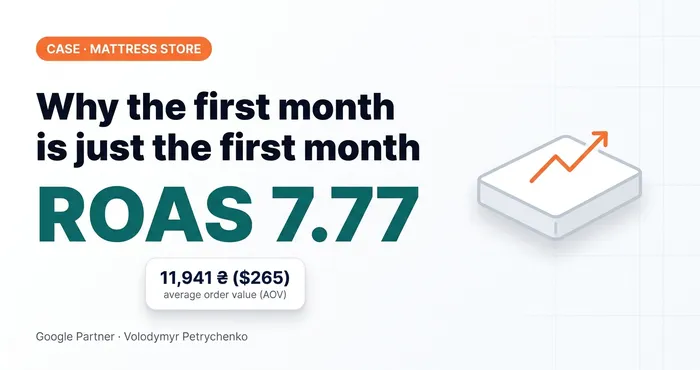 Google Ads case study · Merchant CenterWhy You Shouldn’t Stop After the First Month: A Mattress Store Case StudyMattress store on Horoshop: feed enrichment, shipping_label, CRM instead of fake conversions. Why you shouldn’t stop after the first month.
Optional attributes
They aren’t required, but without them impression quality and campaign control are worse.
| Attribute | What to send | Why |
|---|---|---|
sale_price | Sale price | Shows the discount in the ad; price stays the regular price |
sale_price_effective_date | Sale period | The sale switches on and off by itself |
additional_image_link | Additional images, up to 10 | More options for ads |
product_type | Category from the site’s breadcrumbs | Segmenting products in campaigns |
google_product_category | Category from Google’s taxonomy | If you don’t send it, Google decides itself |
custom_label_0…4 | Internal labels | Splitting products by margin, bestsellers, season, price group |
cost_of_goods_sold | Cost of goods | Profit reports in Google Ads |
product_highlight | Key benefits, up to 10 points | Helps the system understand the product |
material, size_system, product_detail | Product specifications | More precise matching of the product to queries |
Of the whole list, I’d single out custom_label. Labels are what let you split products with different margins into different campaigns or groups with different target ROAS. Without them, everything runs in one basket, and the system optimizes for an average that suits neither cheap nor expensive products.
Titles, descriptions and images
Title. Structure: brand + product type + model + key attribute (color, size, volume). The most important part goes in the first 70 characters, because the title is cut off after that. Not allowed: CAPS LOCK, “sale”, “discount”, “buy”, price, emoji, exclamation marks.
Description. Only about the product itself: purpose, material, dimensions, specifications. No shipping, payment, contacts, links or promo codes.
Image. The main image is the product on a white or neutral background, with no watermarks, logos, text, frames or “−20%” badges. Since January 31, 2027 Google doesn’t accept images smaller than 500×500 px.
Matching the website and the feed
Google compares the feed with the product page. Price, sale price and availability in the feed must match what a new visitor sees on the site without logging in or using a promo code. The same values must be in the schema.org Product markup. Mismatches lead to disapproved products, and repeated ones to an account suspension.
Supplemental feeds
A supplemental feed is a separate data source, most often a Google Sheet, that is attached to the primary feed and adds to or overwrites attributes by product ID. It doesn’t add new products; it only works with those already in the primary feed.
What it’s for:
- rewriting titles when changing them in the admin panel is hard or slow;
- adding brand, sizes, materials, item_group_id, product_detail;
- setting custom_label and shipping_label;
- fixing attributes without touching the website, admin panel or developer.
An example. In the mattress store the size was at the very end of the title, even though people search for mattresses by size. With a supplemental feed I rewrote the titles: size first, then “Mattress”, then the model. There I also added brand, dimensions, material and product_detail for 1,600 SKUs. Nobody would have filled that in by hand in the admin panel.
Another job a supplemental feed handles is shipping for products of different sizes. With shipping_label I split single and double mattresses into different shipping rules in Merchant Center. If the shipping cost on the website and in Merchant Center doesn’t match, it can lead to a suspension.
Besides the supplemental feed for products, Merchant Center has separate feeds for other tasks, for example a promotions feed or a local inventory feed for stores with physical locations. For most online stores the primary and supplemental feeds are enough.
What to give your developer
The primary feed is built by the website developer or a platform module. Instead of explaining the requirements in your own words, forward them the specification. It contains everything from this article in a developer-friendly format: feed format and URL, tables of required and optional attributes, rules for titles and images, website matching requirements, an XML example and an acceptance checklist.
PDF · 4 pagesGoogle Merchant Center Product Feed SpecEnglish version for developers: attributes, rules, an XML example and an acceptance checklist.There are also Russian and Ukrainian versions for developers who prefer them.
Before accepting the work, go through the checklist in the spec: the feed opens at a permanent URL, the product count matches the site, there are no duplicate ids, and price and availability match the site for 10 random products. Only then upload the feed to Merchant Center.
20 — Merchant CenterProduct feed setup and optimizationFeed setup, optimization and enrichment with extra attributes, product segmentation with custom labels.
Where to find me
Message me on Telegram or by email — I respond quickly. Telegram channel and YouTube are for those who want to see real cases before reaching out and understand my approach.