
Marketer, analyst, ex-CMO focused on the Google ecosystem (Ads, Merchant Center, GA4, GTM). Google Partner. 150+ projects, 100+ positive reviews on Freelancehunt, 12+ countries.
- I work directly, with no account managers or subcontractors
- I measure results in sales, not in-platform conversions
- Maximum expertise in the Google ecosystem — instead of “PPC, social ads and SEO, all in one”
I run into all kinds of blocks on ad accounts all the time, considering I've launched more than 150 full-scale projects in Google Ads overall. But this was the first time I caught this particular block: “Compromised site.”
I'll tell the whole story: how it happened and how we solved it. And at the end — one more case where the cause of the “compromised site” was something completely different.

Contents
A new website — and an instant block
A bit of background. We built a new website — a one-page landing page for a company selling new-build real estate in the Odesa region.
Set everything up, launched the ads — and the ads get disapproved for “Compromised site.”
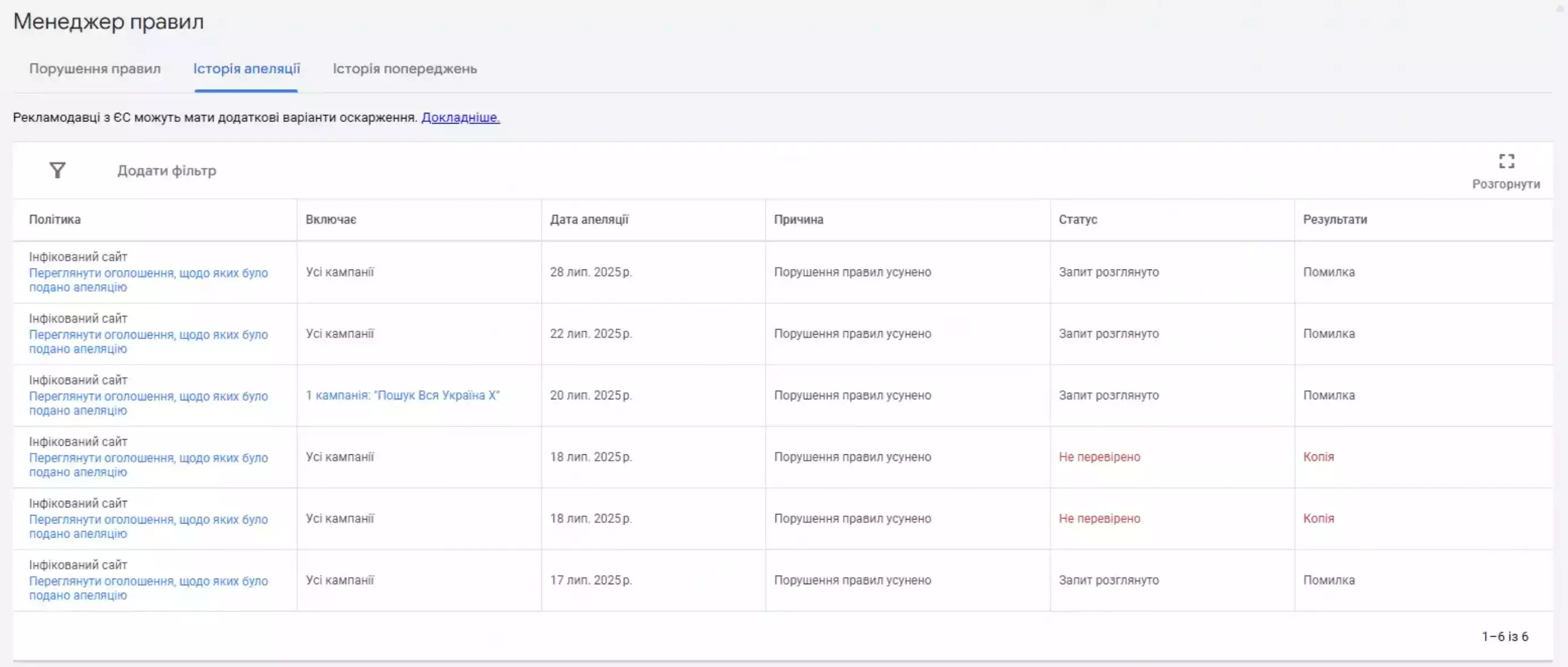
I try submitting an appeal. That often works, because Google's algorithms glitch from time to time and sometimes disapprove a site for no reason. Sent the appeal — nothing.
I relaunched the campaigns, relaunched the ads. Tried running them on a different account — thought maybe the new account was the cause. Nothing. It disapproved the site there too.
Google support: a parrot repeating the same thing
So I decided to write to support. I go to support when things are really bad, because — you'll see in a moment what talking to them is like.
Most clients who have never dealt with Google support think: it's Google, a huge company, everything there must be top-notch. No. I can't put it in one word, or YouTube will ban me. But Google's technical support isn't very good.
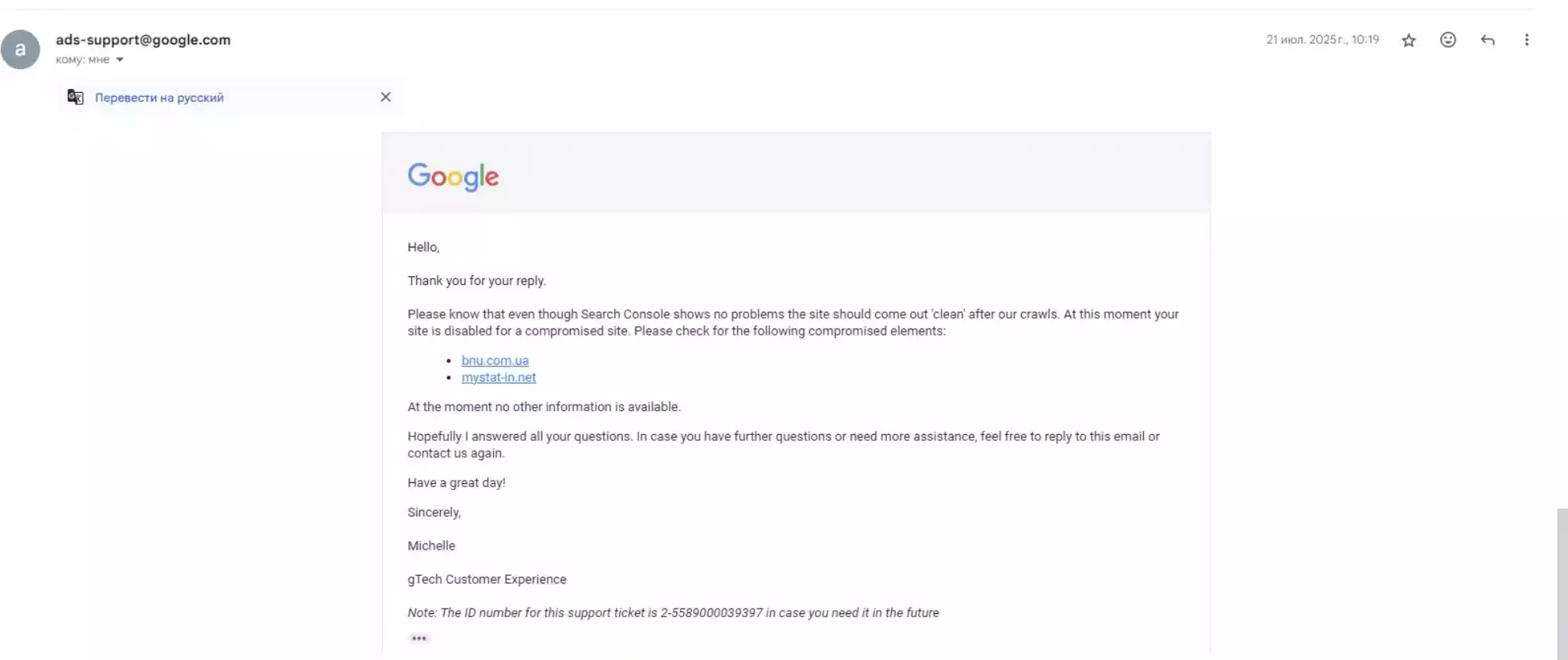
I reach out: guys, help, we don't understand what the cause is. They say: blah-blah-blah, your site has external links, here they are, check them.
I think: okay. I go and check through the console — nothing there. Not a single external link. I give it to the developer — he checks, same thing. Nothing there.
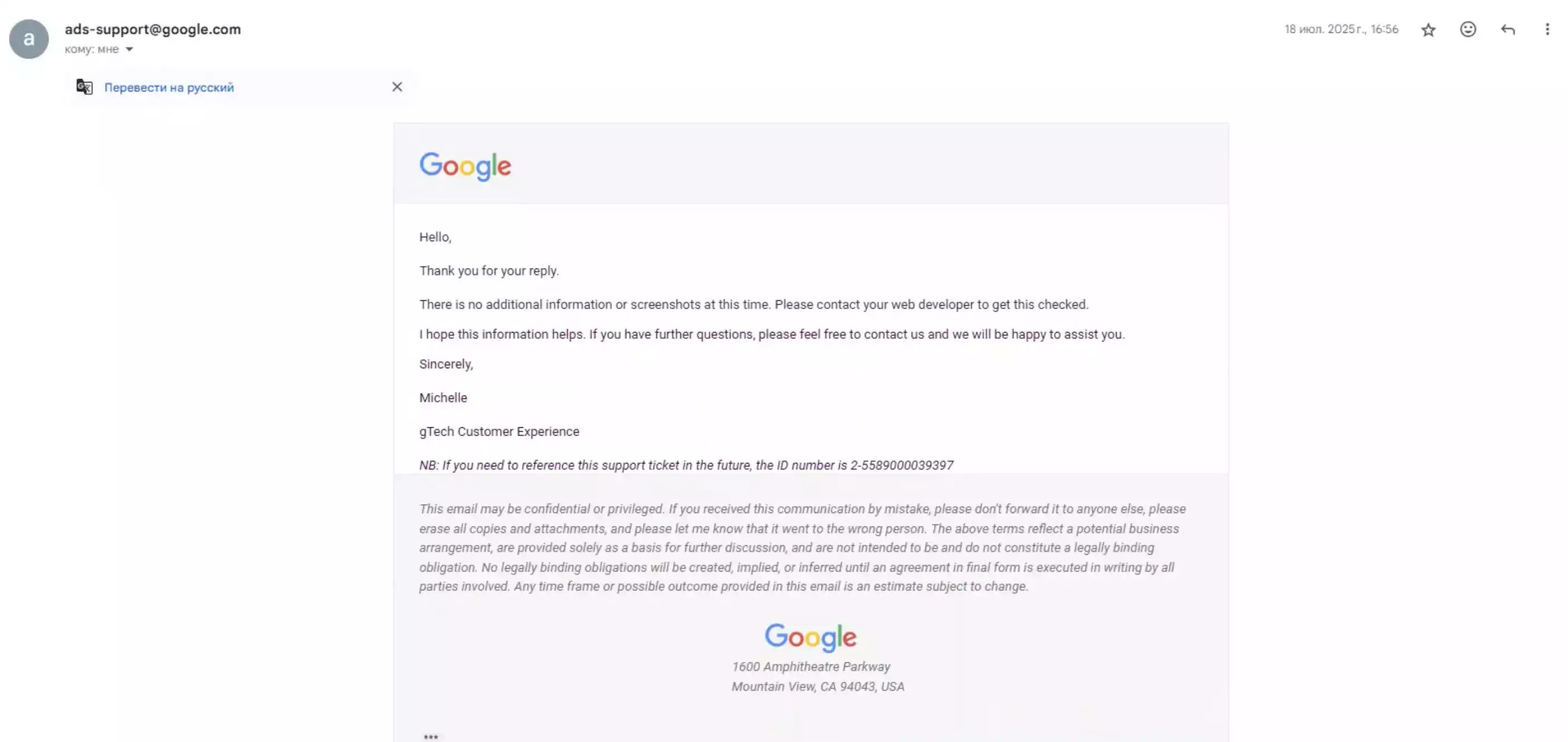
I say: guys, what's your evidence? Give us screenshots of these links, show where you see them. They say: we won't, let your developer check everything.
We don't stop. We write that we've checked the site again and there are no external links. I check via the Google Transparency Report, via every console. Together with the developer we check the site on several external services. Nothing. I give them links to the checks: clean here, clean here.
They reply: even though everything looks fine in your consoles, the problem is still there. You have external links, and your site is compromised.
We see they're just repeating the same thing like a parrot. We decided to try a different approach. We write: we've removed all links to these resources, please, pretty please, check the site again. No reply. No surprise there.
We write another email. The reply: all the information is what we've already provided, there's nothing else. You have links on the site, they need to be removed.
The developer writes his own email, describing everything in detail. Again a standard brush-off: everything we wrote earlier is all we can help with. And then — a survey on how you liked your support experience.
Key point: Google Ads support doesn't look for the cause together with you. If a block makes no sense, count on your own analysis, not on support's answers.
The key to the puzzle — the topic of the “malicious” links
Here's an interesting detail: the links support pointed to were fairly close to our topic. That was the key moment when I understood why the problem had come up.
They were real estate websites. Maybe some aggregator — I don't remember anymore, and that's not the point. What matters is they were related to real estate.
And the residential complex we work with has a fairly common name. And I thought: hold on, I know at least several residential complexes with that name in different regions.
Important: I relaunched on a different account — it was still disapproved. So the problem wasn't in the ad account or the ads, but specifically in the site itself. And there were effectively no problems on the site.
So I came up with a hypothesis: someone had used this domain before, and there were some problems with it. That data is stored in some kind of archive. Since nobody explains anything to us, I assume there's some kind of domain blacklist.
The solution — replacing the domain
We decided to try replacing the domain. So as not to experiment with expensive domains, we bought the cheapest one — for 70 UAH ($1.6) a year. Swapped it in the ads — and everything started working.
One nuance. Google let this cheap domain into ads, but the Chrome browser itself showed the site as likely phishing. Apparently cheap domains like this are often used for fraud, and Google knows something about that.
So we replaced it with a proper, more expensive domain — and voilà, the problem was gone. We didn't even submit another appeal.
Now everything works: impressions are coming in, clicks are coming in, we're waiting for leads.
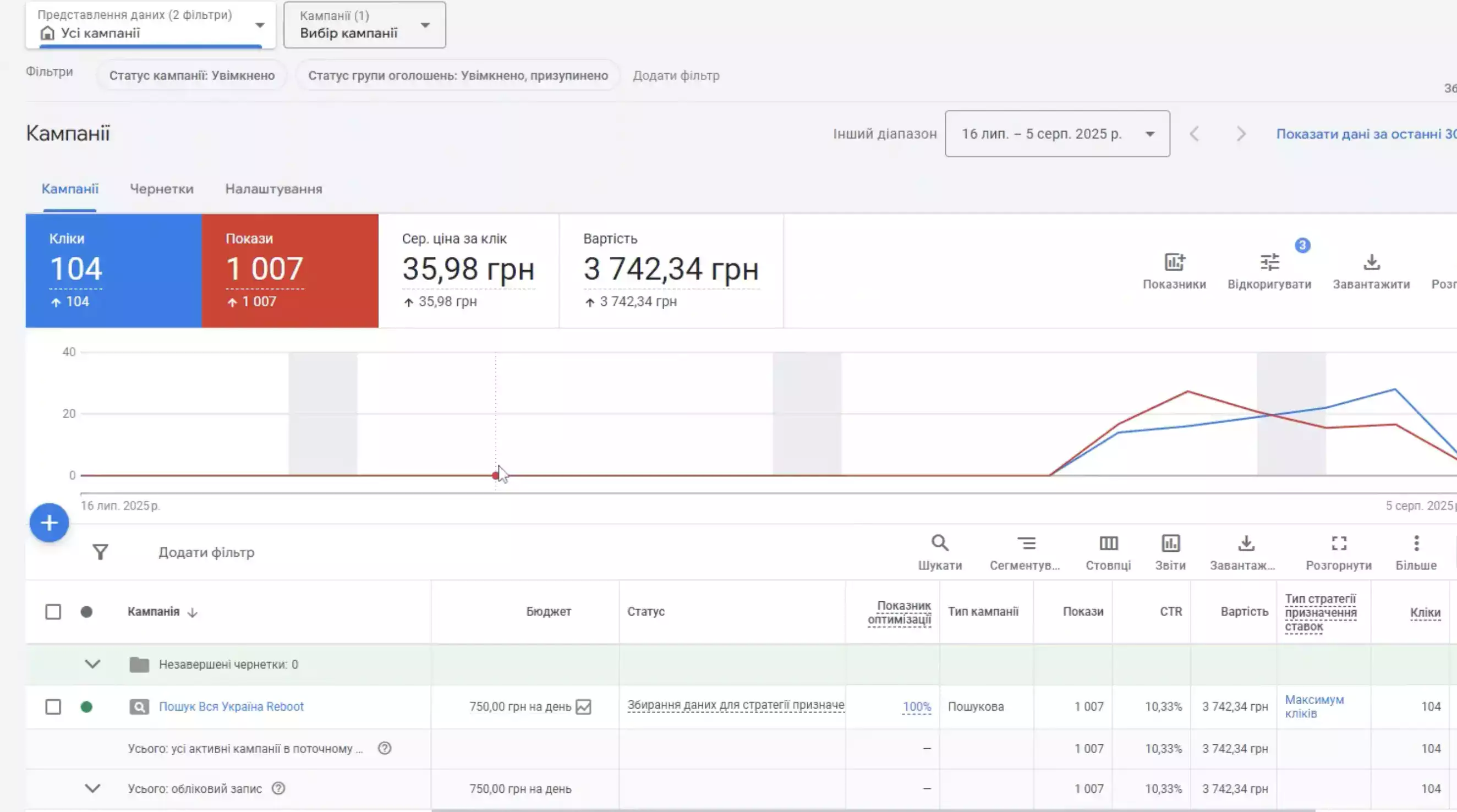
The solution turned out to be fairly simple. But at first the client suggested: let's wait a week, maybe Google will change its mind. I said: that's not how it works with Google.
Key point: Google blocks don't just clear up on their own. It's not a minor illness you can wait out — even if the block, as in our case, is essentially made up. You need to find and fix the cause.
Same with Merchant Center: the “Website needs improvement” block won't go away on its own either until you fix the cause.
The second case: a “compromised site” because of Binotel call tracking code

A “compromised site” isn't always about the domain. Here's another story — a fairly urgent one that happened over a weekend.
Notifications started coming in for several sites: ads disapproved for “Compromised site.” It wasn't an isolated case — in just one day I saw at least three. What they all had in common: Binotel code (a Ukrainian call tracking provider) installed via Google Tag Manager.
Google started sending notifications that it had disabled this code specifically in Tag Manager because it considered it malicious.
What to do in this situation:
- Disable the Binotel code on the site (or the tag in Google Tag Manager).
- Contact the provider describing the problem: Google treats the Binotel code as malicious. The more clients write to the provider, the faster they'll fix it.
- Submit an appeal in Google Ads. After that, the error should go away.
Yes, while the code is disabled, calls won't be tracked. But that's better than having no ads at all.
Binotel itself is a decent provider — I use it and recommend it, for example in the metal processing case. The problem was specifically how Google classified its code at a certain point.
Conclusion
The “Compromised site” error can have completely different causes: from the domain's history to a third-party script on the site. If the site is clean but the block is there — check not only the code, but also the domain and all third-party scripts in GTM. And don't expect it to pass on its own.
Ads disapproved for “Compromised site” or another block? I can help with Google Ads account unblocking, paid on result.
Another example where switching the domain solved it — see the overseas employment agency case study.
Where to find me
Message me on Telegram or by email — I respond quickly. Telegram channel and YouTube are for those who want to see real cases before reaching out and understand my approach.