
Marketer, analyst, ex-CMO focused on the Google ecosystem (Ads, Merchant Center, GA4, GTM). Google Partner. 150+ projects, 100+ positive reviews on Freelancehunt, 12+ countries.
- I work directly, with no account managers or subcontractors
- I measure results in sales, not in-platform conversions
- Maximum expertise in the Google ecosystem — instead of “PPC, social ads and SEO, all in one”
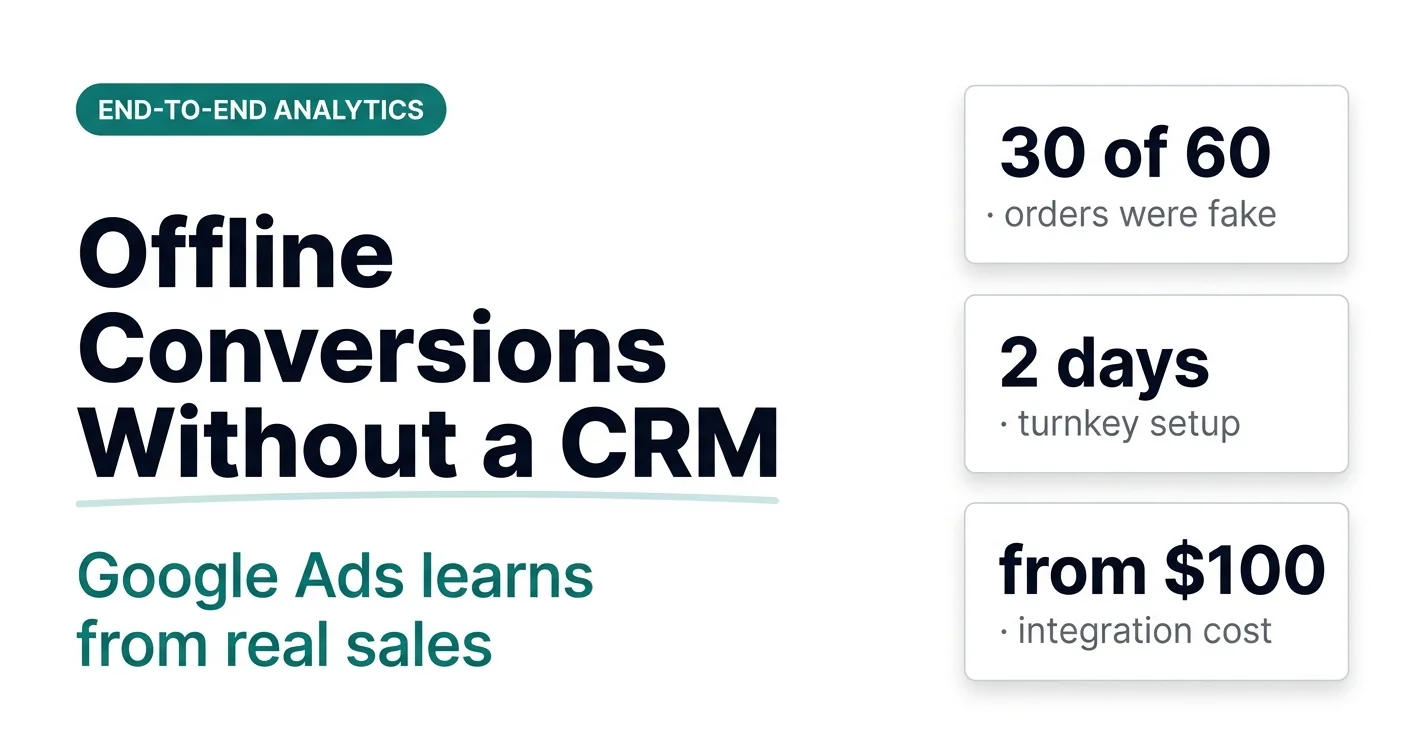
I have a service called “Google Ads offline conversions without a CRM.” Let’s look at what it is, who needs it and how it works.
Here is the situation. You do not have a CRM. Or you have one, but without an API — a CRM in name only that does not integrate with anything. And you want to send Google Ads only quality data, not everything in a row.
Contents
What quality data is and why Google Ads needs it
By quality data I mean:
- MQL (Marketing Qualified Lead) — a qualified lead, i.e. a request that matches your customer profile;
- SQL (Sales Qualified Lead) — a lead the sales team is already working with;
- real sales with revenue or margin.
Google Ads learns from what you send it. If you send every request in a row, including fakes, spam and people who changed their minds, it will look for exactly those people. And you can send quality data without a CRM too.
But to be honest: having a CRM is preferable, especially if your volumes allow it. It means automation and convenience for the whole business. The solution I am describing is for those who do not have a CRM yet.
 Google AdsHow Competitors Sabotage Your Google Ads — and How to Prevent ItFake leads are how competitors break the algorithm's learning. 4 methods of protection, the main one being offline conversions from CRM.
Who this solution is for
Small and mid-sized businesses that do not get hundreds of sales or requests a day, but have one of these problems:
- fake orders or leads;
- lots of rejected leads, with the system learning from all that junk;
- standard tracking is broken: some conversions get lost, some are duplicated — in a word, a mess.
Separately, niches with lots of irrelevant requests. For example, logistics: search terms for freight and passenger transport are very similar, so some requests come in for the wrong service. From a call or a form you cannot tell whether it is a quality lead. But when you send only quality leads to Google Ads, the ads start looking for exactly those.
The solution has already passed, let’s say, clinical trials on dozens of small projects. The interfaces are fully customized for a specific business. Below are two basic options.
Option 1: lead quality
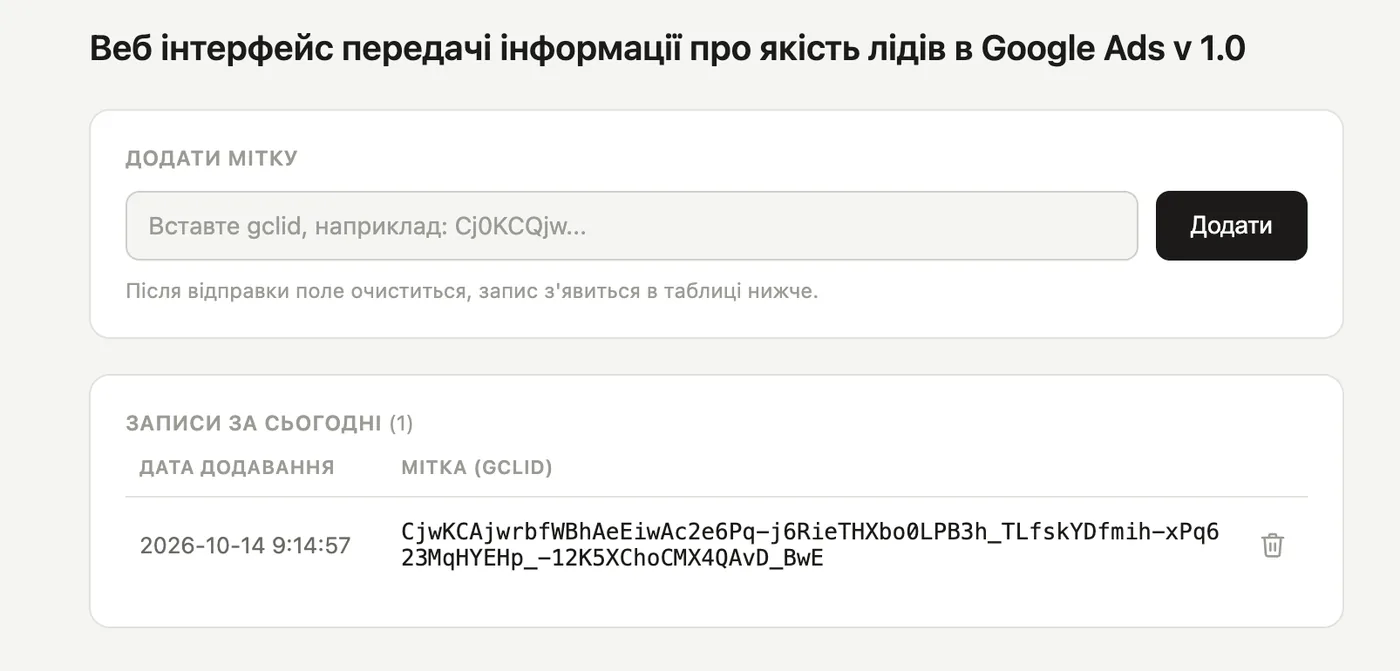
The simplest option. We use it on a lead generation project for a private clinic. All you need to do is paste the tag of a qualified lead that came in through a form on the website and click “Add.”
The tag is the gclid (Google Click ID), a unique identifier of an ad click. It is passed along with the request, so you can always see which click the person came from.
Then the data goes to the backend, the backend processes it and sends it back to Google Ads once a day as an offline conversion. That’s it.

In Google Ads this is a separate goal — “Qualified lead (Form).” The campaigns optimize for it.
By the way, for the same clinic we separately dug into the calls — and found a completely different problem there.
Option 2: sales with revenue and margin
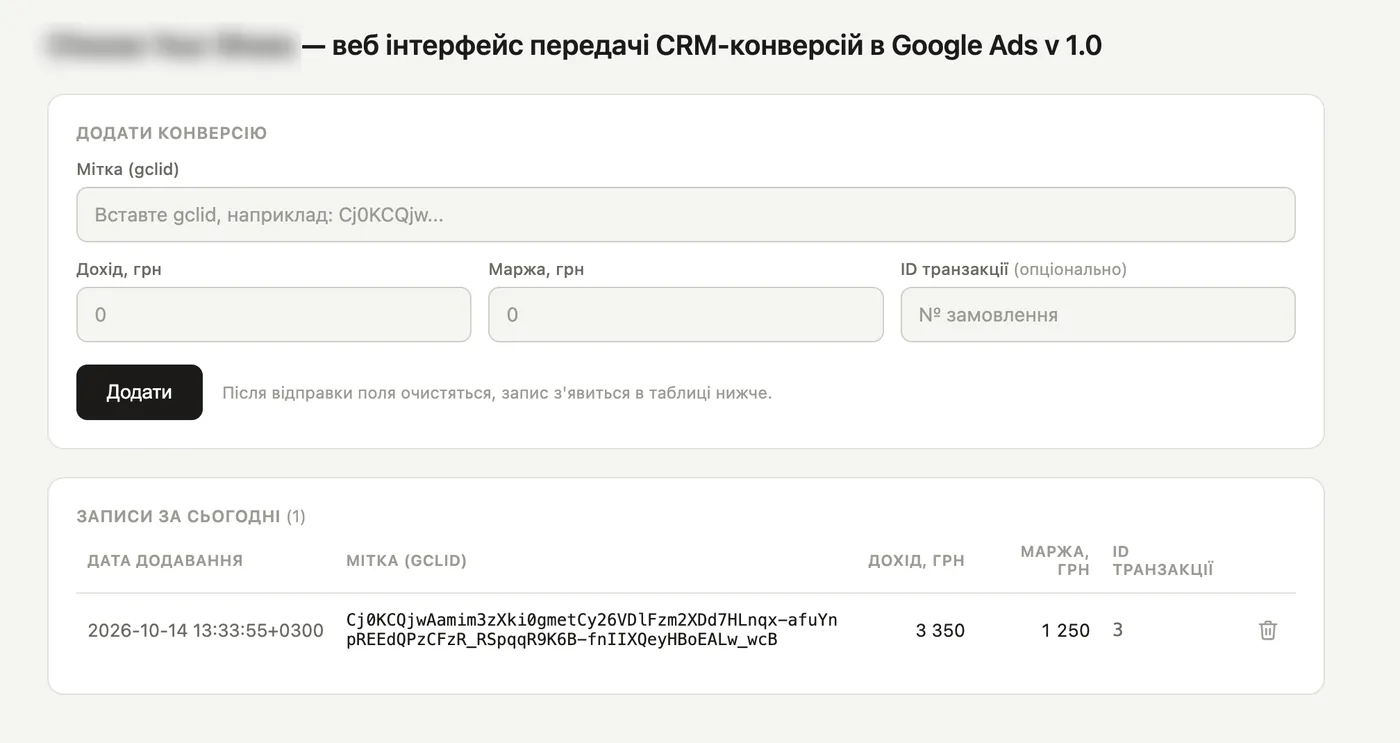
This option is a bit more complex. It is for online stores with a small number of orders.
This integration first appeared in a store where 30 of its 60 monthly orders were fake. Only half were real sales.
Here you also paste the gclid, and then enter the order data:
- the revenue from the sale;
- the gross margin in hryvnias;
- the transaction ID — optional. If you leave it blank, the system generates one itself.
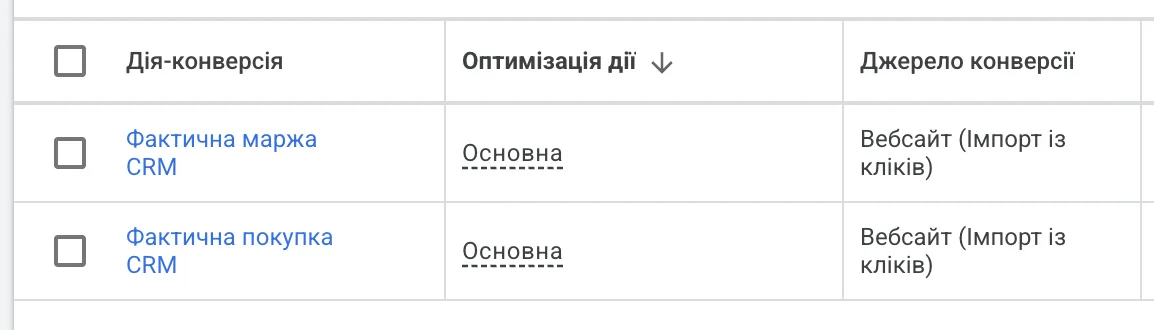
Two goals appear in Google Ads: “Actual purchase CRM” with revenue and “Actual margin CRM” with margin. You can optimize the ads not just for revenue, but for real profit.
I also proposed this option in a recent audit of a sneaker store, where about half of the orders also never turned into sales.
Same principle: you fill it in, and once a day the backend processes the data and sends it to Google Ads. The system is so simple that I do not even know what else to say about it. Ctrl+C, Ctrl+V — and that’s it. And Google Ads gets clean data.
One nuance. If you made a mistake in today’s entry, you can delete it. But if you entered wrong data yesterday, it has already been sent to Google Ads. So fill it in carefully.
Messengers too
The same interface can be combined with sending messenger orders. On one project there are a lot of requests through messengers, and they are very valuable. The client enters the quality of these leads through the interface, and Google Ads sees the real picture.
 Google Ads · AnalyticsHow to Send Messenger and Email Orders to Google Ads — and Why You ShouldB2B clients message on Telegram instead of using the cart. A GTM + CRM setup to send those orders to offline conversions.
What the service includes
- setting up the web interface for your business;
- setting up data transfer to Google Ads so that everything is sent correctly and without bugs;
- setting up new goals. For example, separating MQL and SQL or setting up conversions separately for revenue and margin.
You get a ready-made turnkey solution that needs no further adjustments.
Price — from $100 (UAH 4,500), depending on complexity.
Timeline — 2 business days for the full setup.
Even on a small budget it pays off very quickly, because the system learns only from clean data.
Not included — campaign management. I set up the goals and can switch your current campaigns to them, but I make no other changes. If you need work on campaigns, there are separate packages: Google Ads management or a turnkey Google Ads launch. By agreement, a turnkey launch can include this integration as well.
From a manual interface to a CRM
Once your ads start learning from clean data, orders will grow. Entering everything by hand will get tiresome, and you will want to automate the process. Then you connect a CRM, and I set up its integration with Google Ads.
That is a different, automatic integration. Managers or you yourself work in the CRM, and sales data flows back to Google Ads without any copying.
05 — CRMCRM integration with Google AdsOffline conversions: real sales from your CRM flow back into Google Ads, so the algorithm learns from revenue, not leads.I recommend this tool even on minimal budgets. Honestly, folks, it is worth it.
How the same tool works for a Khoroshop store together with actual margin and “by conversion time” columns — in the case study “Turnkey Google Ads: Footwear Store and Conversions Without a CRM”.
Where to find me
Message me on Telegram or by email — I respond quickly. Telegram channel and YouTube are for those who want to see real cases before reaching out and understand my approach.