
Marketer, analyst, ex-CMO focused on the Google ecosystem (Ads, Merchant Center, GA4, GTM). Google Partner. 150+ projects, 100+ positive reviews on Freelancehunt, 12+ countries.
- I work directly, with no account managers or subcontractors
- I measure results in sales, not in-platform conversions
- Maximum expertise in the Google ecosystem
"We have 67% optimization, why so low, aren't you doing anything?" That is what clients write to me after opening the Recommendations tab in Google Ads. The second source of anxiety is agency audits with a separate line saying the Optimization Score should be at least 80%, better 90%, or the ads suffer.
Let's look at what this score is and whether it affects anything at all.
Contents
The whole truth about Optimization Score in Google Ads. Does it affect anything

What this score is
Optimization Score is a rating from 0% to 100% of how well, in Google's view, your account is set up to perform. It is calculated in real time from statistics, account settings and the recommendations Google offers you. Each recommendation has its own "weight": apply it and the score goes up.
So 67% doesn't mean "the ads work at two thirds". It means "there are recommendations you haven't applied or dismissed yet".
Does it affect the auction
To find out, it is enough to open the Google Help page on Optimization Score. There is not a word about any effect on the auction, even in the FAQ section.
That is telling. When Google talks about something that really matters, it backs it up with numbers: "this much higher conversion rate", "this much cheaper". Here there is nothing.
So I asked the built-in Google Help assistant directly whether Optimization Score affects the auction. The answer: the score itself does not directly affect the auction. After that came general words about it being a diagnostic tool that helps you improve your settings.
The Help page also contains one more clear statement: Optimization Score is not used in Quality Score.
And then plain logic. You dismiss a recommendation that has nothing to do with your business, and your Optimization Score goes up. The ads haven't changed, neither have the keywords, the site is the same. Why would your auction positions improve?
Where the scare stories come from
I see a line about Optimization Score in almost every agency audit. In my view it is there to scare the owner as much as possible: a number below 100%, in red, so the previous contractor must have missed something.
The next time an audit points at this score, ask for proof of how exactly it affects your ads. In 7+ years in paid search I haven't seen a single article, video or statistic linking Optimization Score to ad results.
I showed what an audit looks like when it looks for real causes instead of red numbers using a plant nursery store as the example.
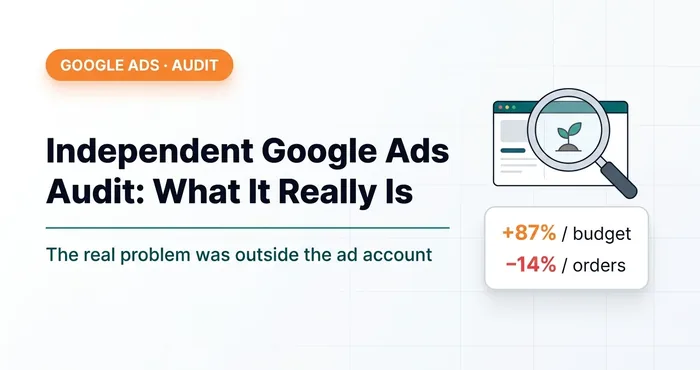 Google Ads · AnalyticsAn Independent Google Ads Audit and What It Really Looks LikeA real paid Google Ads audit: the budget grew 87%, yet orders dropped. The cause wasn't the ads — it was the minimum order value.
Who the score really matters to
There is one audience for whom this number matters: agencies and specialists with Google Partner status. One of the program requirements is that the manager account's Optimization Score stays at 70% or above. Google checks it daily and gives you time to fix a dip before the status is at risk.
I am a Google Partner myself, so the score in my manager account must also be at least 70%. And Google states in the program requirements that recommendations can be applied or dismissed, depending on the client's goals. Dismissing also raises the score.
When you have dozens of accounts rather than one, dismissing recommendations by hand is a complete waste of time. So I built a free Chrome extension, Dismiss All: one button in the Google Ads interface and every recommendation in the account is dismissed. From a manager account, in all child accounts at once. As of the end of August 2026 it has been installed 134 times, about 80% of them from the US.
 Google AdsTwo Free Chrome Extensions for Google Ads I Built for MyselfNegPicker and Dismiss All Recommendations — extensions for adding negative keywords in bulk and dismissing recommendations in one click.
To see when the score dips, there is a script that checks it and sends the result to Telegram:
Google Ads script: checking Optimization Score and sending it to Telegram

What to do with recommendations
They are worth reading: some of them are useful. But judge each one by your business goals, not by the number in the tab. Google recommends changes that often have nothing to do with your specific account, and the "Apply all" button is the shortest way to turn your account into what is good for Google.
Apply what fits. Dismiss what doesn't. A dismissed recommendation may come back later if Google considers it relevant again.
Conclusion
Open the Recommendations tab, go through the list and dismiss everything unrelated to your business. Your Optimization Score will go up. Then, a week later, compare the number of leads and sales with the previous week.
03 — AuditGoogle Ads account auditI find where the budget leaks: structure, bidding, keywords, conversion tracking, website.
Where to find me
Message me on Telegram or by email — I respond quickly. Telegram channel and YouTube are for those who want to see real cases before reaching out and understand my approach.